EasyManua.ls Logo

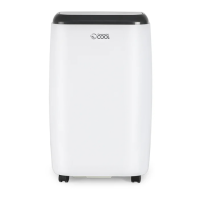
commercial cool CPRB07XC7 - User Manual

commercial cool CPRB07XC7
12 pages
Print Icon
To Next Page IconTo Next Page
Loading...
Question and Answer IconNeed help?

Do you have a question about the commercial cool CPRB07XC7 and is the answer not in the manual?

Summary

A Word From Haier America

Product Registration

Safety Precautions

Important Instructions

Advantages of this Model

Parts and Features

Control Panel and Indicators

Overview of the control panel, including mode indicators and power control.

Air Outlets and Intake

Details on the air outlet, heat exhaust, and air intake ports.

Physical Features and Accessories

Components like handle, casters, filter, and remote storage.

Power and Safety Features

Includes power cord, reset, and test buttons for operation and safety.

Assembly and Installation

Window Kit Assembly

Instructions for assembling the window panel adapter and plastic panel.

Hose and Unit Connection

Steps for connecting the exhaust hose to the unit and window panel.

Final Connection and Safety Note

Plugging into the outlet and a note on single outlet circuits.

Operation

Control Panel Functions

Explanation of power control, warning light, and mode indicators.

Temperature and Time Display

Details on how the unit displays room temperature, set temperature, and time.

Remote Control Operation

Using the remote control for mode selection, speed, and temperature adjustments.

Mode Specifics

Details on Cool, Dehumidify, and Fan modes and their requirements.

Temperature and Timer Settings

How to set temperature, switch units (°C/°F), and use the timer function.

Product Specification

Care and Cleaning Guide

General Cleaning Instructions

Advice on cleaning the unit with a damp cloth and avoiding harsh chemicals.

Air Filter Maintenance

How to clean the air filter weekly for optimal efficiency.

Storage

Storage Procedures

Steps for storing the air conditioner for long periods, including draining and cleaning.

Troubleshooting

Unit Not Operating

Checks for power, reset button, voltage, circuit breaker, and warning lights.

Cooling Performance Issues

Troubleshooting for poor cooling, including heat sources, hose, airflow, and filter.

Limited Warranty

Warranty Coverage Details

Covers defects in workmanship and materials for parts and sealed system.

Exclusions and Limitations

Details what is not covered, such as improper installation or misuse.

Getting Service

Instructions on how to contact authorized service depots for repairs.

Summary

A Word From Haier America

Product Registration

Safety Precautions

Important Instructions

Advantages of this Model

Parts and Features

Control Panel and Indicators

Overview of the control panel, including mode indicators and power control.

Air Outlets and Intake

Details on the air outlet, heat exhaust, and air intake ports.

Physical Features and Accessories

Components like handle, casters, filter, and remote storage.

Power and Safety Features

Includes power cord, reset, and test buttons for operation and safety.

Assembly and Installation

Window Kit Assembly

Instructions for assembling the window panel adapter and plastic panel.

Hose and Unit Connection

Steps for connecting the exhaust hose to the unit and window panel.

Final Connection and Safety Note

Plugging into the outlet and a note on single outlet circuits.

Operation

Control Panel Functions

Explanation of power control, warning light, and mode indicators.

Temperature and Time Display

Details on how the unit displays room temperature, set temperature, and time.

Remote Control Operation

Using the remote control for mode selection, speed, and temperature adjustments.

Mode Specifics

Details on Cool, Dehumidify, and Fan modes and their requirements.

Temperature and Timer Settings

How to set temperature, switch units (°C/°F), and use the timer function.

Product Specification

Care and Cleaning Guide

General Cleaning Instructions

Advice on cleaning the unit with a damp cloth and avoiding harsh chemicals.

Air Filter Maintenance

How to clean the air filter weekly for optimal efficiency.

Storage

Storage Procedures

Steps for storing the air conditioner for long periods, including draining and cleaning.

Troubleshooting

Unit Not Operating

Checks for power, reset button, voltage, circuit breaker, and warning lights.

Cooling Performance Issues

Troubleshooting for poor cooling, including heat sources, hose, airflow, and filter.

Limited Warranty

Warranty Coverage Details

Covers defects in workmanship and materials for parts and sealed system.

Exclusions and Limitations

Details what is not covered, such as improper installation or misuse.

Getting Service

Instructions on how to contact authorized service depots for repairs.

commercial cool CPRB07XC7 Specifications

General IconGeneral
Brandcommercial cool
ModelCPRB07XC7
CategoryAir Conditioner
LanguageEnglish

Related product manuals