2. Disassemble
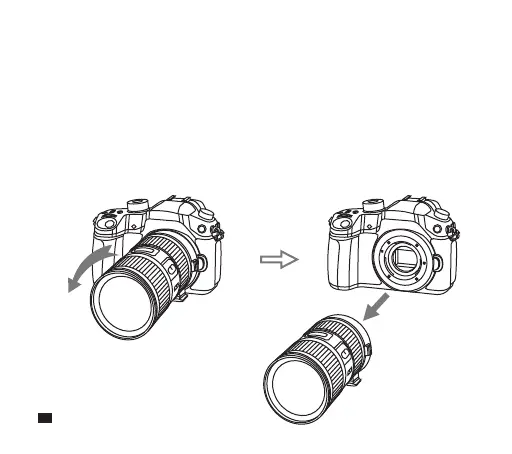
Step1. Turn off the power of camera, then take off the mount adapter
connected with EF/EF-S lens from RF-Mount camera
Refer to the illustration, press down the “ Lens Release Button ” of the
RF-Mount Camera, turn the adapter counterclockwise which is
connected with EF/EF-S lens until it can be easily taken off.
6


 To Next Page