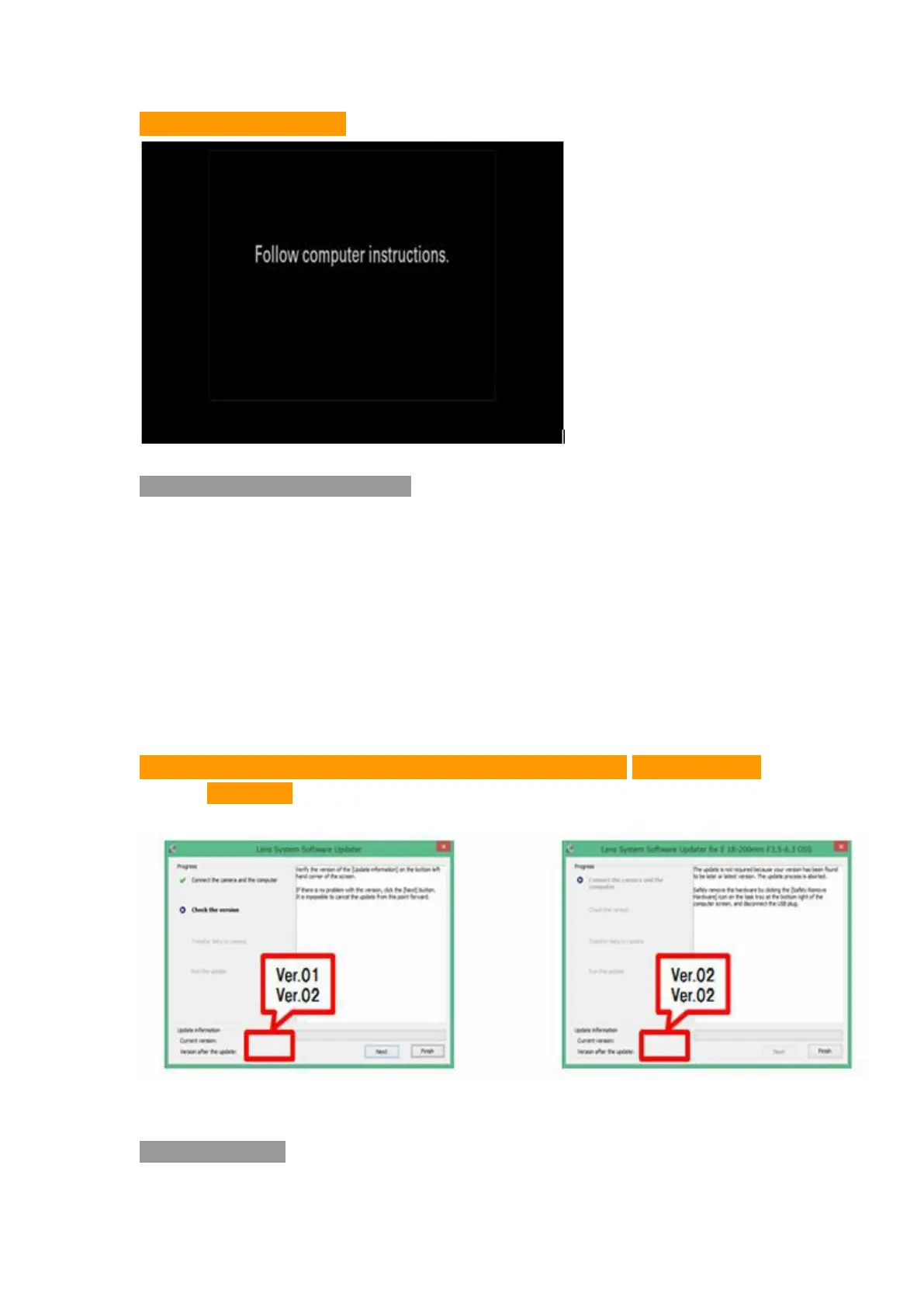
Picture 4
:
Camera LCD
5. Confirm your need of Upgrade
5.1 Confirm the content of Picture 3 and Picture 4, click [Next Step]. The
current and updated firmware version will appear at lower left corner of your
screen (picture 5)
5.2 Confirm [Current Version] to be original one, click [Next Step]
Notice: If it appears like Picture 6, there’s no need of your upgrading. Please
stop the USB connection and click [Finish] by prompt of upgrading. Turn off the
camera’s power, take out battery or battery adapter, restart your camera.
Picture 5:Need Upgrading Picture 6:No Need of
Upgrading
6. Start Upgrade
6.1 Start Date transferring


 To Next Page