NOTE:
When the write/protect notch
is
covered by tape, the contents
of
the
diskette cannot be altered or added to. That prevents accidental erasing
of
informa-
tion you want to preserve.
If
a diskette comes without a write/protect notch, the
contents of that diskette were not meant
to
be altered.
Blank diskettes may not have a label on them when you purchase them.
With the diskette
in
position, seat
it
properly for use by twisting the door lever
clockwise one-quarter turn until it stops vertically over the slot.
Warning: If
it
doesn't
move easily, stop. You may have put the diskette
in
the wrong way, or incompletely. If
that happens, reposition the diskette until the door lever closes easily.
=
=
c:::::::::J
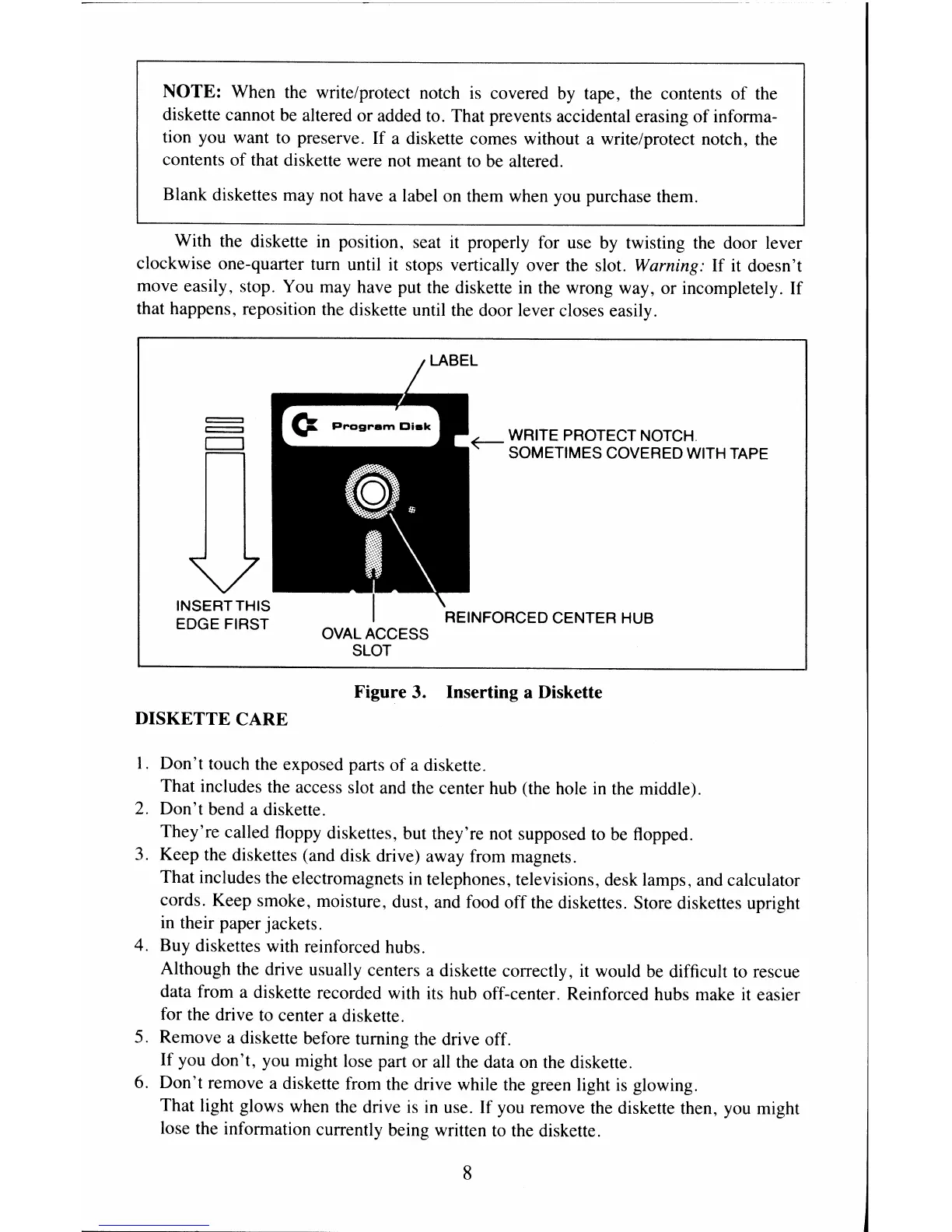
OVAL ACCESS
SLOT
WRITE PROTECT
NOTCH
SOMETIMES COVERED WITH TAPE
Figure 3. Inserting a Diskette
DISKETTE
CARE
I.
Don't
touch the exposed parts of a diskette.
That includes the access slot and the center hub (the hole
in
the middle).
2.
Don't
bend a diskette.
They're called floppy diskettes, but they're not supposed to
be
flopped.
3. Keep the diskettes (and disk drive) away from magnets.
That includes the electromagnets
in
telephones, televisions, desk lamps, and calculator
cords. Keep smoke, moisture, dust, and food off the diskettes. Store diskettes upright
in
their paper jackets.
4. Buy diskettes with reinforced hubs.
Although the drive usually centers a diskette correctly,
it
would
be
difficult to rescue
data from a diskette recorded with
its
hub off-center. Reinforced hubs make
it
easier
for the drive to center a diskette.
5. Remove a diskette before turning the drive off.
If you don't, you might lose part or
all
the data on the diskette.
6. Don't remove a diskette from the drive while the green light
is
glowing.
That light glows when the drive
is
in
use. If you remove the diskette then, you might
lose the information currently being written to the diskette.
8


 To Next Page
 Loading...






