I960 SERVICE MANUAL
E) STATIC CONVERGENCE ADJUSTMENT
NB: The monitor should be operated for at least 30 mins, before any
convergence adjustments are made.
Input Signal: Cross Hatch Pattern
1. Set Brightness & Contrast so that a well-defined pattern is obtained.
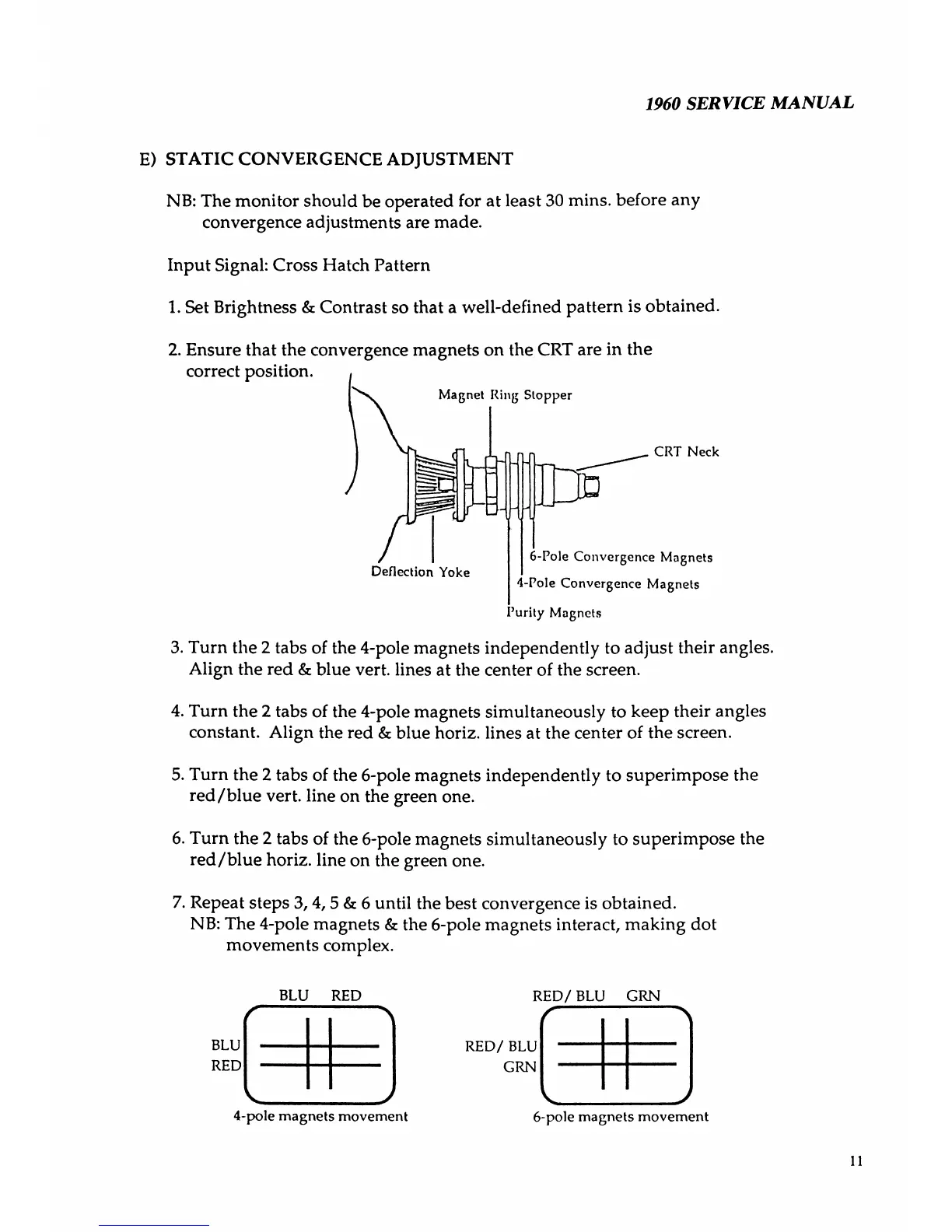
2. Ensure that the convergence magnets on the CRT are in the
correct position.
Magnet Ring Stopper
CRT Neck
Deflection Yoke
6-Pole Convergence Magnets
4-Pole Convergence Magnets
Purity Magnets
3. Turn the 2 tabs of the 4-pole magnets independently to adjust their angles.
Align the red & blue vert, lines at the center of the screen.
4. Turn the 2 tabs of the 4-pole magnets simultaneously to keep their angles
constant. Align the red & blue horiz. lines at the center of the screen.
5. Turn the 2 tabs of the 6-pole magnets independently to superimpose the
red/blue vert, line on the green one.
6. Turn the 2 tabs of the 6-pole magnets simultaneously to superimpose the
red/blue horiz. line on the green one.
7. Repeat steps 3,4,5 & 6 until the best convergence is obtained.
NB: The 4-pole magnets & the 6-pole magnets interact, making dot
movements complex.
BLU RED
BLU
RED
--------------------------
.
_________________/
4-pole magnets movement
RED/BLU GRN
RED/ BLU
GRN
6-pole magnets movement
--------------------\
_____________
y
h



 To Next Page