EasyManua.ls Logo

Commodore Amiga - Page 32

Commodore Amiga
162 pages
Print Icon
To Next Page IconTo Next Page
To Previous Page IconTo Previous Page
Loading...
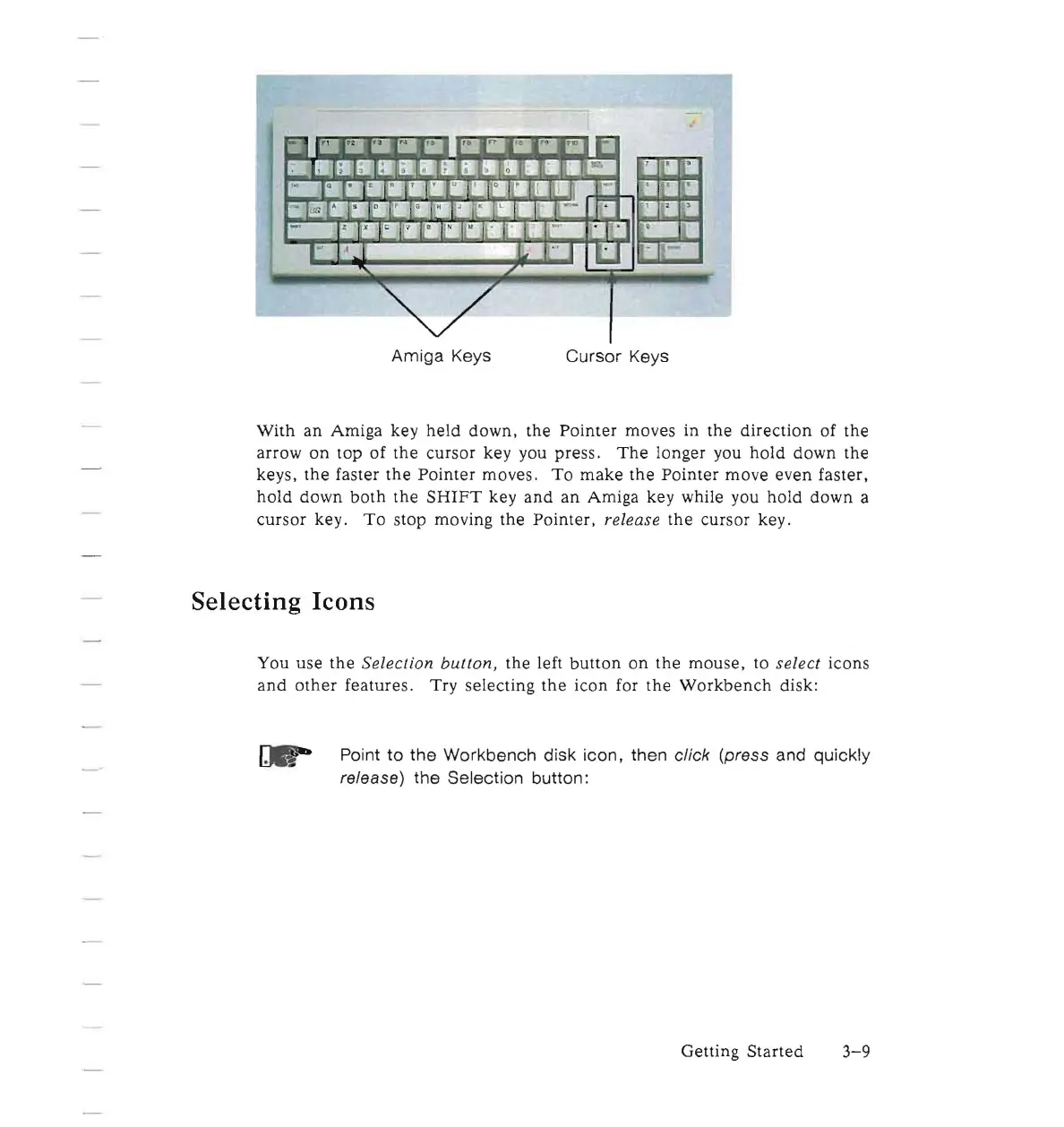
Amiga
Keys
Cursor
Keys
With
an
Amiga
key
held
down,
the
Pointer
moves
in
the
direction
of
the
arrow
on
top
of
the
cursor
key you
press
.
The
longer
you
hold
down
the
keys,
the
faster
the
Pointer
moves
.
To
make
the
Pointer
move
even
faster,
hold
down
both
the
SHIFT
key
and
an
Amiga
key while you
hold
down
a
cursor
key.
To
stop moving
the
Pointer,
release
the
cursor
key .
Selecting
Icons
You
use
the
Selection
button
,
the
left
button
on
the
mouse,
to select icons
and
other
features.
Try
selecting
the
icon
for
the
Workbench
disk:
Point
to
the
Workbench disk icon, then click (press and quickly
release)
the
Selection button :
Getting
Started
3-9

Other manuals for Commodore Amiga

Related product manuals