EasyManua.ls Logo

Commodore Amiga - Chapter 3: PLAYFIELD HARDWARE

Commodore Amiga
162 pages
Print Icon
To Next Page IconTo Next Page
To Previous Page IconTo Previous Page
Loading...
Using
a Tool:
Preferences
With
the
Preferences
tool, you
can
make
a
number
of
changes
to your
Amiga.
In
Chapter
7,
you'll
find a
complete
list of
Preferences
settings.
Here,
you'll
learn
how to
start
using
Preferences,
how to
use
Preferences
to
get
the
most
from
your
monitor,
and
what to do
when
you're
finished
using
Preferences.
~
Select
the
icon labeled
"Copy
of
Workbench,"
then
choose
Open
from
the
Workbench
menu.
When the
Preferences
icon
appears,
select
it, then
choose
Open
from
the
Workbench
menu
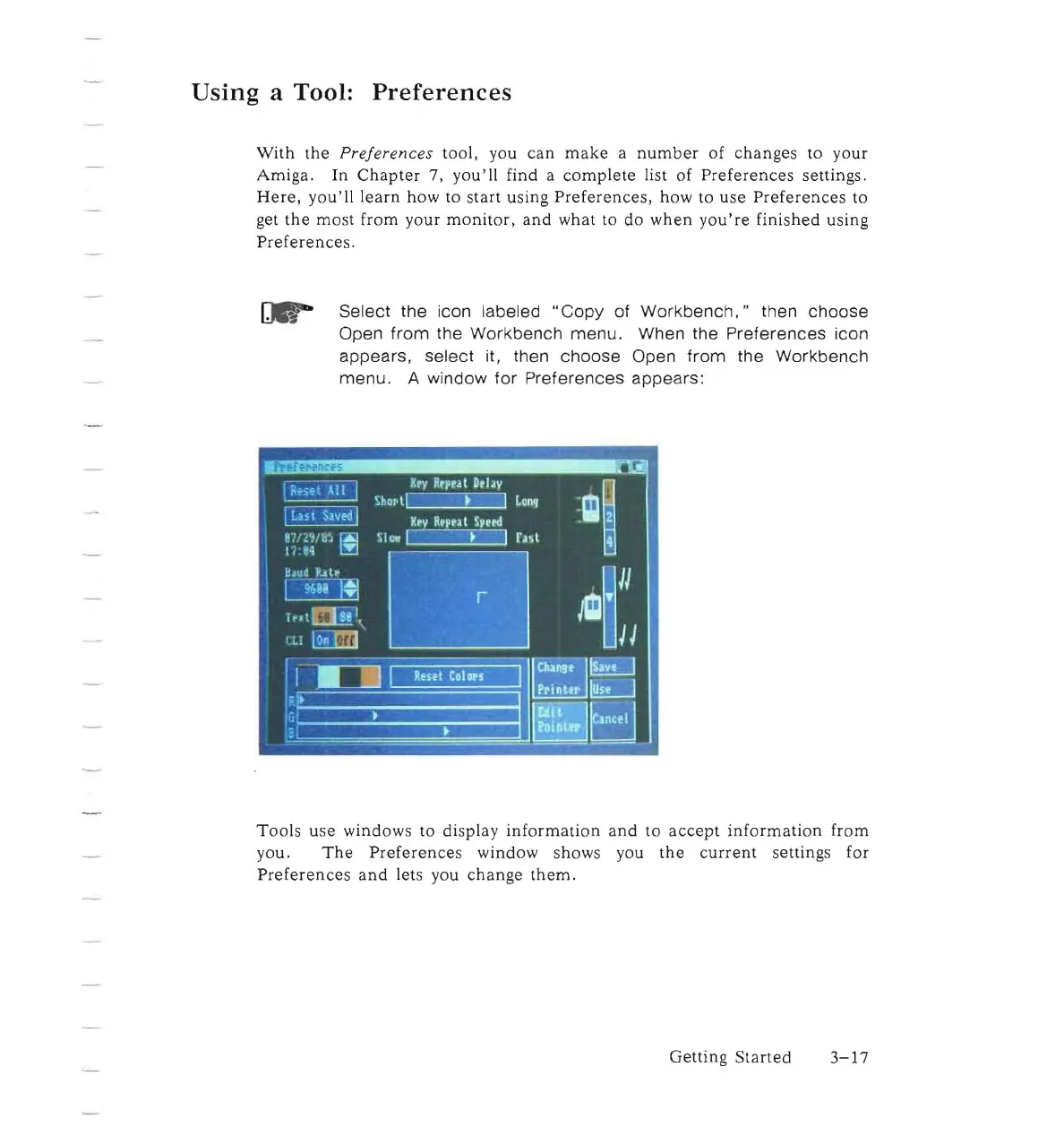
. A
window
for
Preferences
appears:
Reset
CoiOJ"
Tools
use
windows to display
information
and
to
accept
information
from
you.
The
Preferences
window shows you
the
current
settings for
Preferences
and
lets you
change
them.
Getting
Started
3-17

Other manuals for Commodore Amiga

Related product manuals