EasyManua.ls Logo

Commodore Amiga - Page 75

Commodore Amiga
162 pages
Print Icon
To Next Page IconTo Next Page
To Previous Page IconTo Previous Page
Loading...
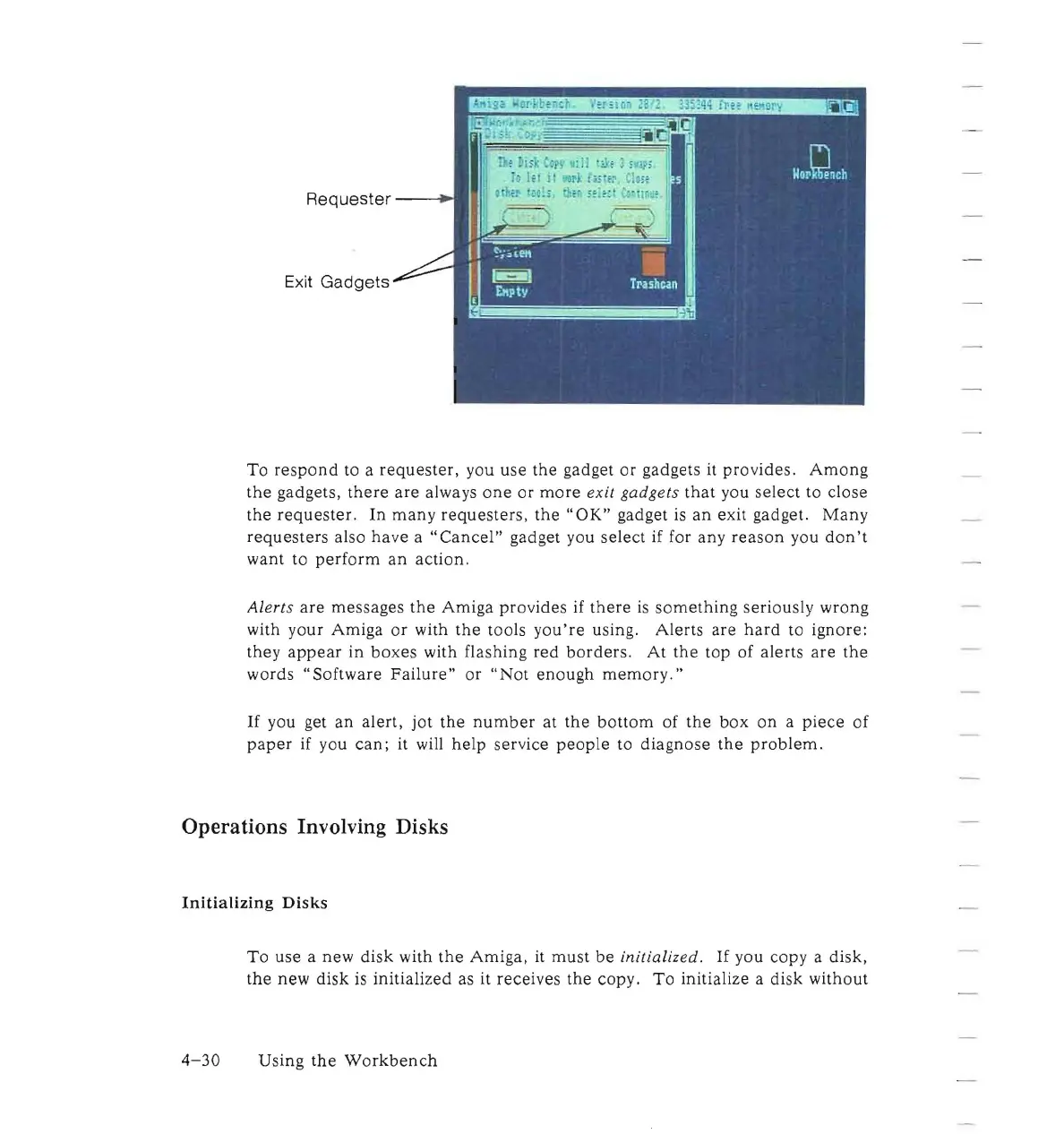
Requester
-----i
~
Exit
Gadgets
To
respond
to a
requester,
you
use
the
gadget
or
gadgets it
pro
v
ides
.
Among
the
gadgets,
there
are
always
one
or
more
exit
gadgets
that
you
select
to
close
the
requester.
In
many
requesters,
the"
OK"
gadget
is
an
exit gadget.
Many
requesters
also
have
a
"Cancel"
gadget you
select
if for
any
reason
you
don't
want
to
perform
an
action.
Alerts
are
messages
the
Amiga
provides
if
there
is
something
seriously
wrong
with
your
Amiga
or
with
the
tools
you're
using.
Alerts
are
hard
to
ignore:
they
appear
in
boxes
with flashing
red
borders
.
At
the
top of alerts
are
the
words
"Software
Failure"
or
"Not
enough
memory."
If
you get
an
alert,
jot
the
number
at
the
bottom
of
the
box
on
a
piece
of
paper
if you
can;
it will
help
service
people
to
diagnose
the
problem.
Operations Involving Disks
Initializing
Disks
To
use
a new
disk
with
the
Amiga,
it
must
be
initialized.
If
you copy a
disk,
the
new
disk
is
initialized
as it receives
the
copy.
To
initialize a
disk
without
4-30
Using
the
Workbench

Other manuals for Commodore Amiga

Related product manuals