EasyManua.ls Logo

Commodore PC - Mode

Commodore PC
414 pages
Print Icon
To Next Page IconTo Next Page
To Previous Page IconTo Previous Page
Loading...
68
MS-DOS
User's
Reference
Mode
Parallel
printer
mode
Mode
Purpose:
Sets
operation
modes
for
devices.
Syntax:
Parallel
printer
mode:
mode
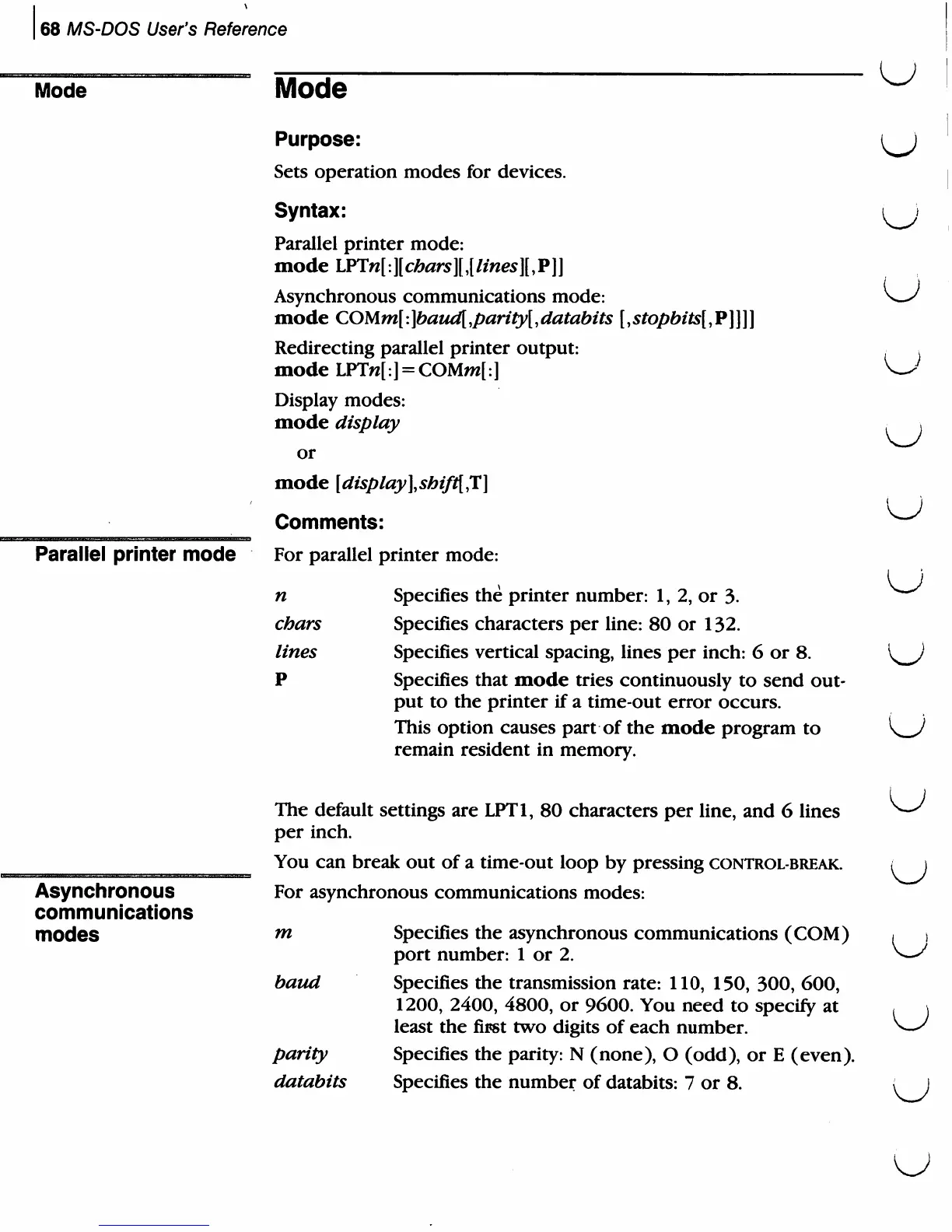
LPTn[:][chars]l[lines]lP]]
Asynchronous
communications
mode:
mode
COUm[:]baud[,parity[,databits
[,stopbits[,V]\\]
Redirecting
parallel
printer
output:
mode
LPTw[:]
=
COMm[:]
Display
modes:
mode
display
or
mode
[display],shif1{,T]
Comments:
For
parallel
printer
mode:
n
Specifies
the
printer
number:
1,
2,
or
3.
chars
Specifies
characters
per
line:
80
or
132.
lines
Specifies
vertical
spacing,
lines
per
inch:
6
or
8.
P
Specifies
that
mode
tries
continuously
to
send
out
put
to
the
printer
if
a
time-out
error
occurs.
This
option
causes
part
of
the
mode
program
to
remain
resident
in
memory.
u
u
u
Asynchronous
communications
modes
The
default
settings
are
LPT1,
80
characters
per
line,
and
6
lines
per
inch.
You
can
break
out
of
a
time-out
loop
by
pressing
control-break.
For
asynchronous
communications
modes:
m
Specifies
the
asynchronous
communications
(COM)
port
number:
1
or
2.
baud
Specifies
the
transmission
rate:
110,
150,
300,
600,
1200,
2400,
4800,
or
9600.
You
need
to
specify
at
least
the
first
two
digits
of
each
number.
parity
Specifies
the
parity:
N
(none),
O
(odd),
or
E
(even).
databits
Specifies
the
number
of
databits:
7
or
8.
u

Related product manuals