EasyManua.ls Logo

Commodore PC - Restore

Commodore PC
414 pages
Print Icon
To Next Page IconTo Next Page
To Previous Page IconTo Previous Page
Loading...
82
MS-DOS
User's
Reference
Restore
Restore
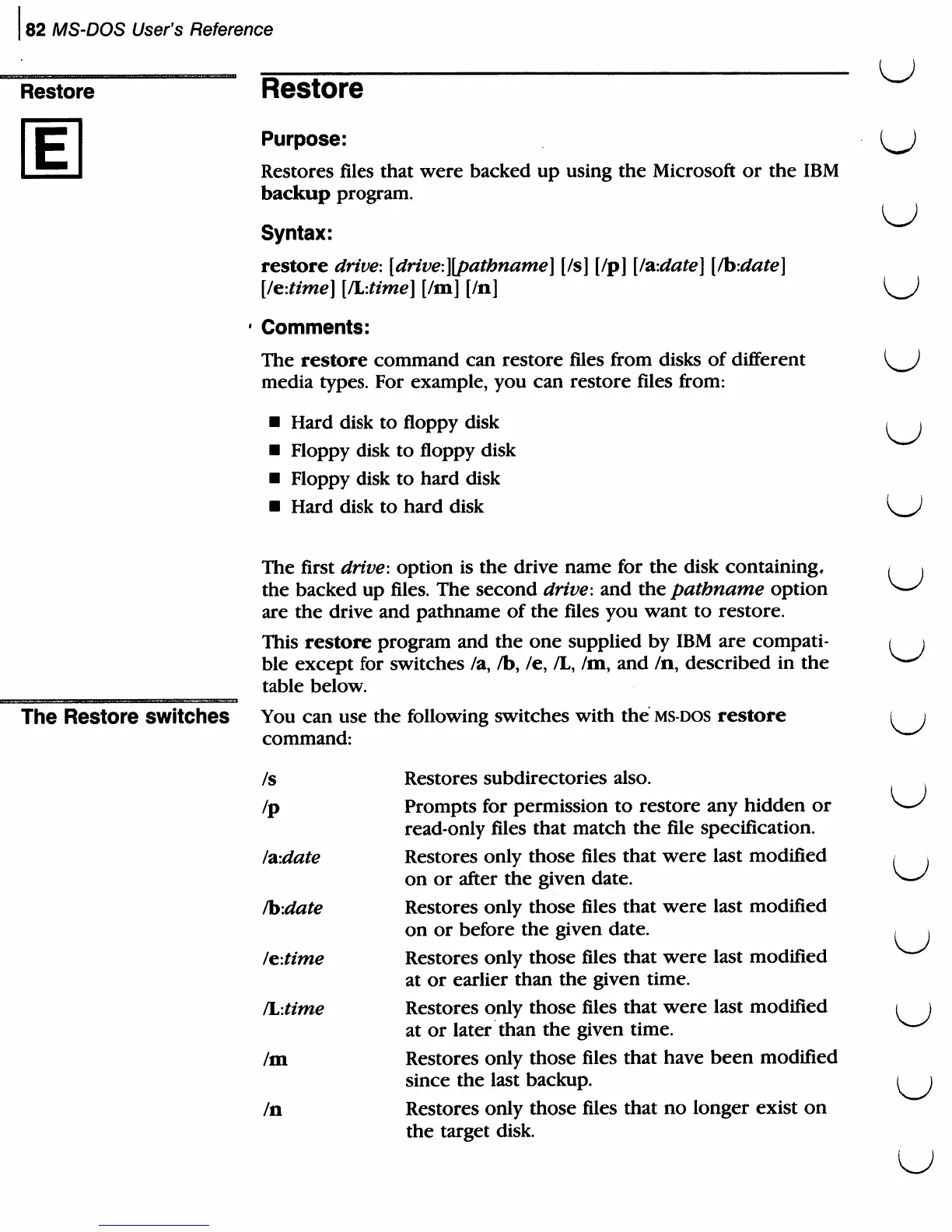
Purpose:
Restores
files
that
were
backed
up
using
the
Microsoft
or
the
IBM
backup
program.
Syntax:
restore
drive:
[drive:][pathname]
[/s]
[/p]
[/aidate]
[/bidate]
[/e-.time]
[PL.time]
[/m]
[In]
Comments:
The
restore
command
can
restore
files
from
disks
of
different
media
types.
For
example,
you
can
restore
files
from:
Hard
disk
to
floppy
disk
Floppy
disk
to
floppy
disk
Floppy
disk
to
hard
disk
Hard
disk
to
hard
disk
U
The
Restore
switches
The
first
drive-,
option
is
the
drive
name
for
the
disk
containing,
the
backed
up
files.
The
second
drive-,
and
the
pathname
option
are
the
drive
and
pathname
of
the
files
you
want
to
restore.
This
restore
program
and
the
one
supplied
by
IBM
are
compati
ble
except
for
switches
/a,
/b,
/e,
/L,
/m,
and
/n,
described
in
the
table
below.
You
can
use
the
following
switches
with
the
ms-dos
restore
command:
/s
Restores
subdirectories
also.
/p
Prompts
for
permission
to
restore
any
hidden
or
read-only
files
that
match
the
file
specification.
/?i:date
Restores
only
those
files
that
were
last
modified
on
or
after
the
given
date.
/bidate
Restores
only
those
files
that
were
last
modified
on
or
before
the
given
date.
/e-.time
Restores
only
those
files
that
were
last
modified
at
or
earlier
than
the
given
time.
/L-.time
Restores
only
those
files
that
were
last
modified
at
or
later
than
the
given
time.
/m
Restores
only
those
files
that
have
been
modified
since
the
last
backup.
/n
Restores
only
those
files
that
no
longer
exist
on
the
target
disk.
u
u
u
u

Related product manuals