EasyManua.ls Logo

Commodore PC - Page 209

Commodore PC
414 pages
Print Icon
To Next Page IconTo Next Page
To Previous Page IconTo Previous Page
Loading...
The
Une
Editor
(Edlin)
137
n
F5
F5
'
'
Purpose:
Creates
a
new
template.
)
Comments:
When
you
press
the
F5
key,
edlin
copies
the
current
line
to
/-n
the
template
and
deletes
the
previous
contents.
Pressing
F5
also
displays
an
@
("at"
symbol),
and
outputs
a
return
and
a
linefeed.
When
you
press
F5,
edlin
empties
the
current
line
and
turns
off
^m^
insert
mode.
Note
F5
performs
the
same
function
as
the
esc
key,
except
that
it
/—■^
changes
the
template,
printing
an
@
instead
of
a
backslash.
^^^
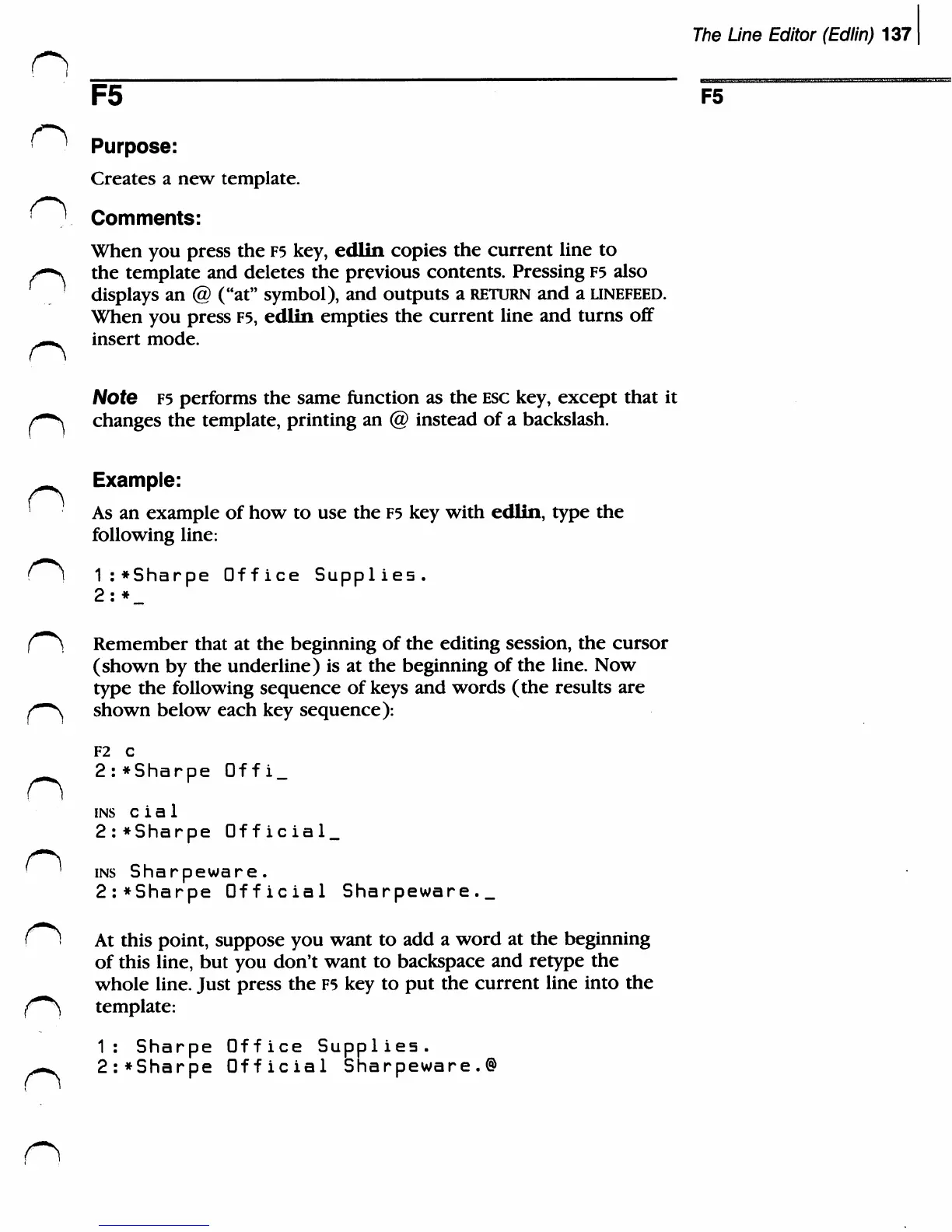
Example:
'
As
an
example
of
how
to
use
the
F5
key
with
edlin,
type
the
following
line:
()
1:*Sharpe
Office
Supplies.
2:
*_
f"^
Remember
that
at
the
beginning
of
the
editing
session,
the
cursor
(shown
by
the
underline)
is
at
the
beginning
of
the
line.
Now
type
the
following
sequence
of
keys
and
words
(the
results
are
^•"^
shown
below
each
key
sequence):
F2
C
2:*Sharpe
Offi_
ins
c
i
a
1
2:*Sharpe
Official^
'
'
ins
Sharpeware.
2:*Sharpe
Official
Sharpeware._
f!
At
this
point,
suppose
you
want
to
add
a
word
at
the
beginning
of
this
line,
but
you
don't
want
to
backspace
and
retype
the
whole
line.
Just
press
the
F5
key
to
put
the
current
line
into
the
{***)
template:
1:
Sharpe
Office
Supplies.
^-^
2:*Sharpe
Official
Sharpeware.®

Related product manuals