EasyManua.ls Logo

Commodore Plus 4 - Page 101

Commodore Plus 4
464 pages
Print Icon
To Next Page IconTo Next Page
To Previous Page IconTo Previous Page
Loading...
BASIC
Version
3.5
Commands,
Functions,
and
System
Variables
89
When
you
are
printing
on
the
printer
and
an
SPC
forces
a
space
in
the
last
character
position
on
the
line,
a
carriage
return
and
line
feed
are
automatically
performed.
When
this
occurs,
no
spaces
are
printed
on
the
next
line
regardless
of
the
number
of
spaces
in
the
SPC
function.
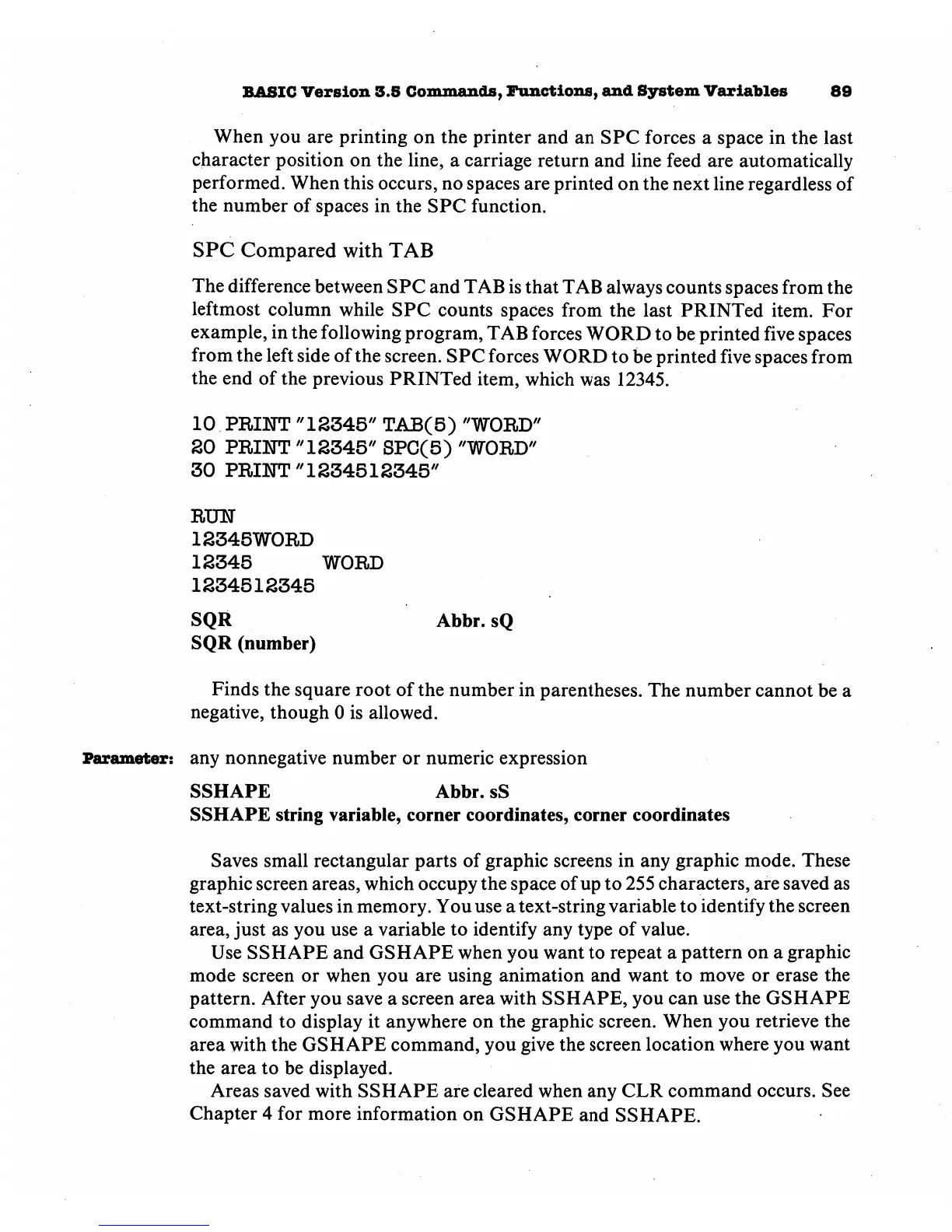
SPC
Compared
with
TAB
The
difference
between
SPC
and
TAB
is
that
TAB
always
counts
spaces
from
the
leftmost
column
while
SPC
counts
spaces
from
the
last
PRINTed
item.
For
example,
in
the
following
program,
TAB
forces
WORD
to
be
printed
five
spaces
from
the
left
side
of
the
screen.
SPC
forces
WORD
to
be
printed
five
spaces
from
the
end
of
the
previous
PRINTed
item,
which
was
12345.
10
PRINT
"12345"
TAB(5)
"WORD"
SO
PRINT
"12345"
SPC(5)
"WORD"
30
PRINT
"1234512345"
RUH
12345W0RD
12345
WORD
1234512345
SQR
Abbr.sQ
SQR
(number)
Finds
the
square
root
of
the
number
in
parentheses.
The
number
cannot
be
a
negative,
though
0
is
allowed.
Parameter:
any
nonnegative
number
or
numeric
expression
SSHAPE
Abbr.
sS
SSHAPE
string
variable,
corner
coordinates,
corner
coordinates
Saves
small
rectangular
parts
of
graphic
screens
in
any
graphic
mode.
These
graphic
screen
areas,
which
occupy
the
space
of
up
to
255
characters,
are
saved
as
text-string
values
in
memory.
You
use
a
text-string
variable
to
identify
the
screen
area,
just as
you
use
a
variable
to
identify
any
type
of
value.
Use
SSHAPE
and
GSHAPE
when
you
want
to
repeat
a
pattern
on
a
graphic
mode
screen
or
when
you
are
using
animation
and
want
to
move
or
erase
the
pattern.
After
you
save
a
screen
area
with
SSHAPE,
you
can
use
the
GSHAPE
command
to
display
it
anywhere
on
the
graphic
screen.
When
you
retrieve
the
area
with
the
GSHAPE
command,
you
give
the
screen
location
where
you
want
the
area
to
be
displayed.
Areas
saved
with
SSHAPE
are
cleared
when
any
CLR
command
occurs.
See
Chapter
4
for
more
information
on
GSHAPE
and
SSHAPE.

Other manuals for Commodore Plus 4

Related product manuals