EasyManua.ls Logo

Commodore Plus 4 - Page 203

Commodore Plus 4
464 pages
Print Icon
To Next Page IconTo Next Page
To Previous Page IconTo Previous Page
Loading...
Graphics
Programming
in
BASIC
191
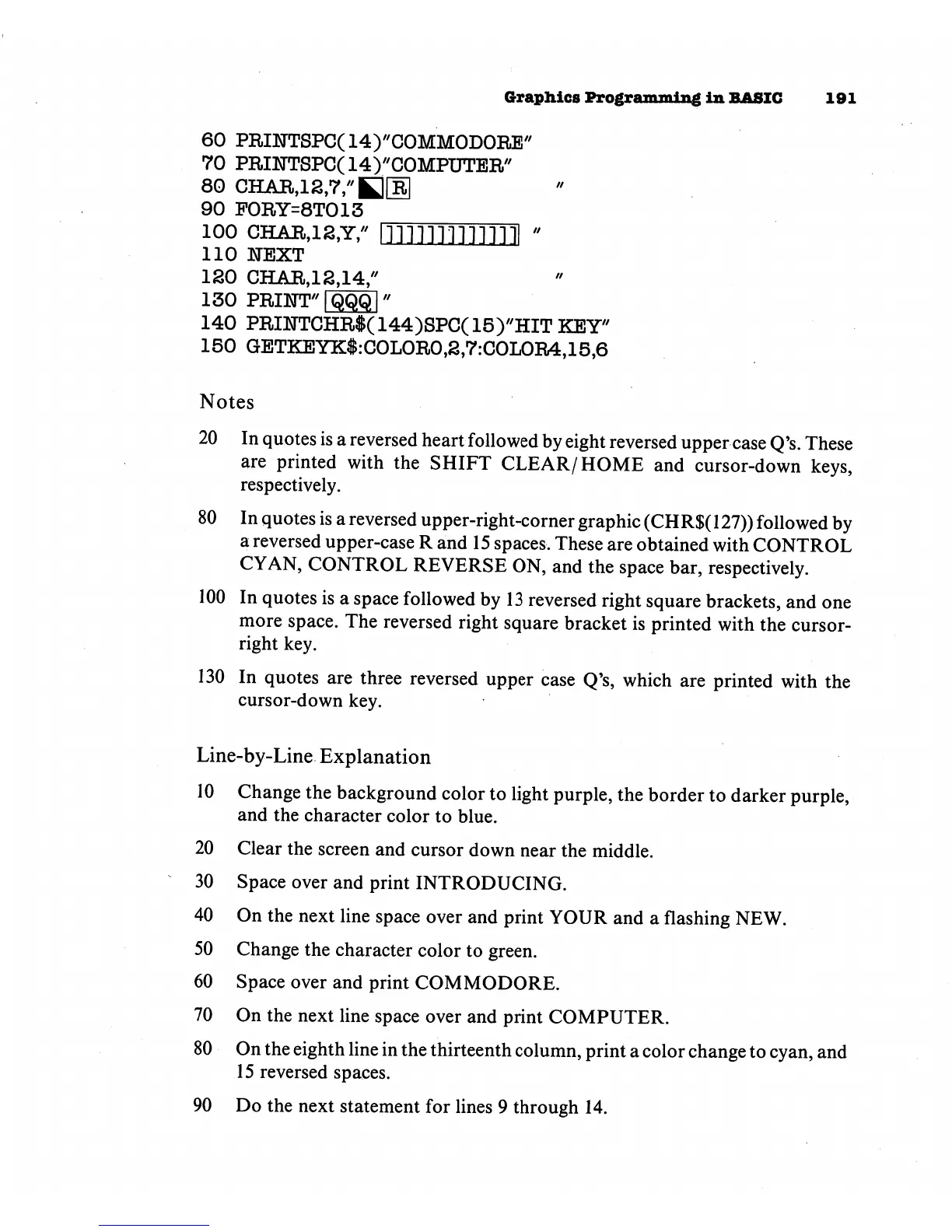
60
PRI1TTSPC(14)'/COMMODORE//
70
PRI1TTSPC(14)//COMPUTER//
90
F0RY=8T013
ioo
char,i2,y,"
ininnnnni
-
110
NEXT
120
CHAR,12,14,"
140
PRINTCHR$(
144)SPC(
15)"HIT
KEY"
150
GETKEYK$:C0L0R0,2,7:C0L0R4,15,6
Notes
20
In
quotes
is
a
reversed
heart
followed
by
eight
reversed
upper
case
Q's.
These
are
printed
with
the
SHIFT
CLEAR/HOME
and
cursor-down
keys,
respectively.
80
In
quotes
is
a
reversed
upper-right-corner
graphic
(CHR$(
127))
followed
by
a
reversed
upper-case
R
and
15
spaces.
These
are
obtained
with
CONTROL
CYAN,
CONTROL
REVERSE
ON,
and
the
space
bar,
respectively.
100
In
quotes
is
a
space
followed
by
13
reversed
right
square
brackets,
and
one
more
space.
The
reversed
right
square
bracket
is
printed
with
the
cursor-
right
key.
130
In
quotes
are
three
reversed
upper
case
Q's,
which
are
printed
with
the
cursor-down
key.
Line-by-Line
Explanation
10
Change
the
background
color
to
light
purple,
the
border
to
darker
purple,
and
the
character
color
to
blue.
20
Clear
the
screen
and
cursor
down
near
the
middle.
30
Space
over
and
print
INTRODUCING.
40
On
the
next
line
space
over
and
print
YOUR
and
a
flashing
NEW.
50
Change
the
character
color
to
green.
60
Space
over
and
print
COMMODORE.
70
On
the
next
line
space
over
and
print
COMPUTER.
80
On
the
eighth
line
in
the
thirteenth
column,
print
a
color
change
to
cyan,
and
15
reversed
spaces.
90
Do
the
next
statement
for
lines
9
through
14.

Other manuals for Commodore Plus 4

Related product manuals