EasyManua.ls Logo

Commodore Plus 4 - Page 215

Commodore Plus 4
464 pages
Print Icon
To Next Page IconTo Next Page
To Previous Page IconTo Previous Page
Loading...
Graphics
Programming
in
BASIC
80S
The
value
in
the
table
for
the
character
base
address
(characters)
tells
you
where
to
copy
the
ROM
patterns
to
if
you
want
to
use
some
of
the
standard
characters.
If
you
want
to
know
where
a
specific
character's
patterns
begin,
take
its
screen
code
(see
Appendix
E),
multiplied
by
8,
and
add
it
to
the
character
base
address.
To
copy
the
pattern
of
a
specific
character
in
the
character
ROM,
use
the
following:
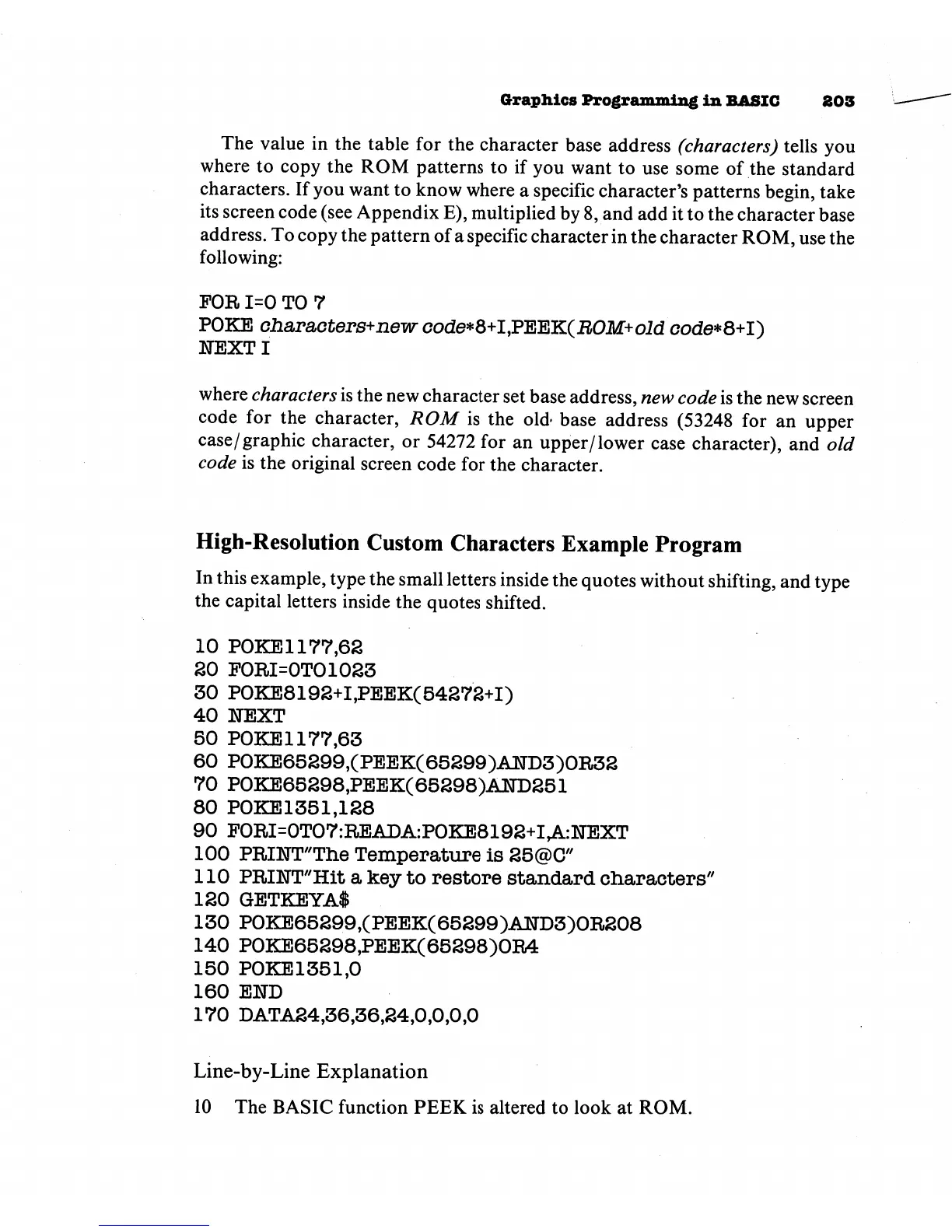
FOR
1=0
TO
7
POKE
oharaoters+new
code*8+I,PEEK(ii0M+oid
code*8+I)
1TEXTI
where
characters
is
the
new
character
set
base
address,
new
code
is
the
new
screen
code
for the
character,
ROM
is
the
old-
base
address
(53248
for
an
upper
case/graphic
character,
or
54272
for
an
upper/lower
case
character),
and
old
code
is
the
original
screen
code
for
the
character.
High-Resolution
Custom
Characters
Example Program
In
this
example,
type
the
small
letters
inside
the
quotes
without
shifting,
and
type
the
capital
letters
inside
the
quotes
shifted.
10
POKE
1177,62
SO
FORI=0TO1023
30
P0KE8192+I,PEEK(54272+I)
40
1TEXT
50
P0KE1177,63
60
P0KE65299,(PEEK(65299)AND3)0R32
70
P0KE65298,PEEK(65298)A]H)251
80
P0KE1351.128
90
F0RI=0T07:READA:P0KE8192+IrA.:NEXT
100
PRIHT'The
Temperature
is
25@C"
110
PRINT"Hit
a
key
to
restore
standard
characters"
120
GETKEYAl
130
P0KE65299,(PEEK(65299)AlirD3)0R208
140
P0KE65298,PEEK(65298)0R4
150
P0KE1351.0
160
END
170
DATA24,36,36,24,0,0,0,0
Line-by-Line
Explanation
10
The
BASIC
function
PEEK
is
altered
to
look
at
ROM.

Other manuals for Commodore Plus 4

Related product manuals