EasyManua.ls Logo

Commodore Plus 4 - Page 266

Commodore Plus 4
464 pages
Print Icon
To Next Page IconTo Next Page
To Previous Page IconTo Previous Page
Loading...
254
Machine
Language
on
the
Commodore
Plus/4
OLD—Clear
Decimal
Mode
The
processor
is
put
in
normal
hexadecimal
mode.
Operation:
0-+
D
Flags
Affected:
D
Addressing
Mode
Syntax
Opcode
Bytes
Cycles
Implied
CLD
D8
1
2
See
the
section
on
decimal
mode.
Example:
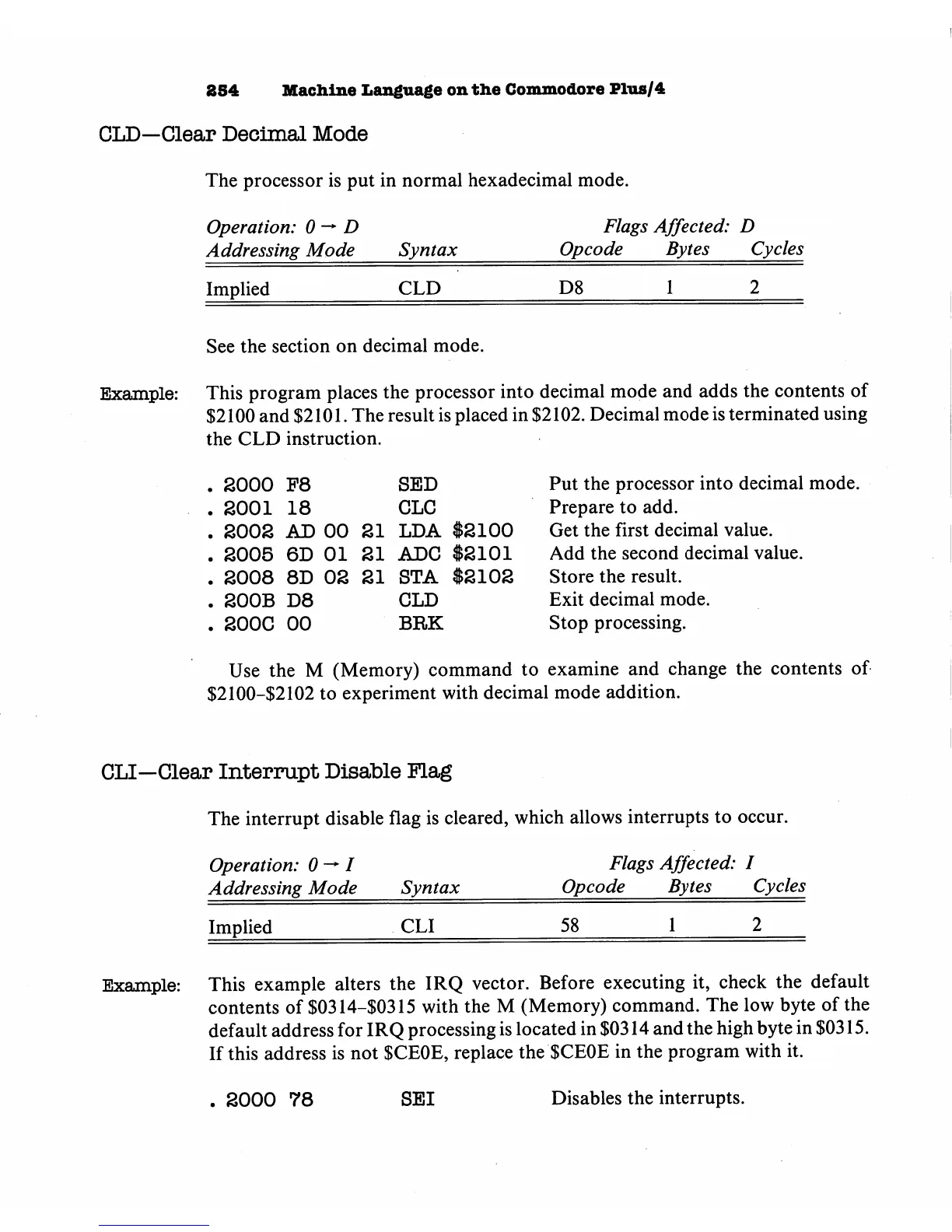
This
program
places
the
processor
into
decimal
mode
and
adds
the
contents
of
$2100
and
$2101.
The
result
is
placed
in
$2102.
Decimal
mode
is
terminated
using
the
CLD
instruction.
.
2000
P8
SED
Put
the
processor
into
decimal
mode.
.
2001
18
CLC
Prepare
to
add.
.
2002
AD
00
SI
LDA
$2100
Get
the
first
decimal
value.
.
2005
6D
01
21
ADC
$2101
Add
the
second
decimal
value.
.
2008
8D
02
21
STA
$2102
Store
the
result.
.
200B
D8
CLD
Exit
decimal
mode.
.
200C
00
BRK
Stop
processing.
Use
the
M
(Memory)
command
to
examine
and
change
the
contents
of
$2100-$2102
to
experiment
with
decimal
mode
addition.
CLI—Clear
Interrupt
Disable
Flag
The
interrupt
disable
flag
is
cleared,
which
allows
interrupts
to
occur.
Operation:
0
->
/
Flags
Affected:
I
Addressing
Mode
Syntax
Opcode
Bytes
Cycles
Implied
CLI
58
1
2
Example:
This
example
alters
the
IRQ
vector.
Before
executing
it,
check
the
default
contents
of
$0314-$0315
with
the
M
(Memory)
command.
The
low
byte
of
the
default
address
for
IRQ
processing
is
located
in
$0314
and
the
high
byte
in
$0315.
If
this
address
is
not
$CE0E,
replace
the
$CE0E
in
the
program
with
it.
.
2000
78
SEI
Disables
the
interrupts.

Other manuals for Commodore Plus 4

Related product manuals