EasyManua.ls Logo

Commodore Plus 4 - Numbers and basic operators

Commodore Plus 4
464 pages
Print Icon
To Next Page IconTo Next Page
To Previous Page IconTo Previous Page
Loading...
54
The
BASIC
Language
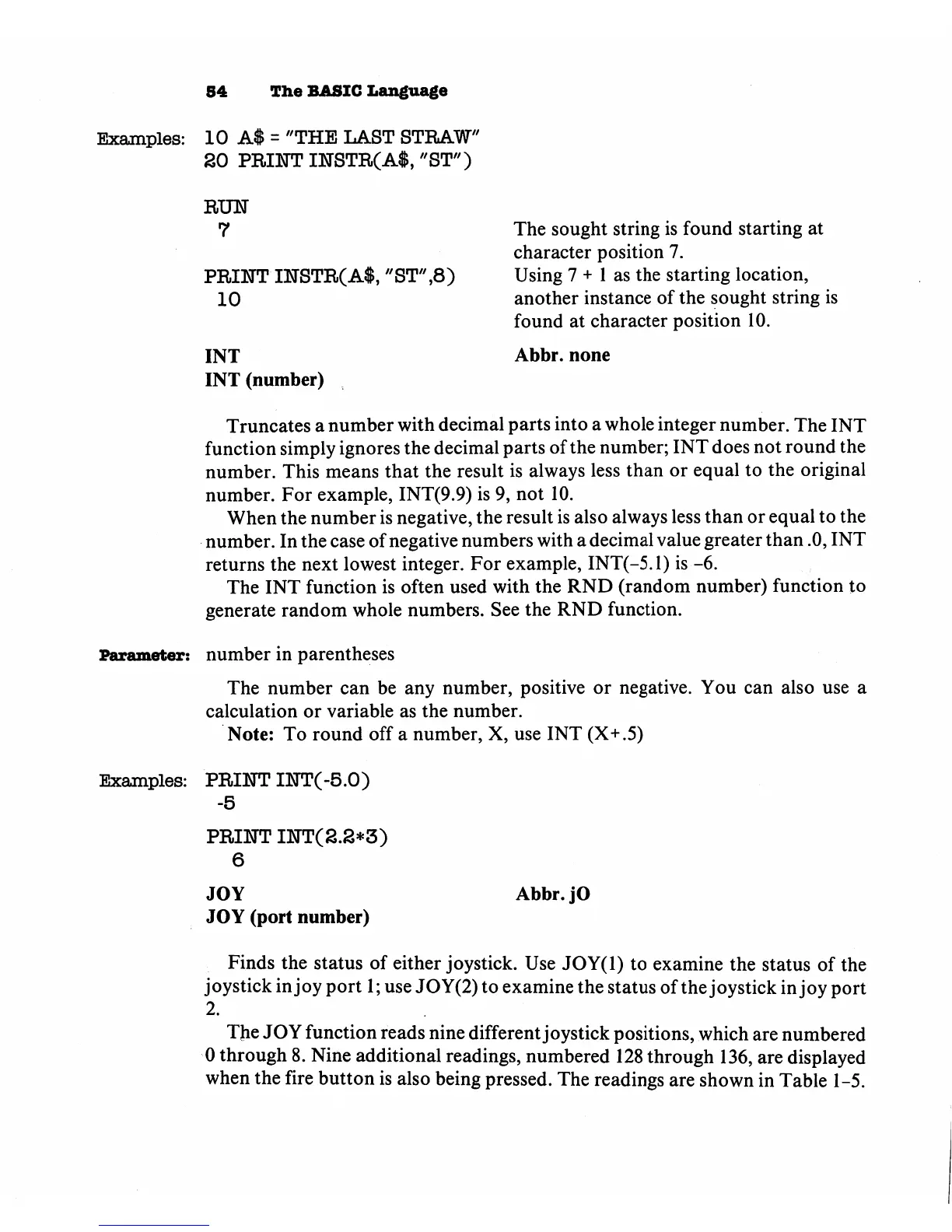
Examples:
10
A$
=
"THE
LAST
STRAW"
20
PRINT
INSTR(A$,
"ST")
RUN
7
PRINT
INSTR(A$,
"ST",8)
10
INT
INT
(number)
The
sought
string
is
found
starting
at
character
position
7.
Using
7
+
1
as
the
starting
location,
another
instance
of
the
sought
string
is
found
at
character
position
10.
Abbr.
none
Truncates
a
number
with
decimal
parts
into
a
whole
integer
number.
The
INT
function
simply
ignores
the
decimal
parts
of
the
number;
INT
does
not
round
the
number.
This
means
that
the
result
is
always
less
than
or
equal
to
the
original
number.
For
example,
INT(9.9)
is
9,
not
10.
When
the
number
is
negative,
the
result
is
also
always
less
than
or
equal
to
the
number.
In
the
case
of
negative
numbers
with
a
decimal
value
greater
than
.0,
INT
returns
the
next
lowest
integer.
For
example,
INT(-5.1)
is
-6.
The
INT
function
is
often
used with
the
RND
(random
number)
function
to
generate
random
whole
numbers.
See
the
RND
function.
Parameter:
number
in
parentheses
The
number
can
be
any
number,
positive
or
negative.
You
can
also
use
a
calculation
or
variable
as
the
number.
Note:
To
round
off
a
number,
X,
use
INT
(X+.5)
Examples:
PRINT
INT(-5.0)
-5
PRINT
INT(2.2*3)
6
JOY
JOY
(port
number)
Abbr.jO
Finds
the
status
of
either
joystick.
Use
JOY(l)
to
examine
the
status
of
the
joystick
in
joy
port
1;
use
JOY(2)
to
examine
the
status
of
the
joystick
in
joy
port
2.
The
JOY
function
reads
nine
different
joystick
positions,
which
are
numbered
0
through
8.
Nine
additional
readings,
numbered
128
through
136,
are
displayed
when
the
fire
button
is
also
being
pressed.
The
readings
are
shown
in
Table
1-5.

Other manuals for Commodore Plus 4

Related product manuals