EasyManua.ls Logo

Commodore Plus 4 - Page 67

Commodore Plus 4
464 pages
Print Icon
To Next Page IconTo Next Page
To Previous Page IconTo Previous Page
Loading...
BASIC
Version
3.5
Commands,
Functions,
and System
Variables
55
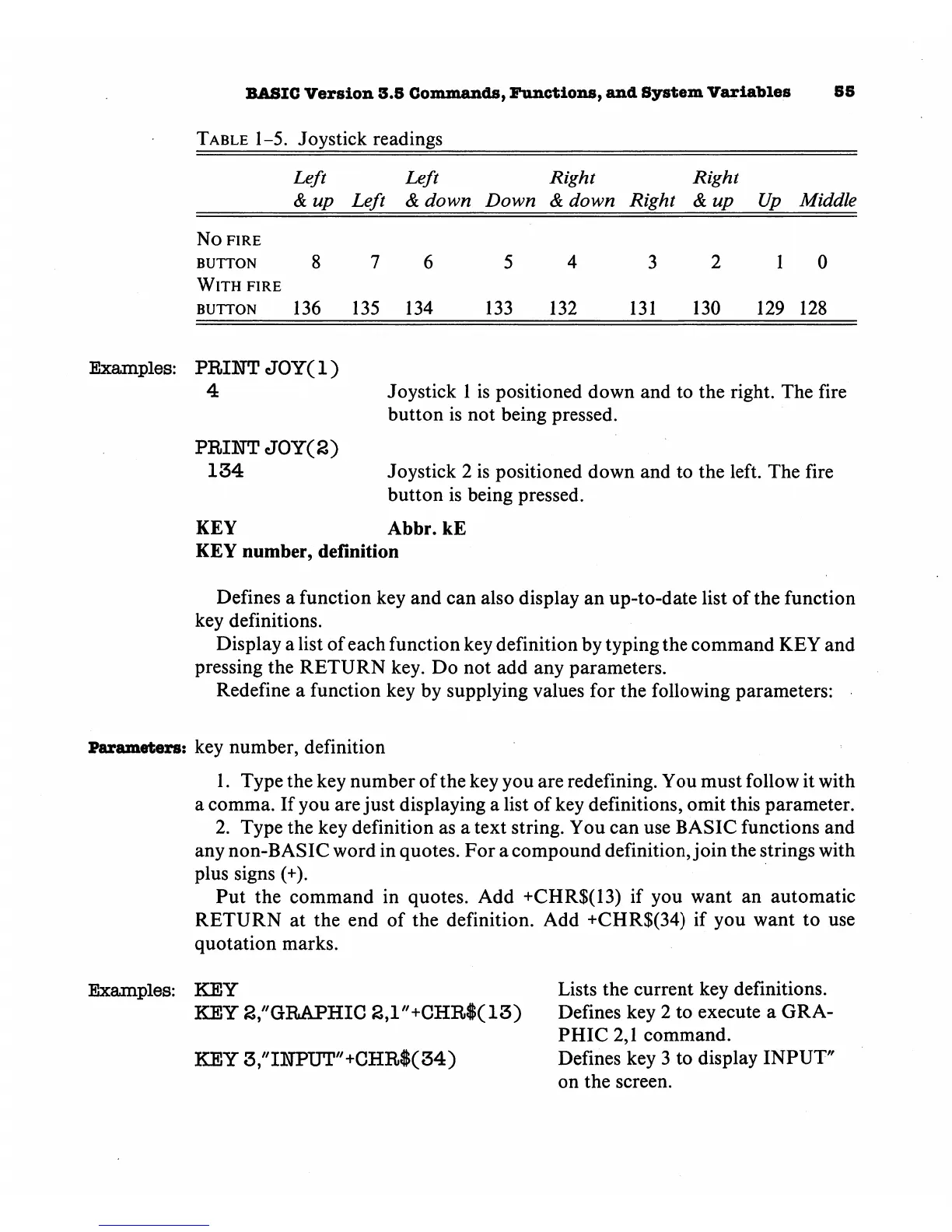
Table
1-5.
Joystick readings
Left
Left
Right
Right
&
up
Left
&
down
Down
&
down
Right
&up
Up
Middle
No
fire
button
876
54
3210
With
fire
button
136
135
134
133
132
131
130
129
128
Examples:
PRINT
JOY(l)
4
Joystick
1
is
positioned
down
and
to
the
right.
The
fire
button
is
not
being
pressed.
PRHSTTJOY(S)
134
Joystick
2
is
positioned
down
and
to
the
left.
The
fire
button
is
being
pressed.
KEY
Abbr.
kE
KEY
number,
definition
Defines
a
function
key
and
can
also
display
an
up-to-date
list
of
the
function
key
definitions.
Display
a
list
of
each
function
key
definition
by
typing
the
command
KEY
and
pressing
the
RETURN
key.
Do
not
add
any
parameters.
Redefine
a
function
key
by
supplying
values
for
the
following
parameters:
Parameters:
key
number,
definition
1.
Type
the
key
number
of
the
key
you
are
redefining.
You
must
follow
it
with
a
comma.
If
you
are
just
displaying
a
list
of
key
definitions,
omit
this
parameter.
2.
Type
the
key
definition
as
a
text
string.
You
can
use
BASIC
functions
and
any
non-BASIC
word
in
quotes.
For
a
compound
definition,
join
the
strings
with
plus
signs
(+).
Put
the
command
in
quotes.
Add
+CHR$(13)
if
you
want
an
automatic
RETURN
at
the
end
of
the
definition.
Add
+CHR$(34)
if
you
want
to
use
quotation
marks.
Examples:
KEY
Lists
the
current
key
definitions.
KEY
S/'GRAPHIC
2,1"+CHR$(13)
Defines
key
2
to
execute a
GRA
PHIC
2,1
command.
KEY
3//IHPUT//+CHR$(34)
Defines
key
3
to
display
INPUT"
on
the
screen.

Other manuals for Commodore Plus 4

Related product manuals