EasyManua.ls Logo

Commodore Plus 4 - Performing calculations; CHAPTER 6 Beginning BASIC Programming

Commodore Plus 4
464 pages
Print Icon
To Next Page IconTo Next Page
To Previous Page IconTo Previous Page
Loading...
56
The
BASIC
Language
Defining
a
Function
Key
for
Program
Input
The
function
key
definition
procedure
can
also
be
used
in
a
program.
INPUT
can
be used
to
accept
function
key
definitions.
Of
course,
the
input
must
end
with
a
RETURN
character
from
the
definition
or
the
keyboard.
GETKEY
receives
only
the
first
letter
of
the
definition.
Also,
if
GETKEY
is
called
a
second
time
following
the
receipt
of
a
multiple
character
function
key
definition,
an
error
results.
To
be
able
to
use
a
function
key
in
a
GETKEY
command,
you
must
first
redefine
the
key
as
a
single
CHR$
code.
This
definition
allows
BASIC
to
consider
the
function
key
as
a
single
key
not
a
string
of
characters.
Once
the
key
is
defined
as
a
single
key,
you
can
press
the
key
as
input
for
a
GETKEY
command.
Then
you
can
use
an
IF
command
to
see
if
the
key
pressed
equals
the
CHR$
code
for
the
function
key
and
use
a
THEN
clause
to
perform
the
desired
operation(s).
The
following
example
redefines
function
keys
1
and
2
as
CHR$
codes
133
and
137
(these
are
the
CHR$
codes
used
for
the
function
keys
on
the
Commodore
64).
Note
that
redefinitions
written
in
a
program
are
still
in
effect
when
the
program
ends.
To
restore
the
original
definitions,
press
the
reset
button.
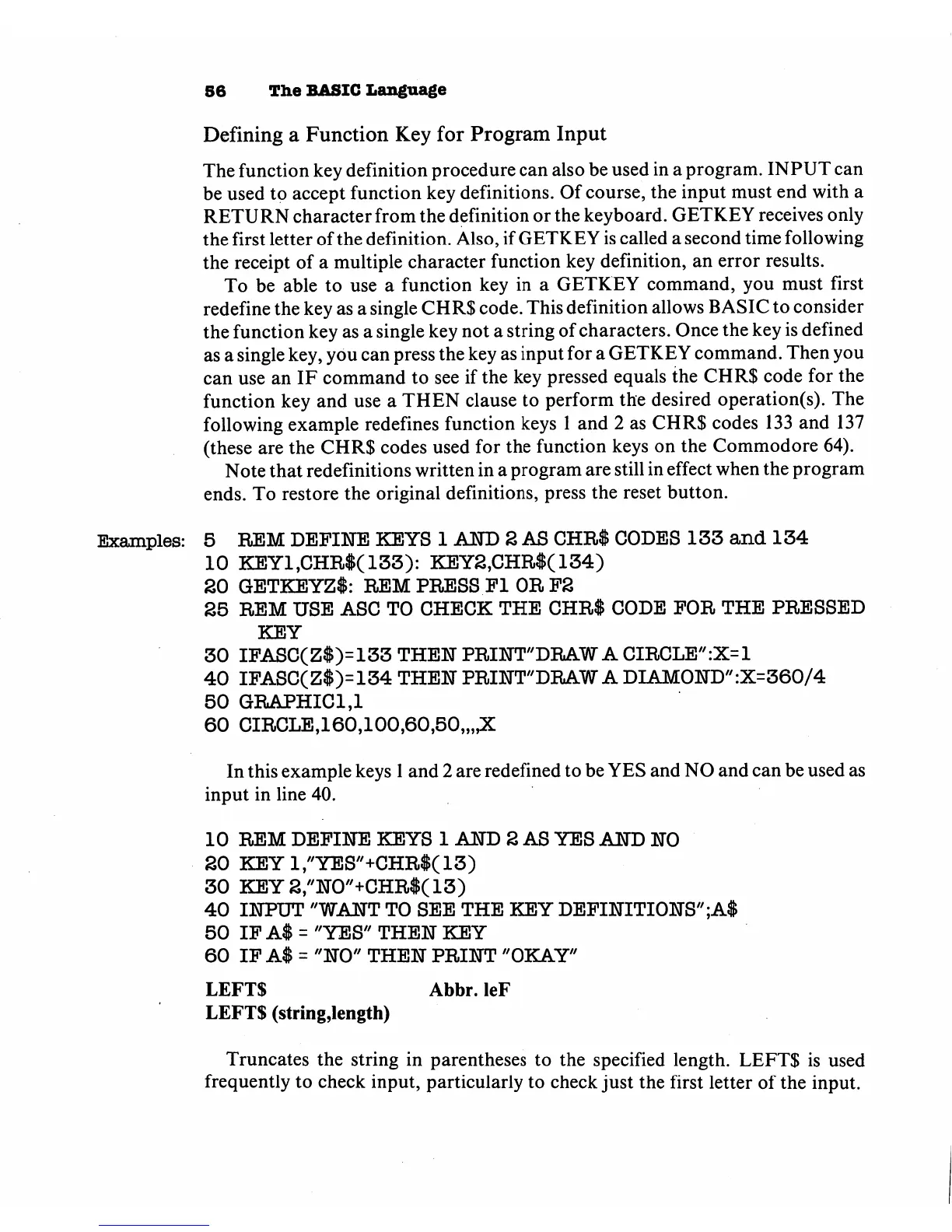
Examples:
5
REM
DEFINE
KEYS
1
AND
2
AS
CHR$
CODES
133
and
134
10
KEY1,CHR$(133):
KEY2,CHR$(134)
20
GETKEYZl:
REM
PRESS
Fl
OR
F2
25
REM
USE
ASC
TO
CHECK
THE
CHR$
CODE
FOR
THE
PRESSED
KEY
30
IFASC(Z$>133
THEN
PRINT"DRAW
A
CIRCLE":X=1
40
IFASC(Z$>134
THEN
PRINT"DRAW
A
DIAMOND"
:X=360/4
50
GRAPHIC1,1
60
CIRCLE,160,100,60,50,,,,X
In
this
example
keys
1
and
2
are
redefined
to
be
YES
and
NO
and
can
be
used
as
input
in
line
40.
10
REM
DEFINE
KEYS
1
AND
2
AS YES
AND
NO
20
KEY1,"YES"+CHR$(13)
30
KEY2,//N0//+CHR$(13)
40
INPUT
"WANT
TO
SEE
THE
KEY
DEFINITIONS"
;A$
50
IF
A$
=
"YES"
THEN
KEY
60
IF
A$
=
"NO"
THEN
PRINT
"OKAY"
LEFTS
Abbr.
leF
LEFTS
(string,length)
Truncates
the
string
in
parentheses
to
the
specified
length.
LEFTS
is
used
frequently
to
check
input,
particularly
to
check
just
the
first
letter
of
the
input.

Other manuals for Commodore Plus 4

Related product manuals