EasyManua.ls Logo

Commodore Plus 4 - Multi-color graphics

Commodore Plus 4
234 pages
Print Icon
To Next Page IconTo Next Page
To Previous Page IconTo Previous Page
Loading...
MULTI-
Tne
plus/4
high
resolution
graphics
give
you
control
over every
single
■—■
COLOR
cio*or
Pixel
on
the
screen,
but
you
have
seen
that
the
ability
to
put
colors
close
together
is
limited.
Most
high-res
programs
can
use
only
one
or
two
colors.
For
including
more
different
colors,
your
Plus/4
has
a
special
"in-
between"
graphics
mode
called
multi-color
graphics.
In
multi-color
graphics,
you
control
half
as
many
dots
on
each
row
as
in
high-res
be
cause
each
dot
is
twice
as
wide.
You
get
160
dots
on
each
row,
while
still
getting
200
rows,
There
is
a
trade-off
for
the
use
of
multiple
colors,
which
is
slightly
lower
resolution.
•—'
To
begin
using
multi-color
graphics,
review
the
GRAPHIC
command
earlier
in
this
chapter
You'll
see
that
the
multi-color
screen
without
text
is
GRAPHIC
3
and
the
multi-color
screen
with
5
lines
of text
is
GRAPHIC
4.
Now
look
at
the
table
listing
the
COLOR
command.
There
are
two
areas
that
we
haven't
used
yet,
areas
2
and
3.
These
areas
hold
two
extra
colors.
You can
use
any
of
the
three
colors
(1.
the
text
color;
2,
an
extra
color;
and
3,
another
extra
color)
These
colors
do
not
interfere
with
each
other
on
the
screen
the
way
the
high-res
colors
do
in
some
previous
programs
in
this
chapter
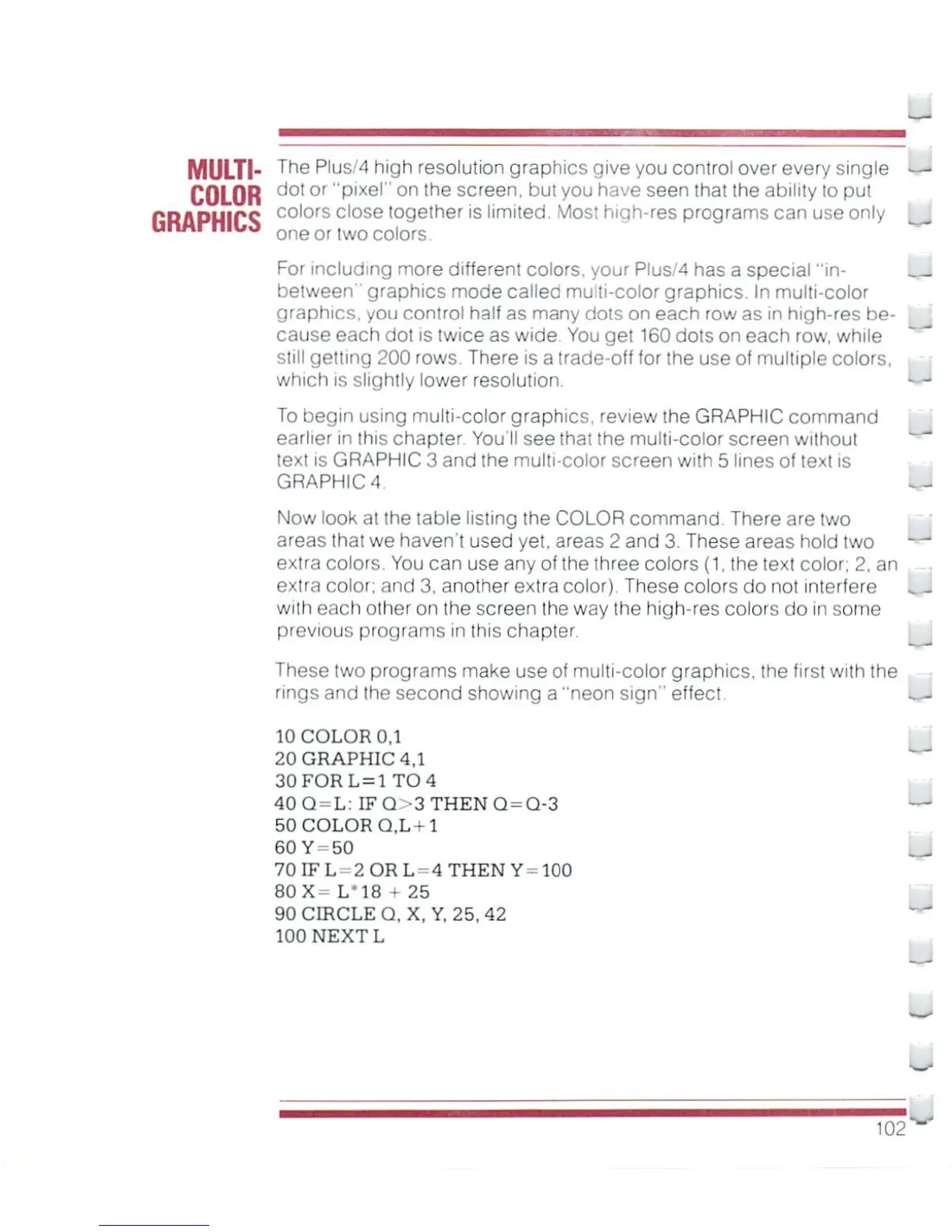
These
two
programs
make
use
of
multi-color
graphics,
the
first
with
the
rings
and
ihe
second
showing
a
"neon
sign"
effect.
.
-
10
COLOR
0,1
20
GRAPHIC
4,1
30FORL
=
1
TO
4
40Q
=
L:
IFQ>3THENG=Q-3
50
COLOR
Q,L+1
60Y-50
70IFL
2ORL
4
THEN
Y-100
80X-
L'18
25
90
CIRCLE
Q,X,Y,
25,42
100
NEXT
L
102-

Other manuals for Commodore Plus 4

Related product manuals