EasyManua.ls Logo

Commodore Plus 4 - Page 118

Commodore Plus 4
234 pages
Print Icon
To Next Page IconTo Next Page
To Previous Page IconTo Previous Page
Loading...
CREATING
A
NOISE
SOUND
EFFECT
Using
a
value
of
3
when
selecting a
voice
in
the
SOUND
command
specifies
noise.
This
is
used
to
create
sound
effects
with
noise
rather
than
tone.
The
following
program
uses
voice
3
to
create
the
sounds
of
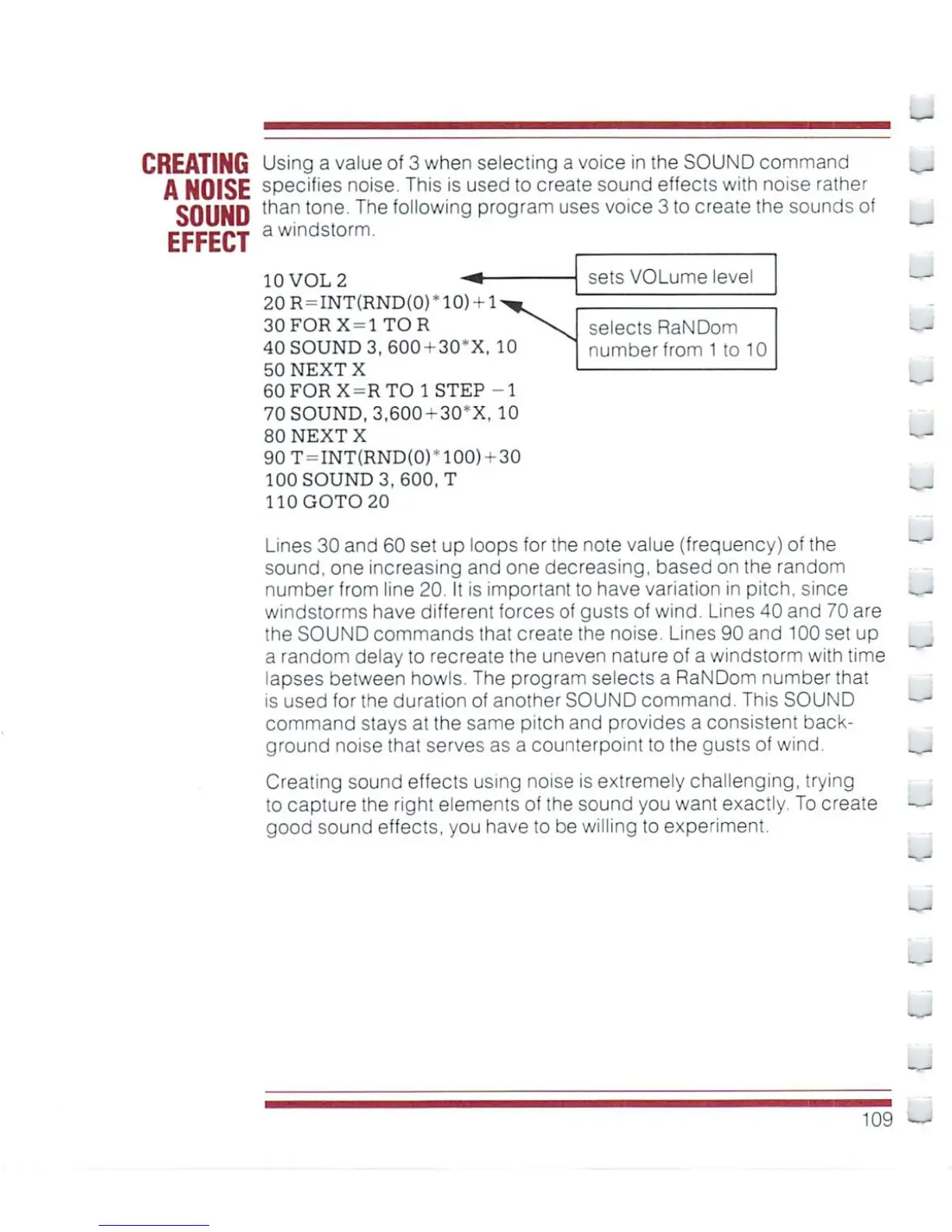
a windstorm.
sets
VOLume
level
selects
RaNDom
number
from
1
to
10
10
VOL
2
20R
=
INT(RND(0)
30FORX
=
1TOR
40
SOUND
3,
600
+
30*X,
10
50
NEXT
X
60FORX-RTO1STEP
-1
70SOUND,3,600-30*X,
10
80
NEXT
X
90
T
=
INT{RND(0)-100)-30
100
SOUND
3,
600,
T
110
GOTO
20
Lines
30
and
60
set
up
loops
for
the
note
value
(frequency)
of
the
sound,
one
increasing
and one
decreasing,
based
on
the
random
number
from
line
20.
It
is
important
to
have
variation
in
pitch,
since
windstorms
have
different
forces
of
gusts
of
wind. Lines
40
and
70
are
the
SOUND
commands
that
create
the noise.
Lines
90
and
100
set
up
a
random
delay
to
recreate
the
uneven
nature
of
a
windstorm
with
time
lapses
between
howls
The
program
selects
a
RaNDom
number
that
is
used
for
the
duration
of
another
SOUND
command.
This
SOUND
command
stays
at
the
same
pitch
and
provides a
consistent
back
ground
noise
that
serves as a
counterpoint
to
the
gusts
of
wind.
Creating
sound
effects
using
noise
is
extremely
challenging,
trying
to
capture
the
right
elements
of
the
sound
you
wanl
exactly.
To
create
good
sound
effects,
you
have
to
be
willing
to
experiment.
~
109

Other manuals for Commodore Plus 4

Related product manuals