EasyManua.ls Logo

Commodore Plus 4 - Page 140

Commodore Plus 4
234 pages
Print Icon
To Next Page IconTo Next Page
To Previous Page IconTo Previous Page
Loading...
Text
(alphanumeric
strings)
can be
displayed
on
any
screen
at
a
given
location
by
the
CHAR
command.
Character
data
is
read
from
Plus/4
character
ROM
area.
You
supply
the x
and
y
coordinates
of
the
starting
position
and
the
text
string
you
want
to
display.
Color
source
and
re
verse
imaging
are
optional.
The
string
is
continued
on
the
next
line
if it
attempts
to
print
past
the
right
edge
of
the
screen.
When
used
in
TEXT
mode,
the
string
printed
by
the
CHAR
command
works
just
like
a
PRINT
string,
including
re
verse
field,
cursors,
flash
on/off,
etc.
These
control
functions
inside
the
string
do
not
work
when
the
CHAR
command
is
used
to
display
text
in
GRAPHIC
mode.
NOTE:
when
in
multicolor
mode,
to
display
a
character
in
multi
color
2,
set
the color
source
to
0
and
reverse
flag
to
1.
To
display
a
character
in
multicolor
1,
set
the color
source
to
0
and
the
reverse
flag
to
0.
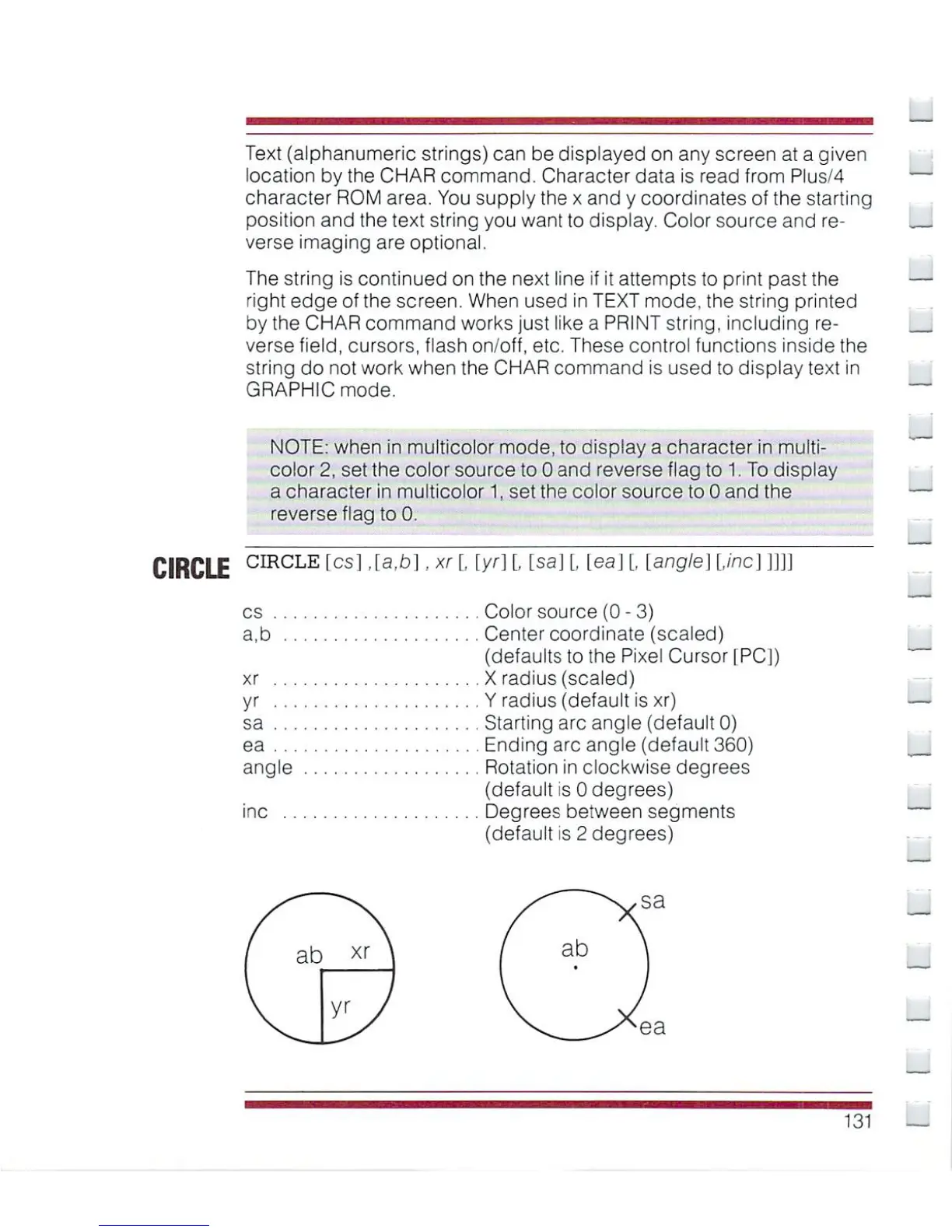
CIRCLE
crRCLE
fcsl
'^^l
xr
I
[y'l
I
tsaJ
I
teaJ
I
Lang/e]
line]
]]]]
cs
Color
source
(0
-
3)
a,b
Center
coordinate
(scaled)
(defaults
to
the
Pixel
Cursor
[PC])
xr
X
radius
(scaled)
yr
Y
radius
(default
is
xr)
sa
Starting
arc
angle
(default
0)
ea
Ending
arc
angle
(default
360)
angle
Rotation
in
clockwise
degrees
(default
is
0
degrees)
inc
Degrees between
segments
(default
is
2
degrees)
_
131

Other manuals for Commodore Plus 4

Related product manuals