EasyManua.ls Logo

Commodore Plus 4 - Page 15

Commodore Plus 4
234 pages
Print Icon
To Next Page IconTo Next Page
To Previous Page IconTo Previous Page
Loading...
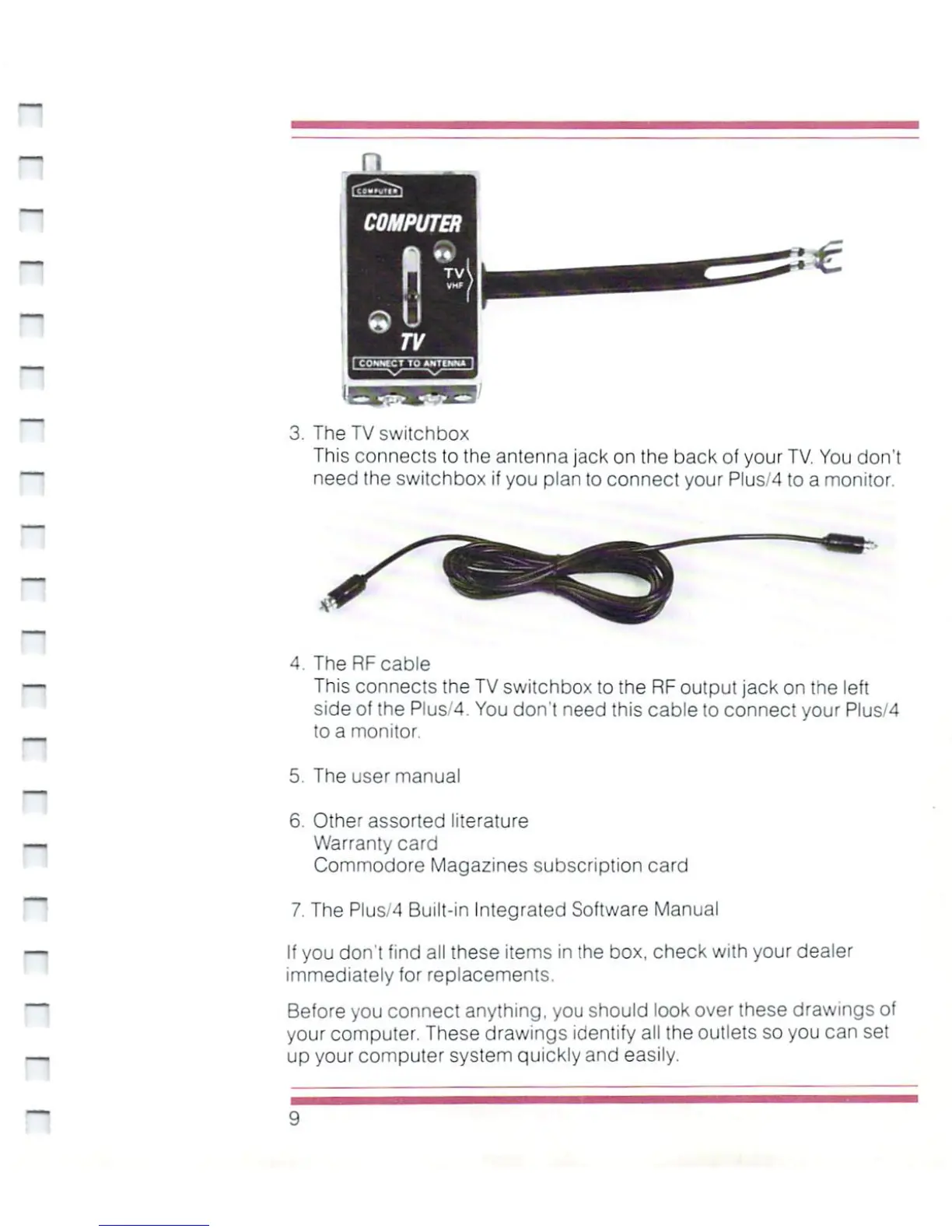
3.
The
TV
switchbox
This
connects
to
the
antenna
jack
on
the
back
of
your
TV.
You
don't
need
Ihe
switchbox
if
you
plan
to
connect
your
Plus/4
to
a
monitor.
4.
The
RF
cable
This
connects
the
TV
switchbox
to
the
RF
output
jack
on
the
left
side
of
the
Plus/4.
You
don't
need
this
cable
to
connect
your
Plus/4
to
a
monitor.
5.
The
user
manual
6.
Other
assorted
literature
Warranty card
Commodore
Magazines
subscription
card
7.
The
Plus/4
Built-in
Integrated
Software
Manual
If
you
don't
find
all
these
items
in
the
box.
check
with
your
dealer
immediately
for
replacements.
Before
you
connect
anything,
you
should
look
over
these
drawings
of
your
computer.
These
drawings
identify
all
the
outlets
so
you
can
set
up
your
computer
system
quickly
and
easily.

Other manuals for Commodore Plus 4

Related product manuals