EasyManua.ls Logo

Commodore Plus 4 - Getting to know the switches and sockets

Commodore Plus 4
234 pages
Print Icon
To Next Page IconTo Next Page
To Previous Page IconTo Previous Page
Loading...
_
GETTING
TO
KNOW
THE
SWITCHES
AND
SOCKETS
The
Right
Side
of
Your
PLUS/4
1
.
r.
_
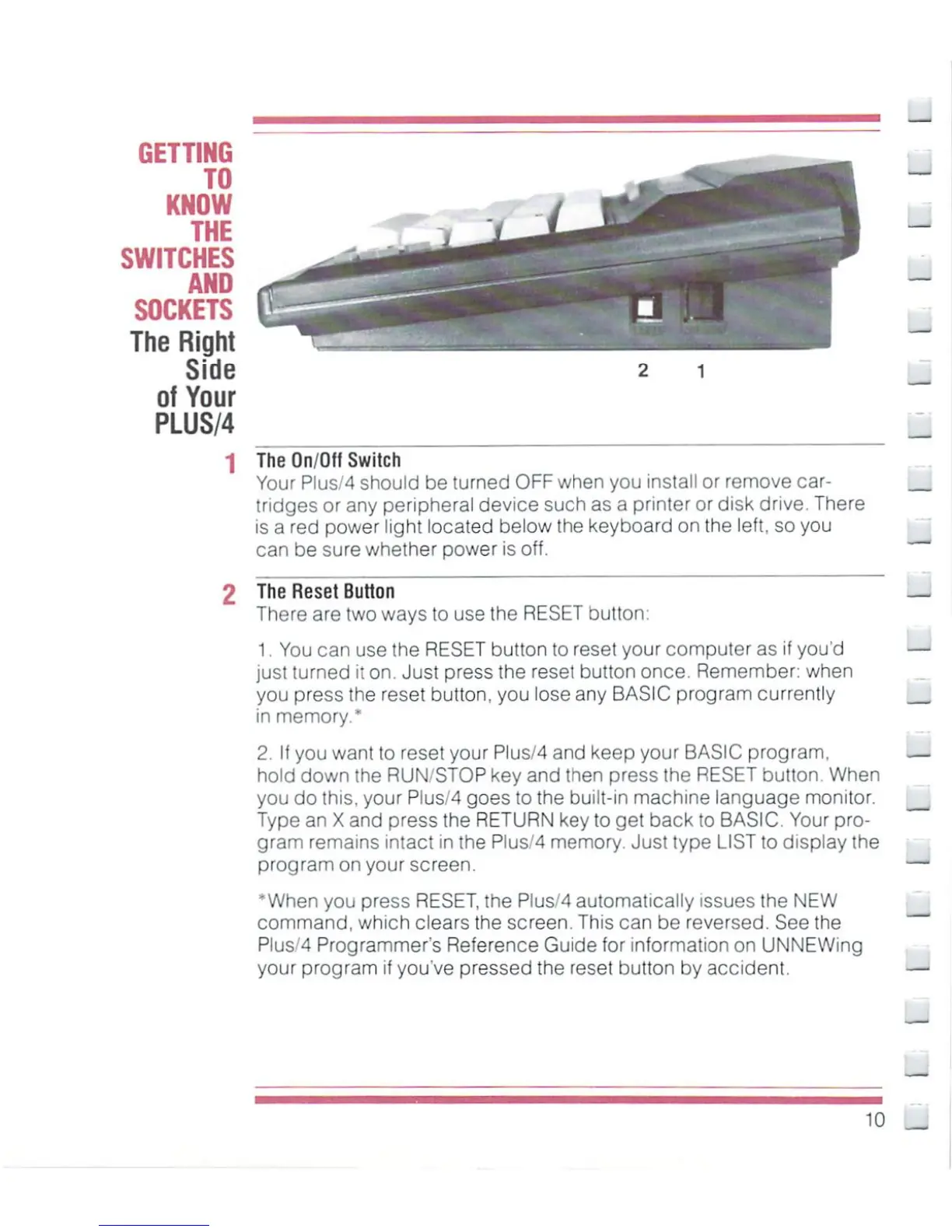
The
On/Off
Switch
Your
Plus/4
should
be
turned
OFF
when
you
install
or
remove
car
tridges
or
any
peripheral
device
such
as
a
printer
or
disk
drive.
There
is
a
red
power
light
located
below
the
keyboard on
the
left,
so
you
can
be
sure
whether
power
is off.
2
The
Reset
Button
There
are
two
ways
to
use
the
RESET
button:
1.
You
can
use
the
RESET
button
to
reset
your
computer
as
if
you'd
just
turned
it
on.
Just
press
the
reset
button
once.
Remember:
when
you
press
the
reset
button,
you
lose
any
BASIC
program
currently
in
memory."
2.
If
you
want
to
reset
your
Pius/4
and
keep
your
BASIC
program,
hold
down
the
RUN/STOP
key
and
then
press
the
RESET
button.
When
you
do
this,
your
Pius/4
goes
to
the
built-in
machine
language
monitor.
Type
an
X
and
press
the
RETURN
key
to
get
back
to
BASIC.
Your
pro
gram
remains
intact
in
the Plus/4
memory.
Just
type LIST
to
display
the
program
on
your
screen.
'When
you
press
RESET,
the
Plus/4
automatically
issues
the
NEW
command,
which
clears
the
screen.
This
can
be
reversed.
See
the
PluS'4
Programmer's
Reference
Guide
tor
information
on
UNNEWing
your
program
if
you've
pressed
the
reset
button
by
accident.
_

Other manuals for Commodore Plus 4

Related product manuals