EasyManua.ls Logo

Commodore Plus 4 - Page 155

Commodore Plus 4
234 pages
Print Icon
To Next Page IconTo Next Page
To Previous Page IconTo Previous Page
Loading...
POKE
P0KE
address,
value
The
POKE
command
allows
you
to
change
any
value
in
the
Plus/4
RAM
memory,
and
lets
you
modify
many
of
the Plus/4
Input/Output
registers.
POKE
is
always
followed
by
two
numbers,
(or
equations).
The
first
number
is
a
location
inside
the
Plus/4
memory.
This
could
have any
value from 0
to
65535.
The
second
number
is
a value
from
0
to
255,
which
is
placed
in
the
location,
replacing
any
value
that
was
there
previously.
n
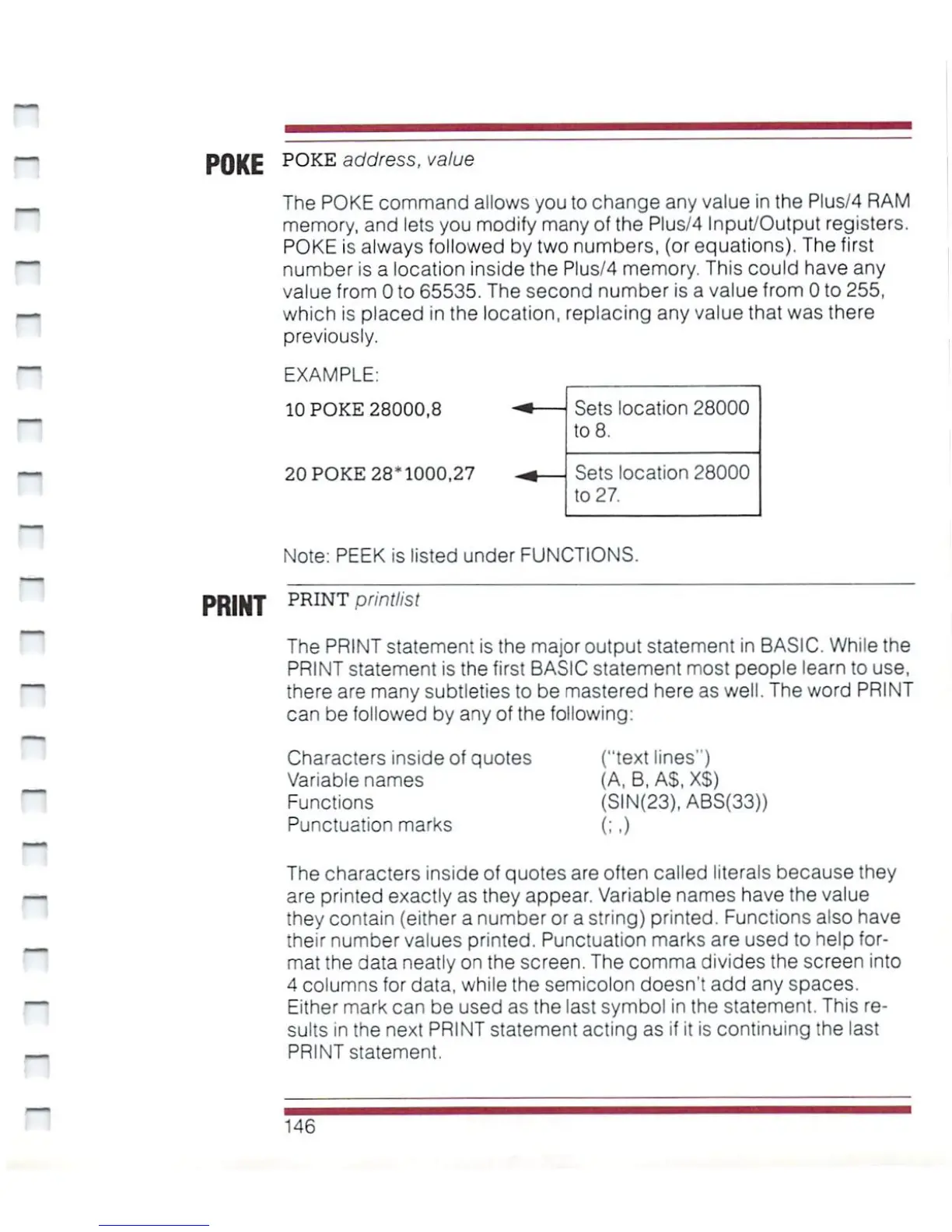
EXAMPLE:
10
POKE
28000,8
20
POKE
28*1000,27
Sets
location
28000
to
8.
Sets
location
28000
to
27.
Note:
PEEK
is
listed
under
FUNCTIONS.
PRINT
PRINT
Printlisl
The
PRINT
statement
is
the
major
output
statement
in
BASIC.
While
the
PRINT
statement
is
the
first
BASIC
statement
most
people
learn
to
use,
there
are
many
subtleties
to
be
mastered
here
as
well.
The
word
PRINT
can
be
followed
by
any
of
the
following:
Characters
inside
of
quotes
("text
lines")
Variable
names
(A,
B,
A$, XS)
Functions
(SIN(23),
ABS(33))
Punctuation
marks
(;,)
The
characters
inside
of
quotes
are
often called
literals
because
they
are
printed
exactly
as
they
appear.
Variable
names
have
the
value
they
contain
(either
a
number
or
a
string)
printed.
Functions
also
have
their
number
values
printed.
Punctuation
marks
are
used
to
help
for
mat
the
data
neatly
on
the
screen.
The
comma
divides
the
screen
into
4
columns
for
data,
while
the
semicolon
doesn't
add
any
spaces.
Either
mark
can
be
used
as
the
last
symbol
in
the
statement.
This
re
sults
in
the
next
PRINT
statement
acting
as
if it
is
continuing
the
last
PRINT
statement.
146

Other manuals for Commodore Plus 4

Related product manuals