EasyManua.ls Logo

Commodore Plus 4 - Page 23

Commodore Plus 4
234 pages
Print Icon
To Next Page IconTo Next Page
To Previous Page IconTo Previous Page
Loading...
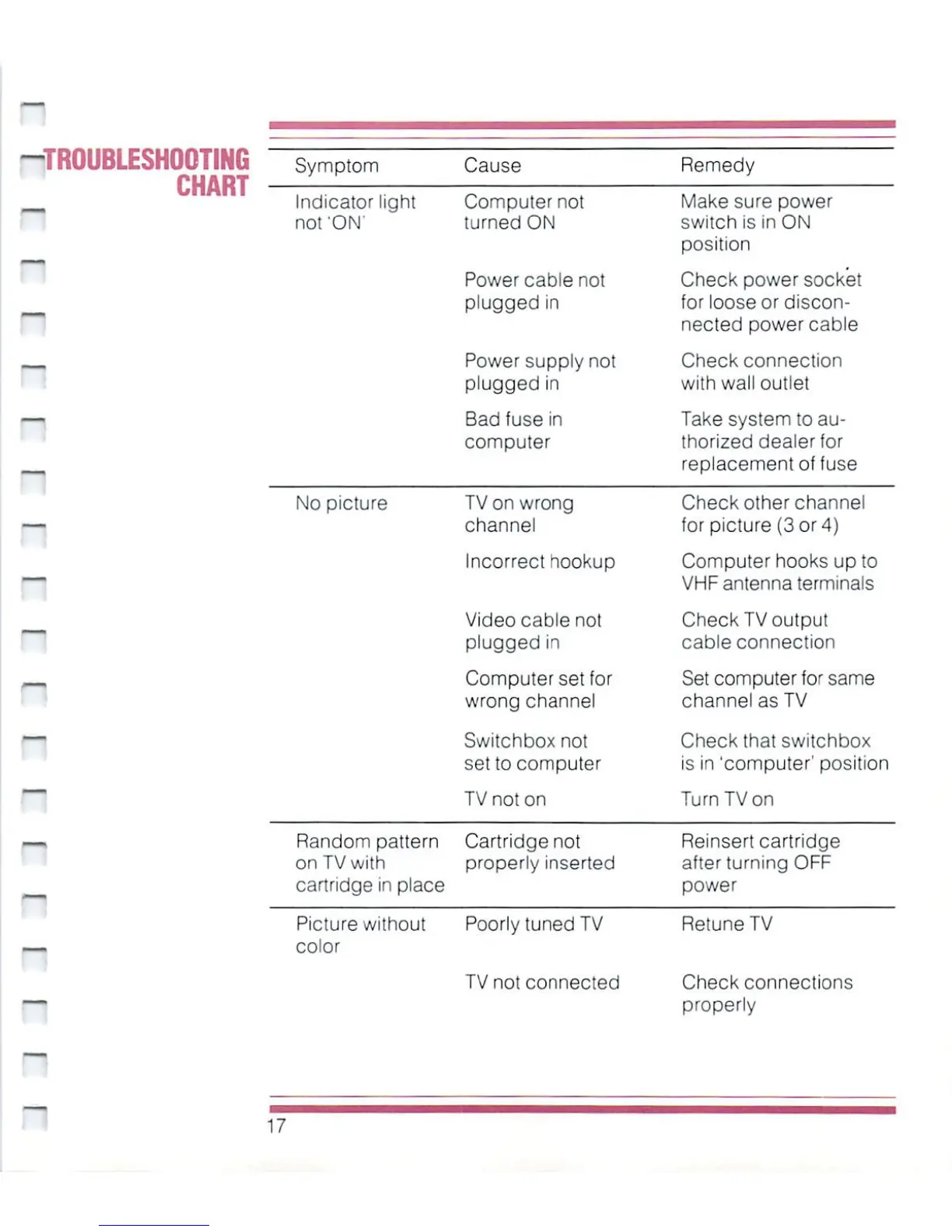
-TROUBLESHOOTING
CHART
-
"
~
Symptom
Cause
Indicator
light
not'ON'
No
picture
Computer
not
turned
ON
Power
cable
not
plugged
in
Power
supply
not
plugged
in
Bad
fuse
in
computer
TV
on
wrong
channel
Incorrect
hookup
Video cable
not
plugged
in
Computer
set
for
wrong
channel
Switchboxnot
set
to
computer
TV
not
on
Random
pattern
on
TV
with
cartridge
in
place
Cartridge
not
properly
inserted
Picture
without
Poorly
tuned
TV
color
TV
not
connected
Remedy
Make
sure
power
switch
is
in
ON
position
Check
power
socket
for
loose
or
discon
nected
power
cable
Check
connection
with
wall outlet
Take
system
to
au
thorized
dealer
for
replacement
of
fuse
Check
other
channel
for
picture
(3
or
4)
Computer
hooks
up
to
VHF
antenna
terminals
Check
TV
output
cable connection
Set
computer
for
same
channel
as
TV
Check
that
switchbox
is in
'computer1
position
Turn
TV
on
Reinsert
cartridge
after
turning
OFF
power
RetuneTV
Check
connections
properly
17

Other manuals for Commodore Plus 4

Related product manuals