EasyManua.ls Logo

Commodore Plus 4 - Cartridges

Commodore Plus 4
234 pages
Print Icon
To Next Page IconTo Next Page
To Previous Page IconTo Previous Page
Loading...
-
CARTRIDGES
Loading
Cartridges
Commodore
produces
a
full
assortment
of
cartridge
software
for
your
Plus/4.
There
is
a
variety
of
personal,
education,
and
business
programs,
as
well
as
exciting
games
available
on
cartridge
for
your
Plus/4.
Follow
these
steps
to
use
cartridges:
STEP
1
Turn
OFF
your
Plus/4.
IMPORTANT:
YOU
MUST
TURN
OFF
YOUR
COMPUTER
BEFORE
YOU
INSERT
OR
REMOVE
CARTRIDGES,
IF
YOU
DONT.
YOU MAY
DAMAGE
THE
CARTRIDGE
AND
THE
COMPUTER
STEP
2
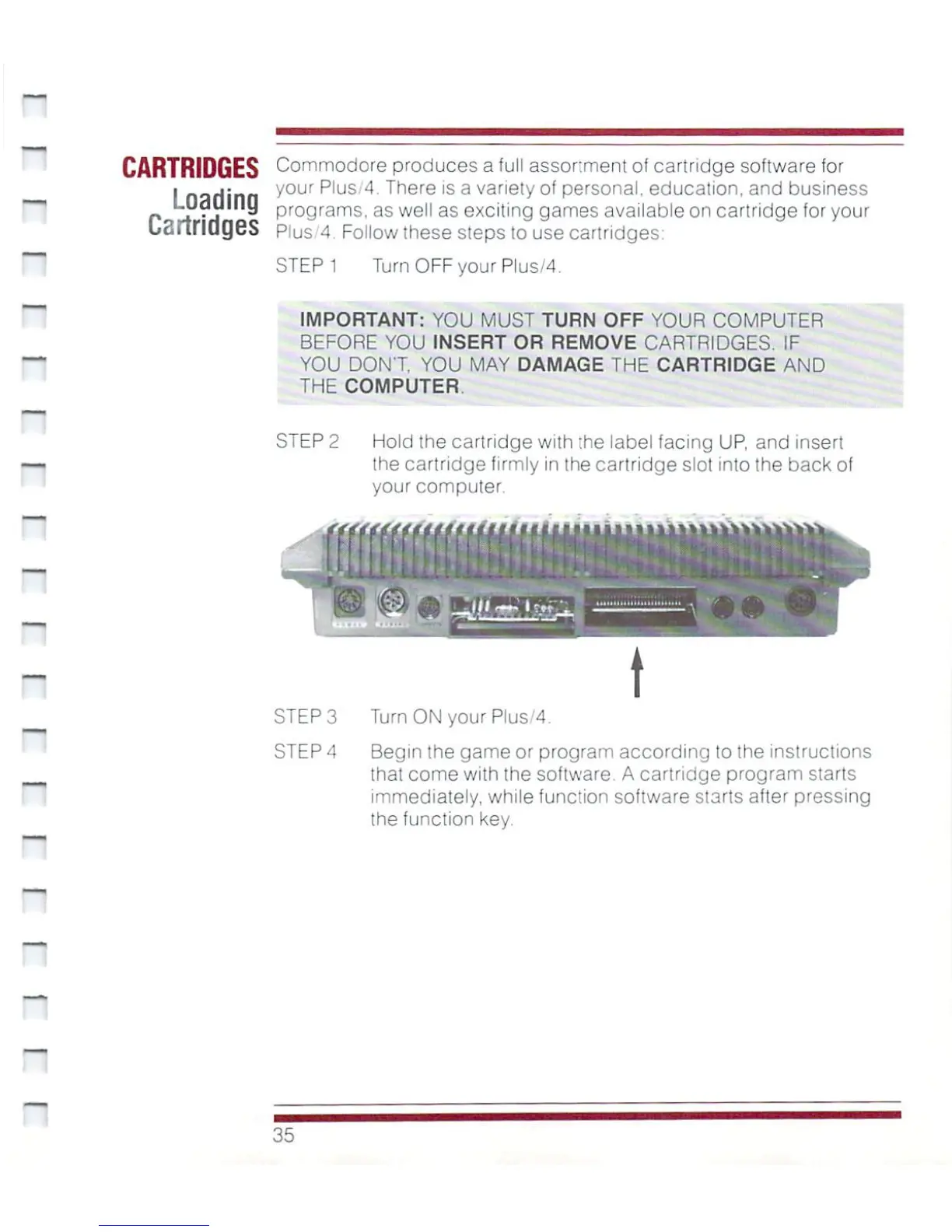
Hold
the
cartridge
with
the
label
facing
UP,
and
insert
the
cartridge
firmly
in
the
cartridge
slot
into
the
back
of
your
computer.
STEP
3
Turn
ON
your
Plus/4.
STEP
4
Begin
the
game
or
program
according
to
the
instructions
that
come
with
the
software.
A
cartridge
program
starts
immediately,
while
function
software
starts
after
pressing
the
function
key.
35

Other manuals for Commodore Plus 4

Related product manuals