EasyManua.ls Logo

Commodore Plus 4 - Page 56

Commodore Plus 4
234 pages
Print Icon
To Next Page IconTo Next Page
To Previous Page IconTo Previous Page
Loading...
_
SOME
SIMPLE
PLUS/4
PROGRAMS
Type
this
program
exactly
as
it
appears
here.
Don't
leave
out
the
numbers
at
the
beginning
of
the
line,
since
they
are
the
line
numbers
that
tell
the
order
that
the
lines
of
the
program
are
implemented
by
your
computer.
Be
sure
to
press
the
RETURN
key
at
the
end
of
each
line
you
type.
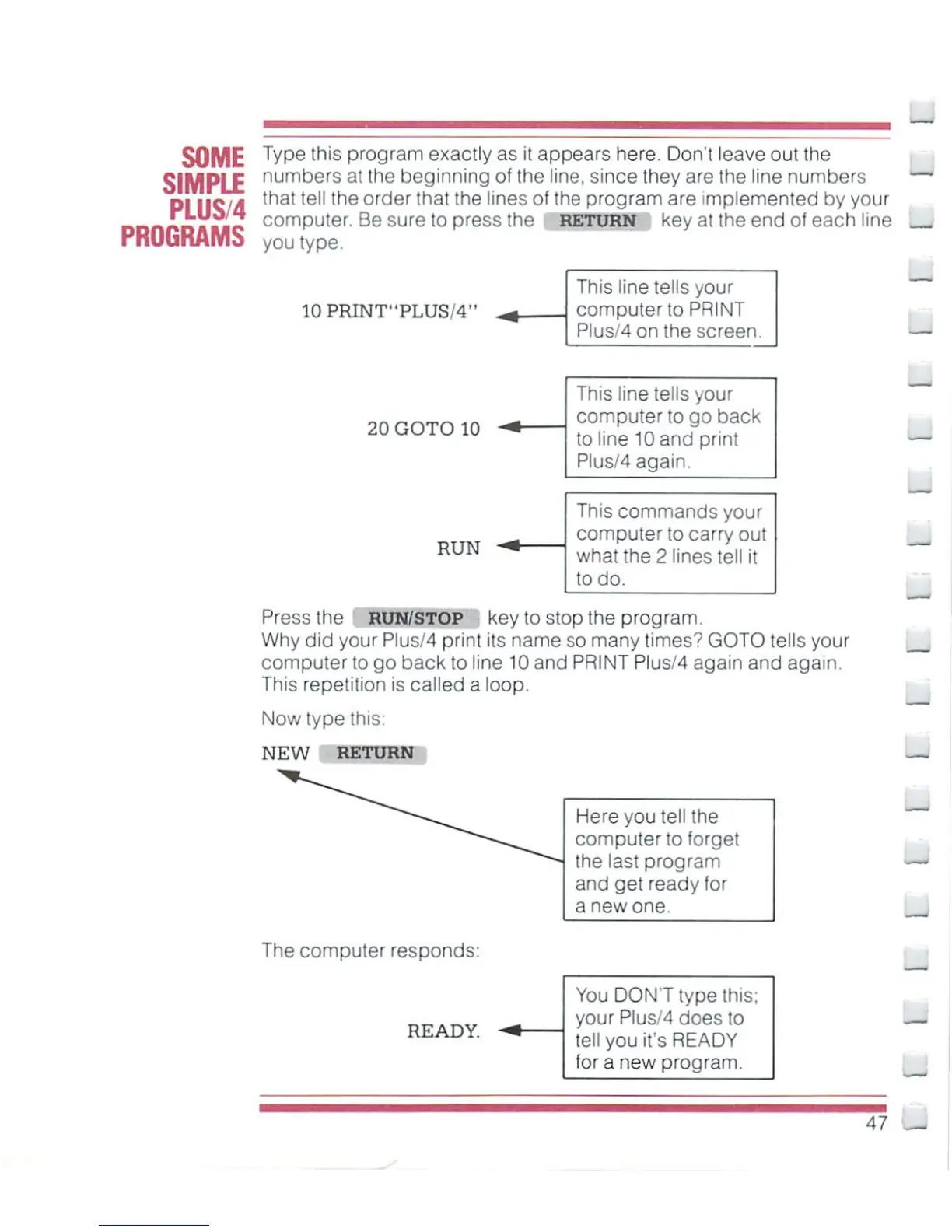
10PRINT"PLUS/4"
This
line
tells
your
computer
to
PRINT
Plus/4
on
the
screen.
20
GOTO
10
RUN
This
line
tells
your
computer
to
go back
to
line
10
and
print
Plus/4
again.
This
commands
your
computer
to
carry out
what
the
2
lines
tell
it
to
do.
Press
the
RUN/STOP
key
to
stop
the
program.
Why
did
your
Plus/4
print
its
name
so
many
times?
GOTO
tells
your
computer
to
go back
to
line
10
and
PRINT
Plus/4
again
and
again.
This
repetition
is
called
a
loop.
Now
type
this:
NEW
RETURN
_
The
computer
responds:
READY.
Here you
tell
the
computer
to
forget
the
last
program
and
get
ready
for
a
new
one
You
DONT
type
this;
your
Plus/4
does
to
tell
you
it's
READY
fora
new
program.
47

Other manuals for Commodore Plus 4

Related product manuals