EasyManua.ls Logo

Commodore VIC-20 - Page 101

Commodore VIC-20
308 pages
Print Icon
To Next Page IconTo Next Page

To Previous Page IconTo Previous Page
Loading...
Type:
PRINT
FRE(O)
The
number
displayed
is
the
amount
of
memory
space
ieft
unused.
Now
type
the
following:
POKE
52, 28:
POKE56,
28:
CLR
Now
type:
PRINT
FRE(O)
See
the
change?
BASIC
now
thinks
it
has
512
bytes
[ess
memory
to
work
with,
The
memory
you
just
reclaimed
from
BASIC
is
where
you
are
going
to
put
your
character
set,
safe
from
actions
of
BASIC.
The
next
step
is
to
put
your
characters
into
RAM.
When
you
begin,
there
is
random
data
beginning
at
7168.
You
must
put
character
patterns
in
RAM
(in
the
same
style
as
the
ones
in
ROM)
for
the
VIC
to
use.
The
following
one
line
program
moves
64
characters
from
ROM
to
your
character
set
RAM:
FOR
I-
7166
TO
7679:
POKE
I,
PEEK(I+
25600):
NEXT
Now
POKE
36869
with
255,
Nothing
happens,
right?
Well,
almost
nothing.
The
VIC
is
now
getting
its
character
Information
from your
RAM,
instead
of
from
ROM.
But
since
we
copied
the
characters
from
ROM
exactfy,
no
difference
can
be
seen
. . .
yet.
You
can
easily
change
the
characters
now.
Clear
the
screen
and
type
an
@
sign.
Move
the
cursor
down
a
couple
of
lines,
then
type:
FOR
I
=
7168
TO
7163
+
7:POKE
I,
255
-
PEEK(i)
:
NEXT
You
just
created
a
reversed
@
sign!
VtC
TIP:
Reversed
characters
are
just
characters
with
their
bit
patterns
in
character
memory
reversed!
Now
move
the
cursor
up
to
the
program
again
and
hit
return
again
to
re-reverse
the
character
(bring
it
back
to
normal).
By
looking
at
the
table
of
screen
display
codes,
you
can
figure
out
where
in
RAM
each
character
is.
Just
remember
that
each
character
takes
eight
memory
locations
to
store.
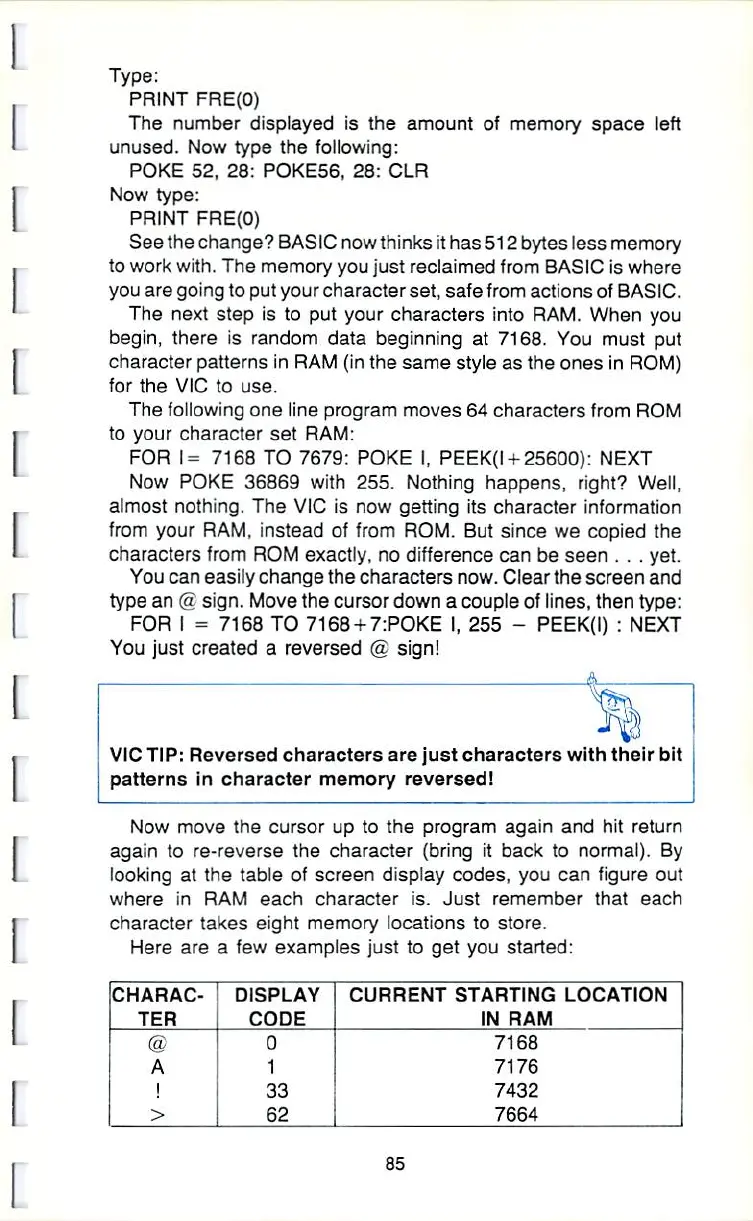
Here
are
a
few
examples
just to
get
you
started:
CHARAC
TER
8
A
!
>
DISPLAY
CODE
0
1
33
62
CURRENT
STARTING
LOCATION
IN
RAM
7168
7176
7432
7664
35

Other manuals for Commodore VIC-20

Related product manuals