EasyManua.ls Logo

Commodore VIC-20 - Page 31

Commodore VIC-20
308 pages
Print Icon
To Next Page IconTo Next Page

To Previous Page IconTo Previous Page
Loading...
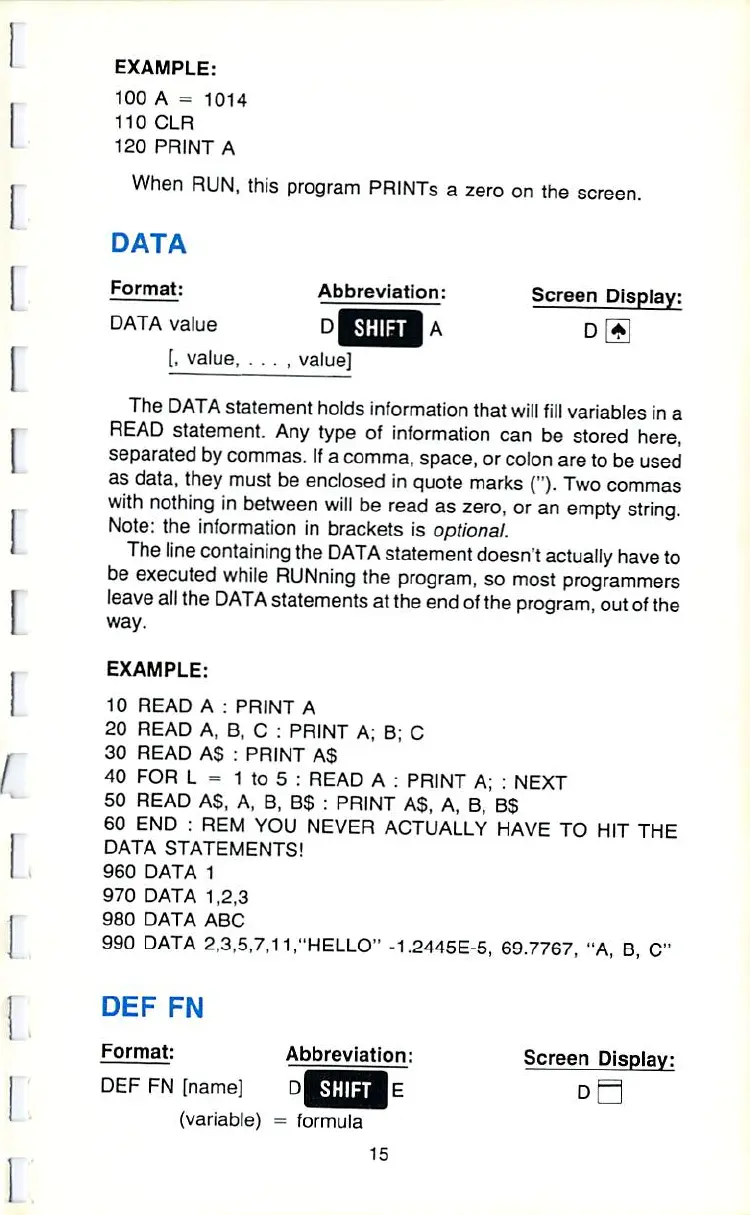
EXAMPLE:
100
A
a 1014
110
CLR
120
PRINT
A
When
RUN.
this
program
PRINTs
a
zero
on
the
screen.
DATA
Format:
Abbreviation:
Screen
Display:
DATA
value
dHJTHBa
d
V
[â– 
value,
.
.
. ,
value]
The
DATA
statement
holds
information
that
will
fill
variables
in
a
READ
statement.
Any
type
of
information
can
be
stored
here,
separated
by
commas.
If
a
comma,
space,
or
colon
are
to
be used
as
data,
they
must
be
enclosed
in
quote
marks
(").
Two
commas
with
nothing
in
between
will
be
read
as
zero,
or
an empty
string.
Note:
the
information
in
brackets
is
optional.
The
line
containing
the
DATA
statement
doesn't
actually
have
to
be
executed
while
RUNning
the
program,
so
most
programmers
leave
all
the
DATA
statements
at
the
end
of
the
program,
out
of
the
way.
EXAMPLE:
10
READ
A
:
PRINT
A
20
READ
A,
B,
C
:
PRINT
A;
B;
C
30
READ
AS
:
PRINT A$
40
FOR
L
=
1
to
5
:
READ
A
:
PRINT
A;
:
NEXT
50
READ
AS,
A,
B,
B$
:
PRINT
AS,
A. B,
BS
60
END
:
REM YOU
NEVER
ACTUALLY
HAVE
TO
HIT
THE
DATA
STATEMENTS!
960
DATA
1
970
DATA
1,2,3
980
DATA
ABC
990
DATA
2,3,5,7,11,"HELLO"
-1.2445E-5,
69.7767.
"A,
B,
C"
DEF
FN
Format:
Abbreviation:
Screen
Display:
DU.F
FN
[name]
D^fctlE
D
[ !
(variable)
-
formula
15

Other manuals for Commodore VIC-20

Related product manuals