EasyManua.ls Logo

Commodore VIC-20 - Page 119

Commodore VIC-20
404 pages
Print Icon
To Next Page IconTo Next Page
To Previous Page IconTo Previous Page
Loading...
Chapter
3:
Programming the
VIC
20
Computer 105
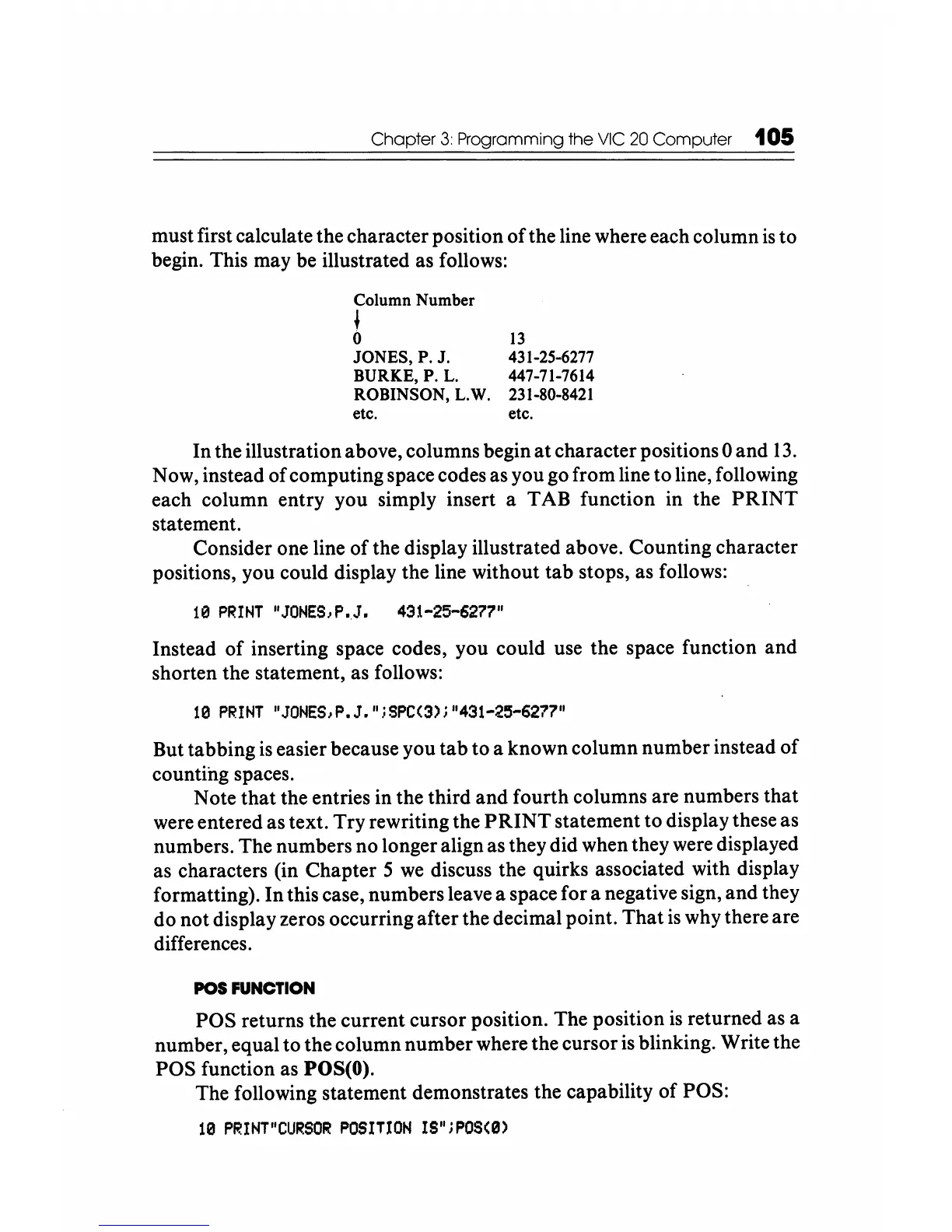
must
first calculate
the
character
position
of
the
line where
each
column
is
to
begin. This
may
be
illustrated
as
follows:
Column Number
~
o
JONES, P. J.
BURKE,P.
L.
ROBINSON, L.W.
etc.
13
431-25-6277
447-71-7614
231-80-8421
etc.
In
the
illustration above,
columns
begin
at
character
positions 0
and
13.
Now, instead
of
computing
space codes as
you
go
from
line
to
line, following
each
column
entry
you
simply insert a
TAB
function
in
the
PRINT
statement.
Consider
one line
of
the
display illustrated above.
Counting
character
positions,
you
could display
the
line
without
tab
stops,
as
follows:
10
PRINT
"JONES,P
•.
J.
431-25-6277"
Instead
of
inserting space codes,
you
could
use
the
space
function
and
shorten
the statement, as follows:
10
PRINT
IJONES,P.J.
l
iSPC(3)j"431-25-6277"
But
tabbing
is easier because
you
tab
to
a
known
column
number
instead
of
counting
spaces.
Note
that
the
entries
in
the
third
and
fourth
columns
are
numbers
that
were
entered
as
text.
Try
rewriting
the
PRINT
statement
to
display these
as
numbers.
The
numbers
no
longer align as
they
did
when
they
were displayed
as characters (in
Chapter
5 we discuss
the
quirks
associated with display
formatting).
In
this case,
numbers
leave a space
for
a negative sign,
and
they
do
not
display zeros
occurring
after
the
decimal
point.
That
is why
there
are
differences.
POS FUNCTION
POS
returns
the
current
cursor
position.
The
position
is
returned
as a
number,
equal
to
the
column
number
where
the
cursor
is blinking. Write
the
POS
function as POS(O).
The
following
statement
demonstrates
the
capability
of
POS:
10
PRINT"CURSOR
POSITION
IS";POS(0)

Other manuals for Commodore VIC-20

Related product manuals