Chapter 4 Advanced
BASIC
Programming
123
Nearly every program requires some kind of input from the keyboard.
If
you are the person operating the computer, you can probably put together
some
INPUT
statements that get the required data and process it in your
program. But if someone else
is
operating the computer, sooner or later the
wrong key will be pressed or
an
incorrect entry will be made. Every comput-
er operator will make mistakes
at
some time. You should write programs
that
allow for conceivable human errors.
The same
is
true for output programming.
If
you display the results of a
program with a set of
PRINT
statements, those results have to be readable
to
the person looking
at
the display. This does not happen by hacking away
at program statements until the output looks a little better; you must give it
some thought while you are writing the program.
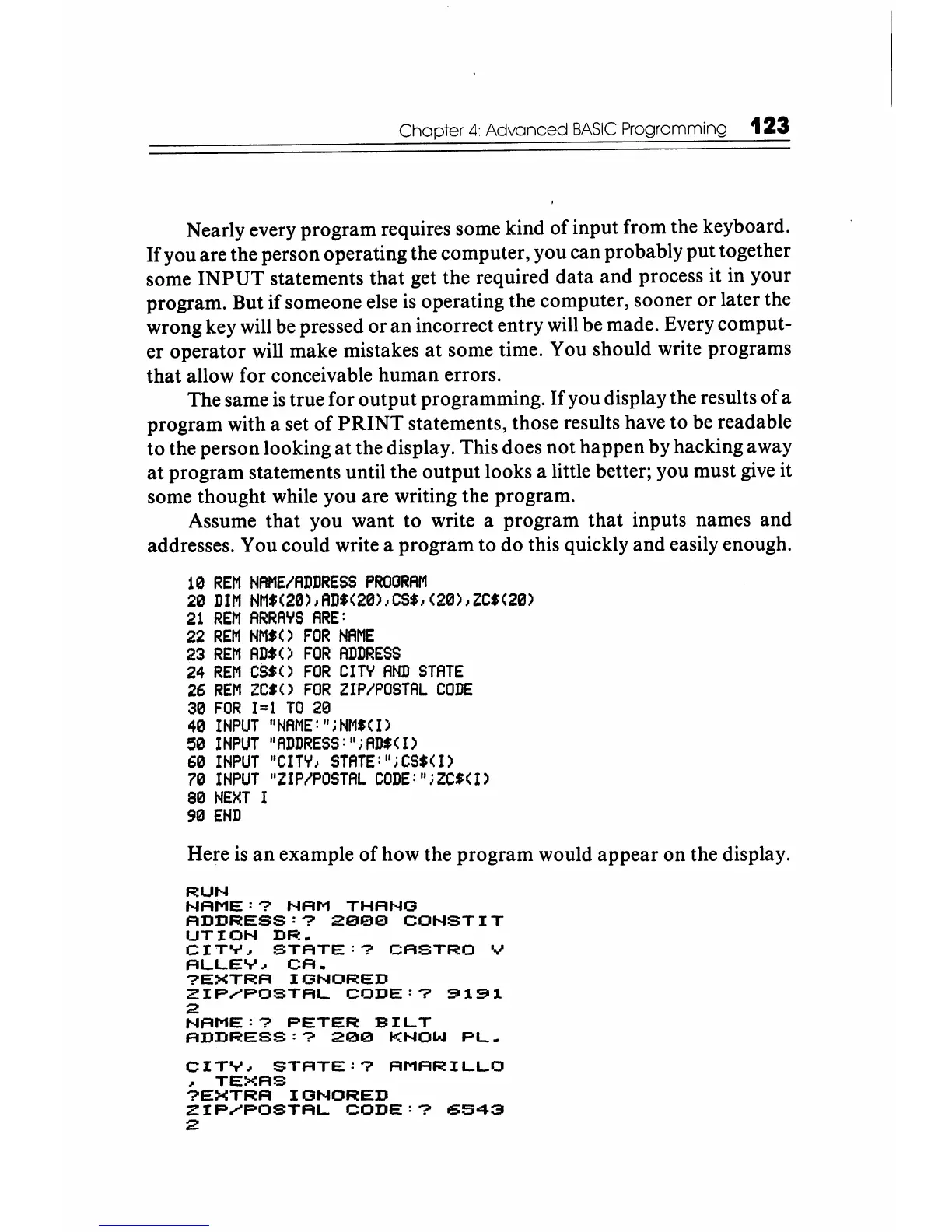
Assume that you want to write a program that inputs names and
addresses. You could write a program to do this quickly and easily enough.
113
REM
NAME/ADDRESS
PROGRAM
213
DIM
NM$(2a)JAD'(2a),cs"(2a)JZC'(2a)
21
REM
ARRAYS
ARE:
22
REM
NM.()
FOR
NAME
23
REM
AD$()
FOR
ADDRESS
24
REM
CS.()
FOR
CITY
AND
STATE
26
REM
ZC.()
FOR
ZIP/POSTAL
CODE
313
FOR
1=1
TO
213
413
INPUT
"~jAME:";
NMf(
1)
513
INPUT
"ADDRESS:"
i
ADI<
1)
613
INPUT
"CITY
J
STATE:"
i
CS$(
1)
713
INPUT
"Z
I P
/POSTAL
CODE:"
i
ZCI(
1)
813
NEXT
1
913
END
Here
is
an
example of how the program would appear on the display.
RUN
NAME:?
NAM
THANG
ADDRESS:?
2eee
CONSTIT
UTION
DR.
CITY~
STATE:?
CASTRO
V
ALLEY~
CA.
?EXTRA
IGNORED
ZIP~POSTAL
CODE:?
9191
2
NAME:?
PETER
SILT
ADDRESS:?
20e
KNOW
PL.
CITY~
STATE:?
AMARILLO
~
TEXAS
?EXTRA
IGNORED
ZIP~POSTAL
CODE:?
6543
:2






 To Next Page