14
The
VIC
20
User
Guide
COLOR
CONTROL
KEYS
Along the top
of
the keyboard, just under the number keys (1-8), are
located the eight color control keys: black, white, red, cyan (light blue),
purple, green, blue, and yellow. These keys change the color
of
the
characters being typed on the display. To use these keys you must press
CTRL and the color you wish to use.
For
example, when you first power up
the VIC 20, your screen comes up with a cyan border, white field, and blue
letters.
By
pressing CTRL and PUR together, you will begin typing purple
letters.
Cursor
Control
Keys
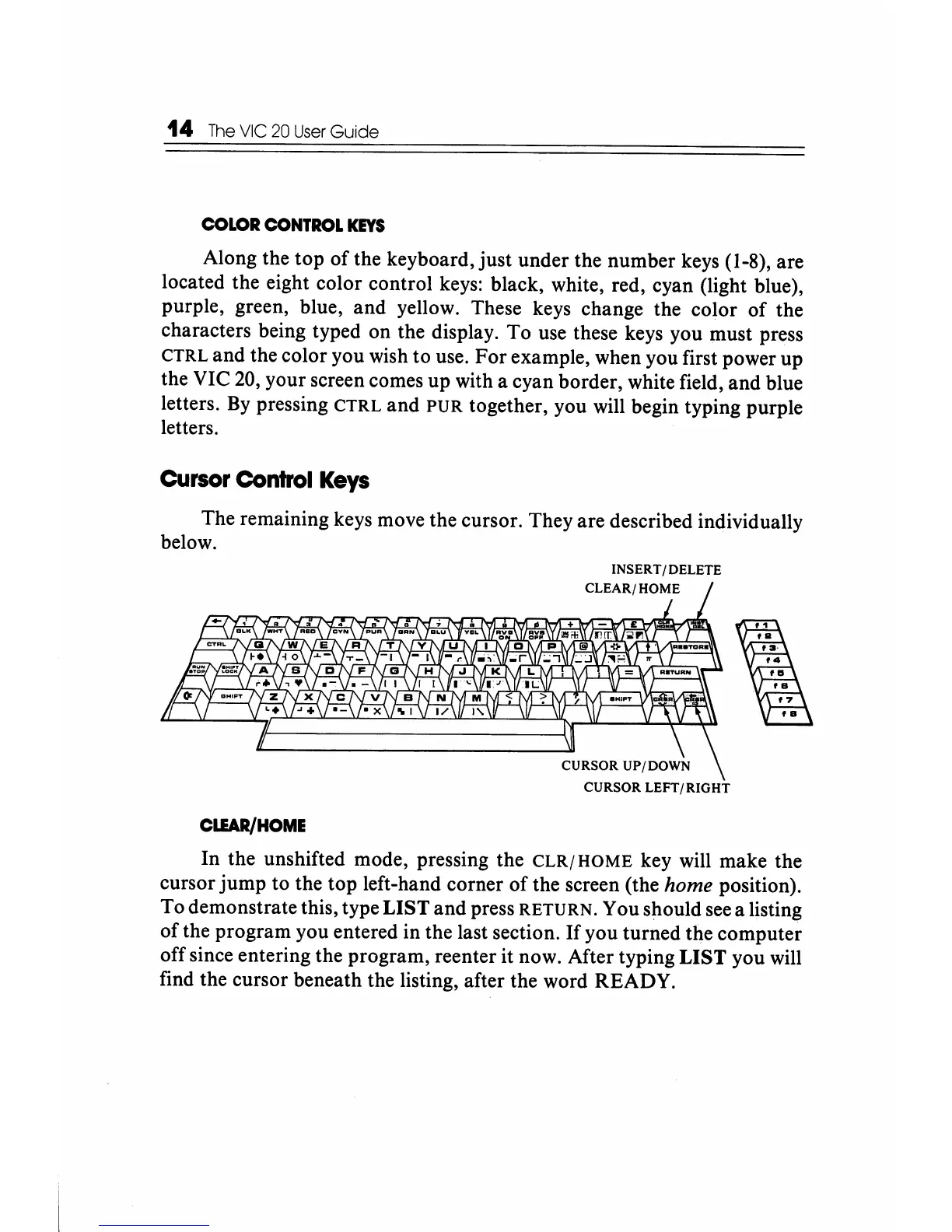
The remaining keys move the cursor. They are described individually
below.
CURSOR LEFT/RIGHT
ClIAR/HOME
In the unshifted mode, pressing the
CLR/
HOME key will make the
cursor jump to the top left-hand corner
of
the screen (the home position).
To demonstrate this, type
LIST and press RETURN. You should see a
listin~
of the program you entered in the last section.
If
you turned the computer
off since entering the program, reenter it now. After typing
LIST you will
find the cursor beneath the listing, after the word READY.






 To Next Page