20
The
VIC
20
User
Guide
Programming
the
Function
Keys
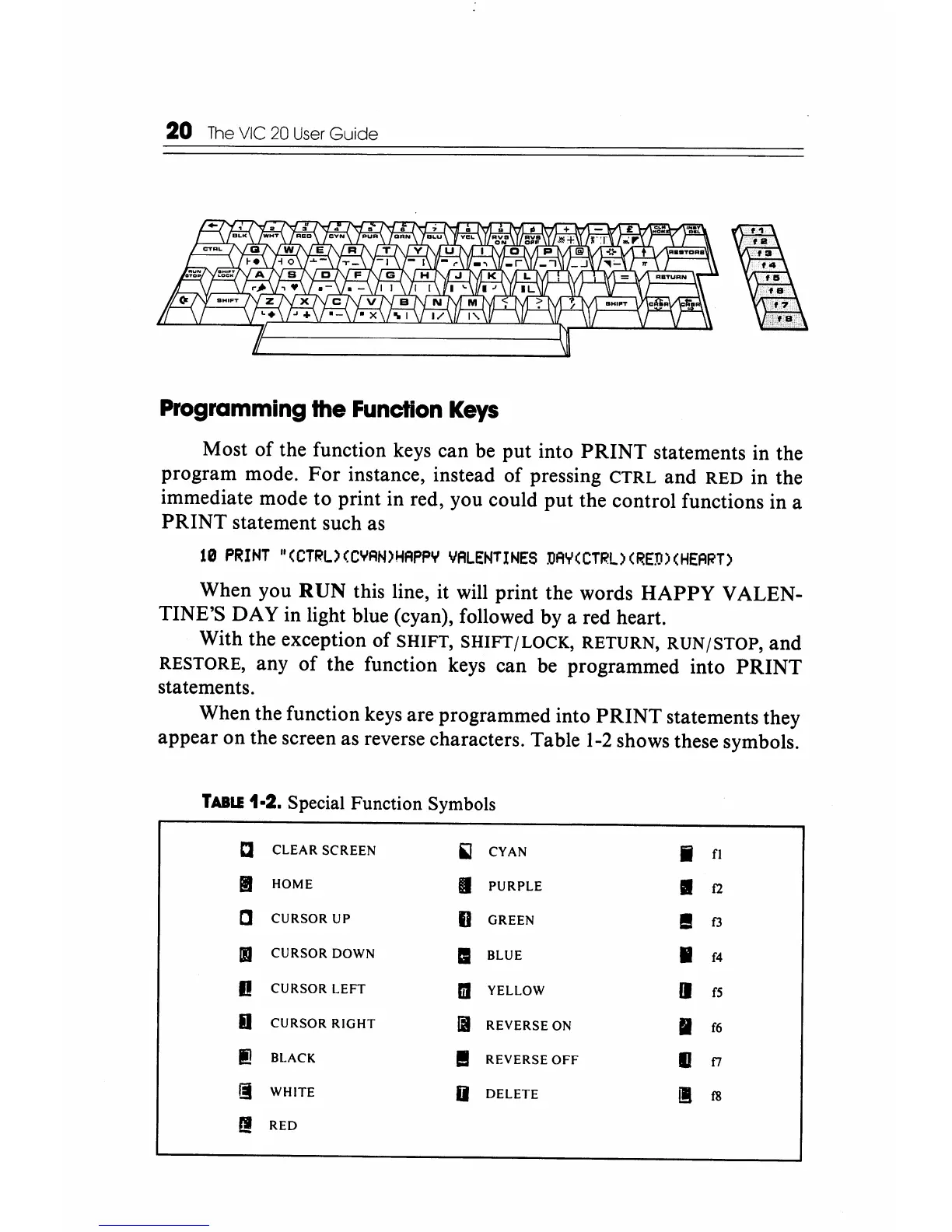
Most of the function keys can be put into
PRINT
statements in the
program mode.
For
instance, instead of pressing CTRL and RED in the
immediate mode to print in red, you could put the control functions in a
PRINT
statement such as
10
PRINT
U(CTRL)(CYAN)HAPPY
VALENTINES
DAY(CTRL)(RED)(HEART)
When you
RUN
this line, it will print the words
HAPPY
VALEN-
TINE'S DAY in light blue (cyan), followed by a red heart.
With the exception of
SHIFT, SHIFT/LOCK, RETURN, RUN/STOP, and
RESTORE, any
of
the function keys can be programmed into
PRINT
statements.
When the function keys are programmed into
PRINT
statements they
appear on the screen as reverse characters. Table
1-2
shows these symbols.
TABLE
1·2. Special Function Symbols
C
CLEAR
SCREEN
~
CYAN
Iii
fI
I
HOME
II
PURPLE
I
f2
[]
CURSOR UP
D
GREEN
II
f3
I
CURSOR
DOWN
II
BLUE
•
f4
D
CURSOR
LEFT
iii
YELLOW
II
fS
0
CURSOR
RIGHT
II
REVERSE ON
,.
f6
I.!
BLACK
I
REVERSE OFF
II
f7
!!
WHITE
D
DELETE
1M
f8
II
RED






 To Next Page