Chapter
1:
Introducing the
VIC
20
Computer 23
2.
Open the cassette
door
on the top
of
the unit by pressing the
STOP/EJECT
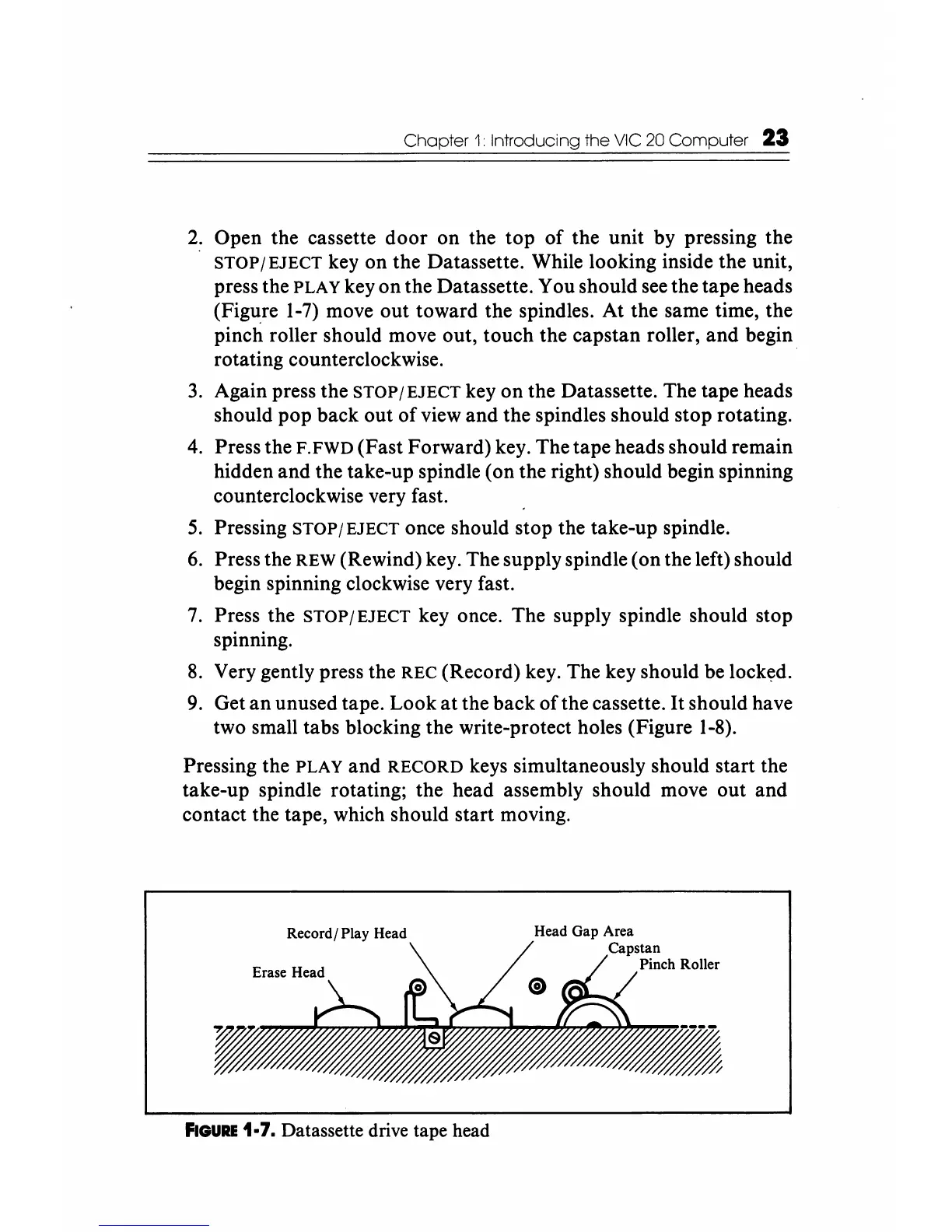
key on the Datassette. While looking inside the unit,
press the
PLAY key on the Datassette. You should
see
the tape heads
(Fig1l;re
1-7)
move out toward the spindles. At the same time, the
pinch roller should move out, touch the capstan roller, and begin
rotating counterclockwise. .
3.
Again press the
STOP/EJECT
key on the Datassette. The tape heads
should pop back out
of
view and the spindles should stop rotating.
4.
Press the F.FWD (Fast Forward) key. The tape heads should remain
hidden and the take-up spindle (on the right) should begin spinning
counterclockwise very fast.
5.
Pressing STOP/EJECT once should stop the take-up spindle.
6.
Press the REW (Rewind) key. The supply spindle (on the left) should
begin spinning clockwise very fast.
7.
Press the STOP/EJECT key once. The supply spindle should stop
spinning.
8.
Very gently press the REC (Record) key. The key should be
lock~d.
9.
Get
an
unused tape. Look
at
the back
ofthe
cassette.
It
should have
two small tabs blocking the write-protect holes (Figure
1-8).
Pressing the PLAY and RECORD keys simultaneously should start the
take-up spindle rotating; the head assembly should move out and
contact the tape, which should start moving.
Record/ Play Head
Roller
FIGURE
1·7. Datassette drive tape head






 To Next Page