24
The
VIC 20
User
Guide
0
• •
..
!
•
•
[
- -
]
•
•
L
~.
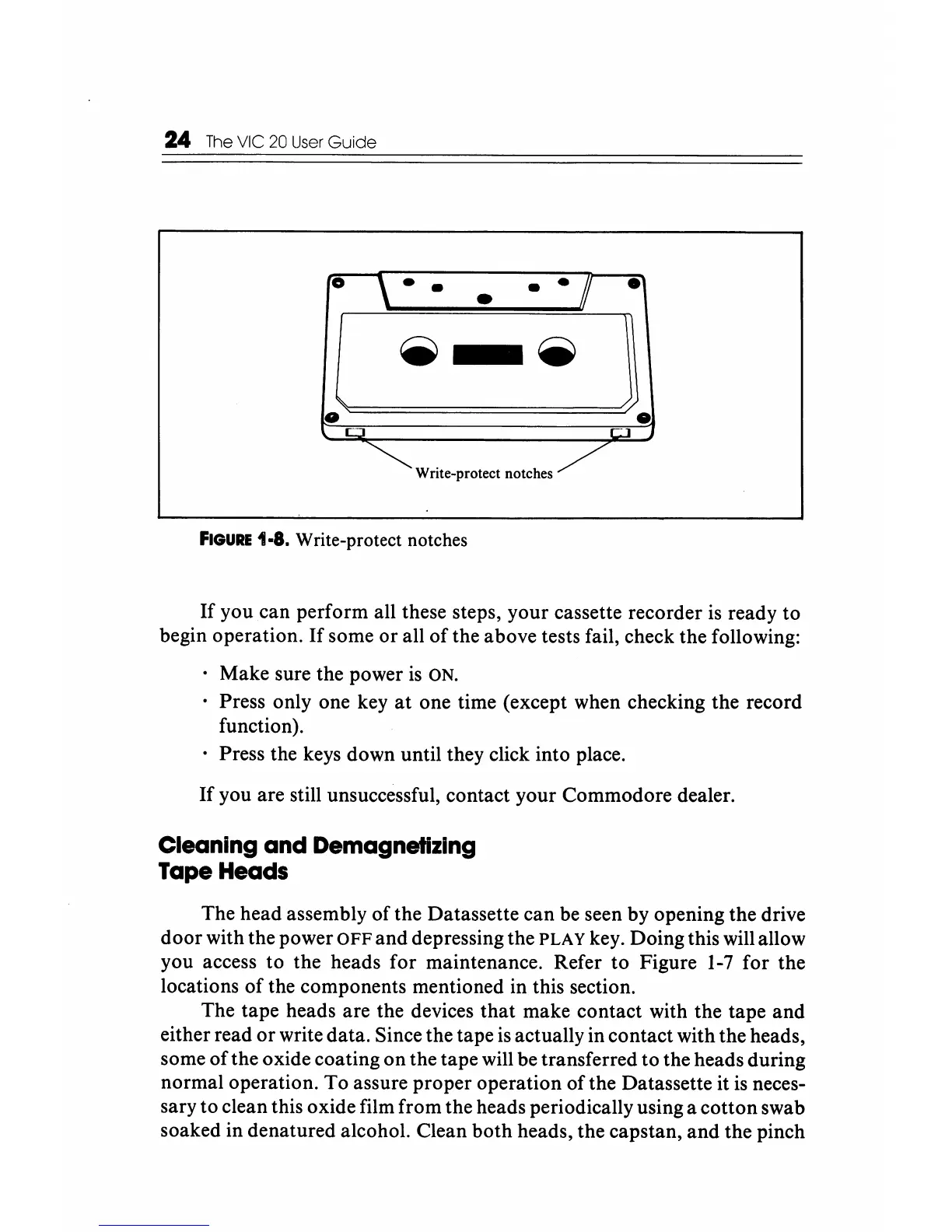
Wnte-protect notches
/
FIGURE
1·8. Write-protect notches
If
you can perform all these steps, your cassette recorder
is
ready to
begin operation.
If
some
or
all
of
the above tests fail, check the following:
Make sure the power
is
ON.
Press only one key
at
one time (except when checking the record
function).
Press the keys down until they click into place.
If
you are still unsuccessful, contact your Commodore dealer.
Cleaning
and
Demagnetizing
Tape Heads
The head assembly of the Datassette can be seen by opening the drive
door with the power
OFF
and depressing the PLAY key. Doing this will allow
you access to the heads for maintenance. Refer to Figure
1-7
for the
locations
of
the components mentioned in this section.
The tape heads are the devices that make contact with the tape and
either read
or
write data. Since the tape is actually in contact with the heads,
some
of
the oxide coating on the tape will be transferred to the heads during
normal operation.
To
assure proper operation
ofthe
Datassette it
is
neces-
sary to clean this oxide film from the heads periodically using a cotton swab
soaked in denatured alcohol. Clean
both
heads, the capstan,
and
the pinch






 To Next Page