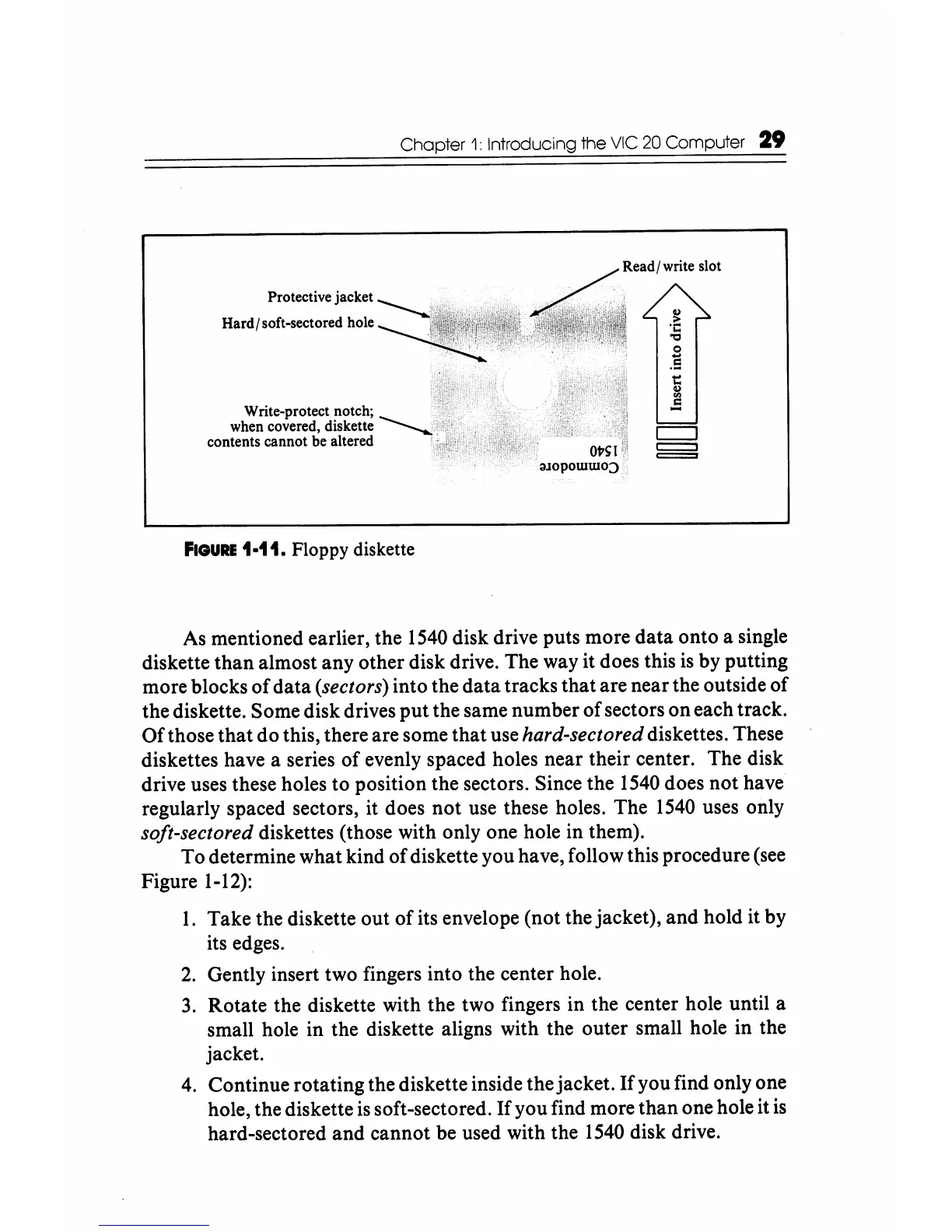
Protective jacket
Hard
I soft-sectored hole
Write-protect notch;
when covered, diskette
contents cannot be altered
Chapter
1:
Introducing the
VIC
20
Computer 29
:1l0powwo:)
FIGURE
1·11. Floppy diskette
As
mentioned earlier, the
1540
disk drive puts more
data
onto a single
diskette
than
almost any other disk drive. The way it does this
is
by putting
more blocks
of
data
(sectors) into the data tracks that are near the outside
of
the diskette. Some disk drives
put
the same number
of
sectors
on
each track.
Of
those
that
do this, there are some
that
use hard-sectored diskettes. These
diskettes have a series
of
evenly spaced holes near their center. The disk
drive uses these holes to position the sectors. Since the
1540
does not have
regularly spaced sectors, it does
not
use these holes. The
1540
uses only
soft-sectored diskettes (those with only one hole in them).
To determine what kind
of
diskette you have, follow this procedure (see
Figure 1-12):
1.
Take the diskette out
of
its envelope (not the jacket), and hold it by
its edges.
2.
Gently insert two fingers into the center hole.
3.
Rotate the diskette with the two fingers in the center hole until a
small hole in the diskette aligns with the outer small hole in the
jacket.
4.
Continue rotating the diskette inside the jacket.
If
you find only one
hole, the diskette
is
soft-sectored.
If
you find more
than
one hole it
is
hard-sectored
and
cannot be used with the
1540
disk drive.






 To Next Page