38
The
VIC
20
User
Guide
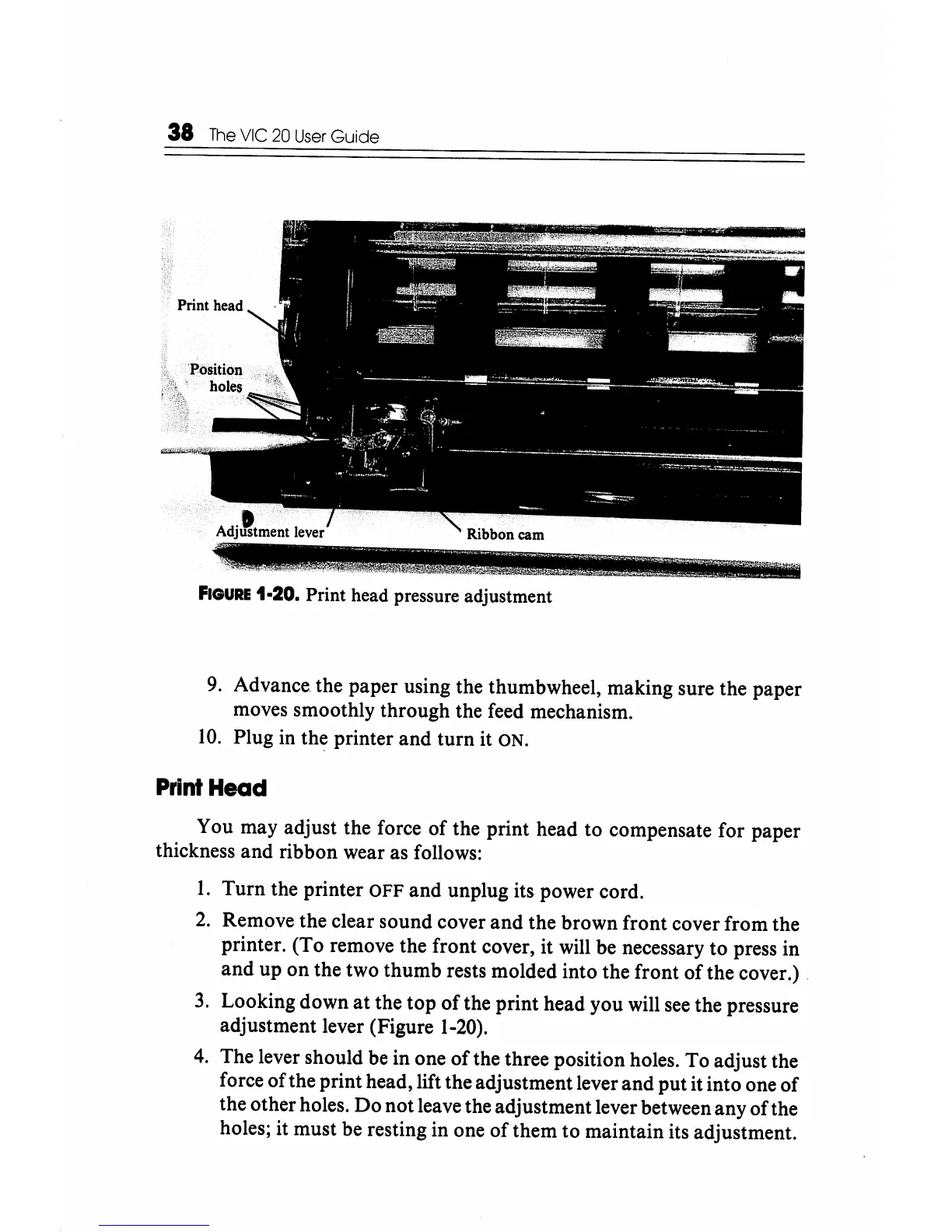
FIGURE
1-20. Print head pressure adjustment
9.
Advance. the paper using the thumbwheel, making sure the paper
moves smoothly through the feed mechanism.
10.
Plug
in
the printer and turn it ON.
Print
Head
You may adjust the force of the print head to compensate for paper
thickness and ribbon wear as follows:
1.
Turn the printer
OFF
and unplug its power cord.
2.
Remove the clear sound cover and the brown front cover from the
printer. (To remove the front cover, it will be necessary to press in
and up on the two thumb rests molded into the front of the cover.) .
3.
Looking down
at
the top
of
the print head you will
see
the pressure
adjustment lever (Figure
1-20).
4.
The lever should be in one
of
the three position holes. To adjust the
force of the print head, lift the adjustment lever and put it into one
of
the other holes. Do not leave the adjustment lever between any ofthe
holes; it must be resting in one
of
them to maintain its adjustment.






 To Next Page