Chapter
3:
Programming the
VIC
20
Computer 83
80
reS
90
liN
tI
....
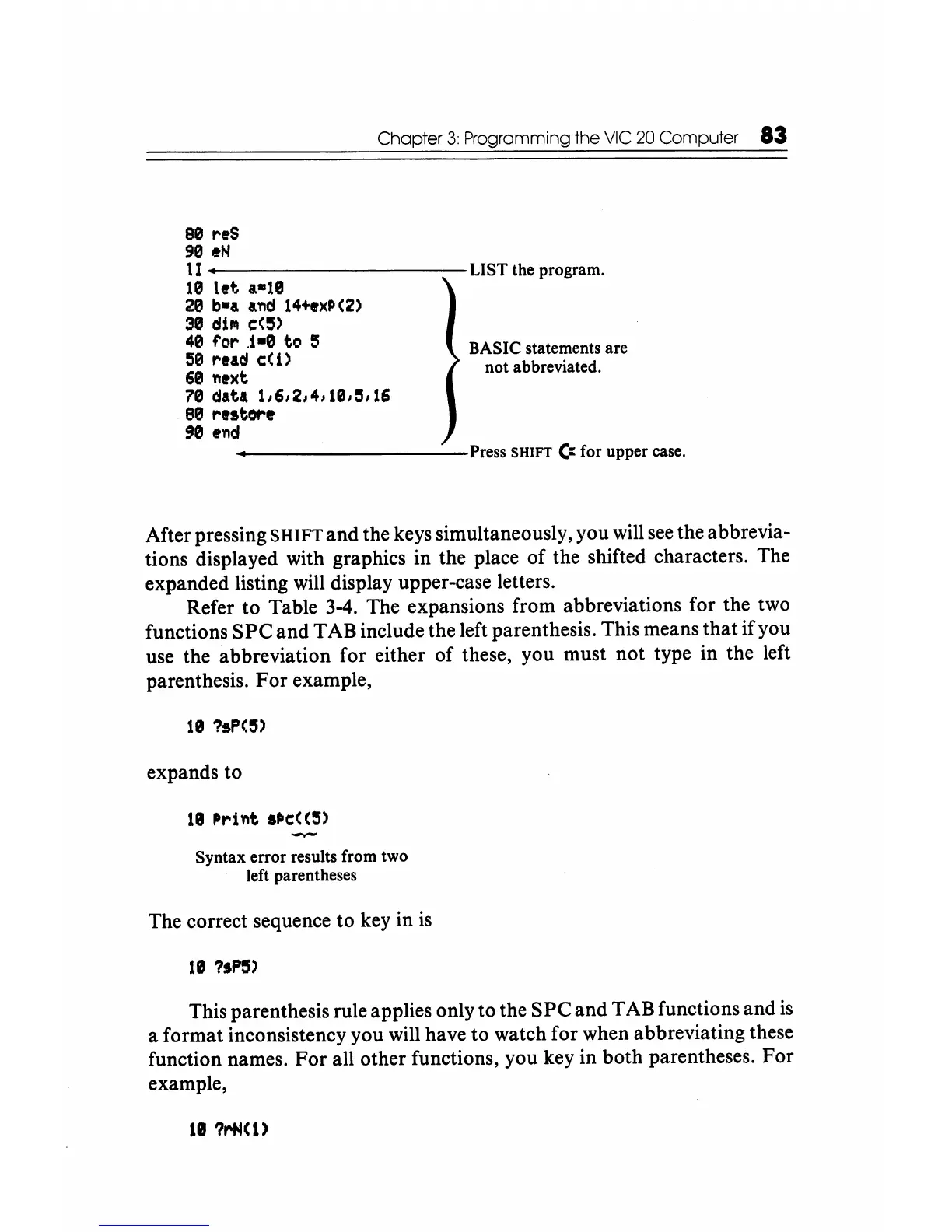
-----------LIST
the program.
10
let
.-10
20
b-a
and
14+ex~(2)
30
dilll
c:(~)
40
for
.i-e
to
:5
50
read c:(
i)
60
next
70
dati
1161214/1013116
80
restore
90
end
BASIC statements are
not abbreviated.
----------Press
SHIFT
C::
for upper
case.
After pressing SHIFT and the keys simultaneously, you will
see
the abbrevia-
tions displayed with graphics in the place of the shifted characters. The
expanded listing will display upper-case letters.
Refer to Table 3-4. The expansions from abbreviations for the two
functions
SPC
and TAB include the left parenthesis. This means that if you
use the abbreviation for either of these, you must not type in the left
parenthesis. For example,
10
?sP(3)
expands to
Syntax error results from two
left parentheses
The correct sequence to
key
in
is
10
?IP3)
This parenthesis rule applies only to the
SPC
and TAB functions and
is
a format inconsistency you will have to watch for when abbreviating these
function names.
For
all other functions, you key in both parentheses. For
example,
lIll 1I"'H(I)






 To Next Page