9
OWNERS MANUAL
2
LIGHTING BURNER - OVEN
Make sure the Control Knob is set to the “OFF” position.
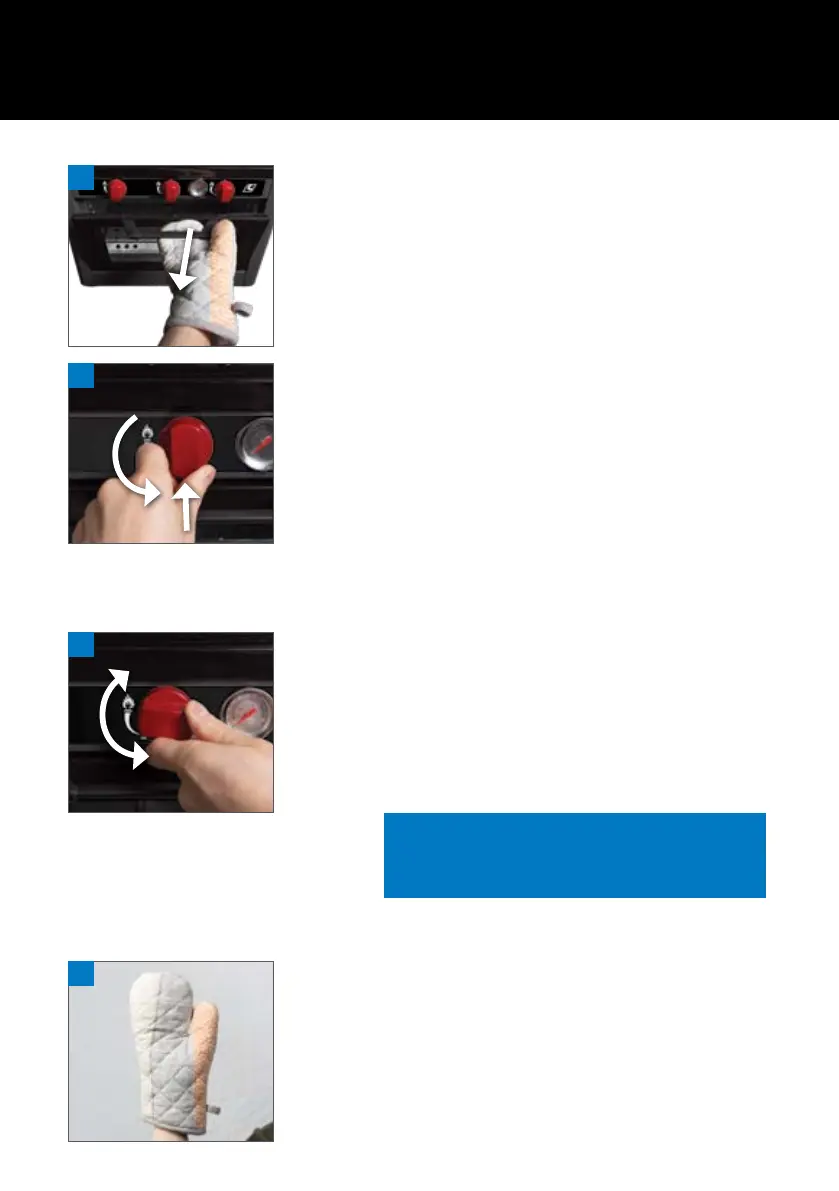
Step 1. Open oven door.
Step 2. Make sure the Control Knob is set to the “OFF” position.
Step 3. Depress and turn the Control Knob anti-clockwise until
a “click” sound is heard, check that the burner is
now alight.
Step 4. If the burner does not light, turn the Control Knob to the
“OFF” position and wait for 5 minutes before attempting
to relight the burner.
ADJUSTING TEMPERATURE
Step 1. Turn the Control Knob in an anti-clockwise direction to
achieve a higher temperature and in a clockwise direction
for a lower temperature or fully clockwise to turn the
appliance “OFF”.
Step 2. The oven temperature is displayed on the gauge located
on the control panel.
HANDLING DURING OPERATION
During operation the door handle may become HOT - Ensure that you use
an Oven Mit or similar when touching the handle
1
1
1
Note: If oven temperature is above the desired
cooking level, slightly open the door to
remove excess heat.



 To Next Page