33COMPRAG Screw air compressor A-Series
1
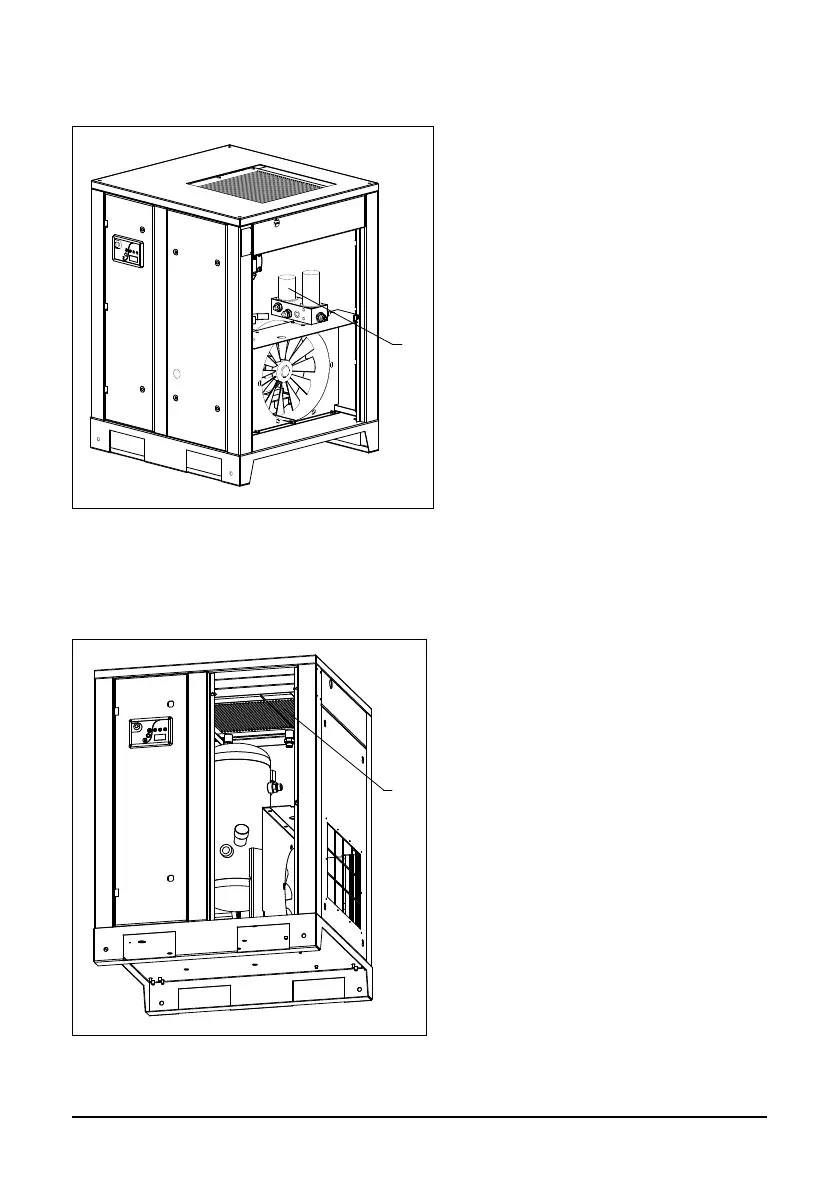
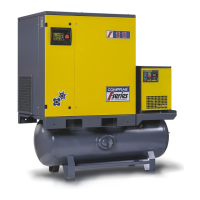
Fig. 5.8 Cleaning radiator
1
Fig. 5.7 Changing air-oil separator
5.7 Changing air-oil separator
Open the right side panel, remove the
separator (1) using a special oil lter
wrench.
Oil the gasket of the new air-oil separa-
tor and screw it into place. Only tighten
the air-oil separator by hand.
5.8 Cleaning radiator
In order to access the radiator (1), open
the front panel.
Regularly clean the radiator in order
to maintain its cooling efciency at an
acceptable level.
Remove any dirt particles from the ra-
diator using a bre brush, then aim a jet
of compressed air at the radiator from
the bottom to the top; the jet should be
held at an approximate 90° angle to
the plane of the radiator.


 To Next Page