Page 2
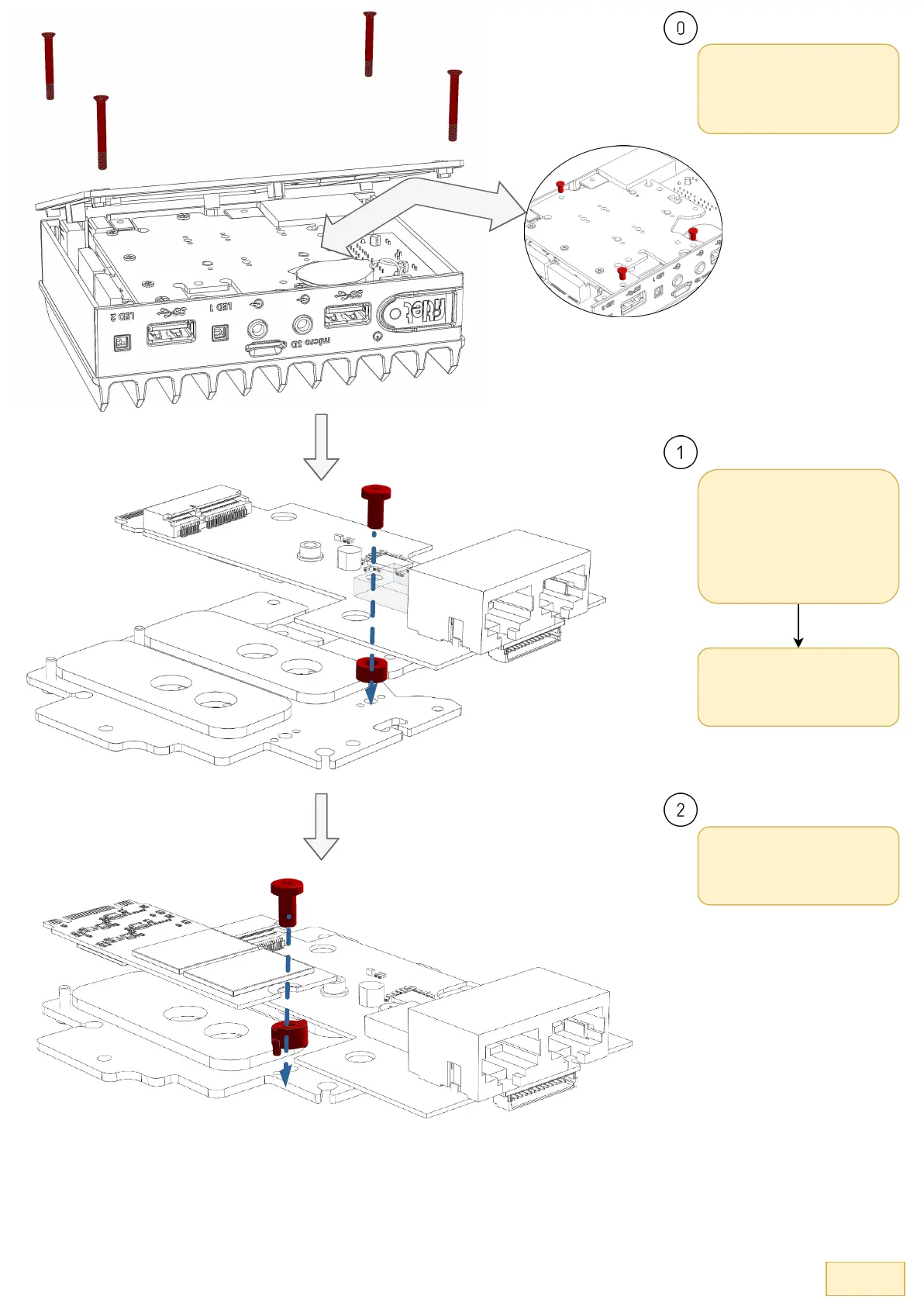
Remove the bottom cover by
unscrewing the 4x Phillips
chassis screws and pull out the
cooling plate gently after
removing the 3x Phillips screws.
Remove the WiFi module from
the cooling plate and then place
the retaining washer at the
designated location on the
cooling plate and seat the FC-
SCG on-top of it. Fasten the
6mm M3 Phillips screw.
If there's a Phillips screw at the
edge of the cooling plate
interfering with the FC-SCG's
seating, remove it.
Place the red module spacer in
the designated location and
place the M.2 SSD (chips facing
the thermal pad), then fasten
using the 1x Phillips screw


 To Next Page