Page
1 Set Clock
This program is used to set the date and time.
2 Show Calib.
This screen is for factory use to show the weather sensors calibration file.
3 Factory Reset
This program will remove the weather sensor calibration file from the
computer memory. DO NOT use this program without specific instructions
from Computech on how to save the calibration file.
4 Empty Recycle
This program can be used when the Loading User Memory…
Message remains on the screen for several seconds. Emptying the
recycle bin will speed up the computer operation.
5 Clr User Mem
This function is not normally used. Clearing the user memory will reset all
computer variables to 0. All set-up functions will need to be reentered.
Battery=
This line indicates the measured voltage in the computer circuit. When on
battery power, it can show when the batteries are getting weak.
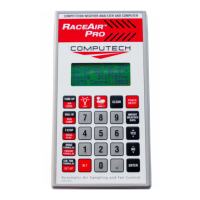
3 Calculator
This program is a 4 function calculator (i. e. add, subtract, multiply, and divide).
The + key (YES) and the -- key (NO) are used to add and subtract. To multiply,
press ALT then + or to divide press ALT then --. Press ENTER to see the answer.
Important: The calculator can be accessed from within any program by pressing
ALT then ENTER. The calculator function will remember the number from the
computer program line where the left indicator arrow is positioned. The calculator
functions can then be used with that number. The computer will insert the new
calculated value back in the program line by pressing ALT then ENTER again.
Dynamometer Horsepower Correction
The = Sampled Wthr = screen can be used to quickly correct observed dyno torque
and horsepower values. Press the SAMPLE key and place the RaceAir Pro near the
engine air intake. Allow the unit to finish sampling. Make sure the left side indicator
arrow is on the STD Corr= (or SAE Corr=). Press ALT then ENTER to transfer the
correction factor to the calculator. Press ALT then + (to multiply). Press in the observed
number (torque or horsepower) and press ENTER to see the corrected value. Pressing
ALT ENTER again will send the computer back to the = Sampled Wthr = screen. The
process can be repeated again for the next value. The same technique can be used for
previously recorded weather conditions using the AIR CORR. program.


 To Next Page