EasyManua.ls Logo

Comtrend Corporation PowerGrid 902 - User Manual

Comtrend Corporation PowerGrid 902
46 pages
Print Icon
To Next Page IconTo Next Page
Loading...
Powerline Ethernet Adapter
User Manual
UK type

Other manuals for Comtrend Corporation PowerGrid 902

Question and Answer IconNeed help?

Do you have a question about the Comtrend Corporation PowerGrid 902 and is the answer not in the manual?

Summary

Chapter 1 - Introduction

Special Features Overview

Highlights key features like One Button Security Setup, Throughput Indicator, and Rear Socket.

Chapter 2 - Basics

Device Layout

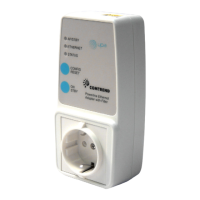
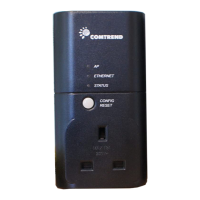
Explains the physical layout of the PowerGrid 902 adapter, detailing ports and LEDs.

Front Panel Components

Details the function of buttons (CONFIG/RESET, ON/SBY) and LEDs (STATUS, ETHERNET, AP/STBY).

Default Settings

Lists factory default network mode, IP configuration, passwords, and IP addresses.

Chapter 3 - Quick Setup

Internet Connection Setup

Guides on connecting the PowerGrid 902 unit to a modem for internet access.

AP Unit Configuration Steps

Details the steps to configure the Access Point (AP) unit for the PowerGrid network.

Computer Connection

Explains how to connect a PowerGrid 902 unit to a computer via Ethernet.

EP Unit Configuration Steps

Describes the process of configuring End Point (EP) units for the PowerGrid network.

Chapter 4 - Network Performance

Status LED Throughput Indicators

Explains how LED colors (Red, Orange, Green, Blinking) indicate different throughput levels.

Point-to-Point Network Throughput

Illustrates throughput levels for two-adapter networks using LED status.

Multipoint and Neighboring Network Analysis

Explains throughput for multi-adapter networks and impact of neighboring networks.

Chapter 5 - Web User Interface

IP Configuration Overview

Introduces IP configuration for accessing the Web User Interface (WUI), covering DHCP and Fixed IP.

DHCP Server Setup (TFTPd32)

Guides on setting up TFTPd32 as a DHCP server to assign IP addresses to PowerGrid units.

WUI Login and Homepage

Guides on logging into the Web User Interface and viewing the homepage.

Advanced Information Screens

Details System, Network, MAC, and PHY information screens.

Change Configuration Screens

Covers Network, MAC, PHY, Security, Reset, and Upgrade configurations.

Chapter 6 - HELP and Support

Troubleshooting: Factory Reset

Details the factory reset procedure for troubleshooting and restoring default settings.

Troubleshooting Network Performance

Provides steps to diagnose and resolve slow or non-existent network performance issues.

Frequently Asked Questions (FAQ)

Answers common questions about surge protectors, fitting issues, power consumption, and testing.

Appendix A - Acronyms

Glossary of Technical Terms

Lists and defines acronyms used in the manual, such as AP, EP, HDTV, and WUI.

Summary

Chapter 1 - Introduction

Special Features Overview

Highlights key features like One Button Security Setup, Throughput Indicator, and Rear Socket.

Chapter 2 - Basics

Device Layout

Explains the physical layout of the PowerGrid 902 adapter, detailing ports and LEDs.

Front Panel Components

Details the function of buttons (CONFIG/RESET, ON/SBY) and LEDs (STATUS, ETHERNET, AP/STBY).

Default Settings

Lists factory default network mode, IP configuration, passwords, and IP addresses.

Chapter 3 - Quick Setup

Internet Connection Setup

Guides on connecting the PowerGrid 902 unit to a modem for internet access.

AP Unit Configuration Steps

Details the steps to configure the Access Point (AP) unit for the PowerGrid network.

Computer Connection

Explains how to connect a PowerGrid 902 unit to a computer via Ethernet.

EP Unit Configuration Steps

Describes the process of configuring End Point (EP) units for the PowerGrid network.

Chapter 4 - Network Performance

Status LED Throughput Indicators

Explains how LED colors (Red, Orange, Green, Blinking) indicate different throughput levels.

Point-to-Point Network Throughput

Illustrates throughput levels for two-adapter networks using LED status.

Multipoint and Neighboring Network Analysis

Explains throughput for multi-adapter networks and impact of neighboring networks.

Chapter 5 - Web User Interface

IP Configuration Overview

Introduces IP configuration for accessing the Web User Interface (WUI), covering DHCP and Fixed IP.

DHCP Server Setup (TFTPd32)

Guides on setting up TFTPd32 as a DHCP server to assign IP addresses to PowerGrid units.

WUI Login and Homepage

Guides on logging into the Web User Interface and viewing the homepage.

Advanced Information Screens

Details System, Network, MAC, and PHY information screens.

Change Configuration Screens

Covers Network, MAC, PHY, Security, Reset, and Upgrade configurations.

Chapter 6 - HELP and Support

Troubleshooting: Factory Reset

Details the factory reset procedure for troubleshooting and restoring default settings.

Troubleshooting Network Performance

Provides steps to diagnose and resolve slow or non-existent network performance issues.

Frequently Asked Questions (FAQ)

Answers common questions about surge protectors, fitting issues, power consumption, and testing.

Appendix A - Acronyms

Glossary of Technical Terms

Lists and defines acronyms used in the manual, such as AP, EP, HDTV, and WUI.

Comtrend Corporation PowerGrid 902 Specifications

General IconGeneral
ModelPowerGrid 902
ManufacturerComtrend Corporation
CategoryAdapter
InterfaceEthernet
Data RateUp to 200 Mbps
Encryption128-bit AES
Operating Voltage100-240 VAC
StandardsHomePlug AV
Operating Temperature0°C to 40°C (32°F to 104°F)
Storage Temperature-20°C to 70°C (-4°F to 158°F)

Related product manuals