Need help?
Do you have a question about the Comtrend Corporation VR-3030 and is the answer not in the manual?
Guides users through connecting the physical components of the router for initial setup.
Details the steps for configuring the computer's IP address using DHCP or static modes.
Provides instructions on how to access and log into the router's web-based user interface.
Sets up Layer 2 interfaces like ATM, PTM, or Ethernet, supporting multiple connections.
Configures WAN interfaces, supporting various connection types like PPPoE, IPoE, etc.
Covers Network Address Translation (NAT) settings like Virtual Servers and Port Triggering.
Configures the Local Area Network (LAN) interface settings, including IP address and subnet mask.
Automatically detects WAN service types (ETHWAN or xDSL) for simplified configuration.
Manages security features including IP Filtering and MAC Filtering to protect the network.
Sets rules to limit or permit IP traffic (outgoing/incoming) based on IP address and port.
Filters network traffic based on the MAC address of originating devices, primarily in bridge mode.
Provides WAN access control functionality, including time-based access restrictions.
Manages network traffic priority and performance by configuring queues and policing.
Manages network routing functions, including default gateway, static routes, and policy routing.
Provides a dashboard to check the overall connection status through various diagnostic tests.
Manages router configuration settings, including backup, update, and restore options.
Resets the router to its factory default settings, clearing all custom configurations.
Manages user accounts, passwords, service access, and IP address restrictions for security.
Configures user account access passwords and privileges for device security.
Limits or opens access services (FTP, HTTP, SNMP, etc.) over LAN or WAN.
Allows firmware upgrades for the router from a locally stored file.
Sets up WAN connections for each interface, supporting up to 16 connections per interface.
Configures PPP over Ethernet (PPPoE) WAN service, including username, password, and NAT settings.
Configures IP over Ethernet (IPoE) WAN service, including IP settings, NAT, and firewall options.
Configures PPP over ATM (PPPoA) WAN service, including PPP settings and connection parameters.
Configures IP over ATM (IPoA) WAN service, including WAN IP settings and NAT/firewall options.
 General
| Frequency Bands | 2.4 GHz |
|---|---|
| Maximum Wireless Speed | 300 Mbps |
| Ethernet Ports | 4 x 10/100 Mbps |
| WAN Port | 1 x 10/100 Mbps |
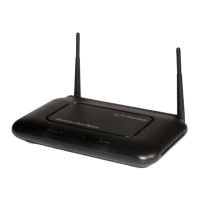
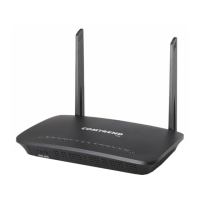
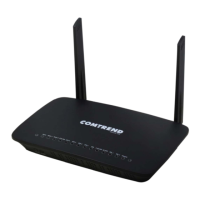
| Type | Wireless Router |
| Antennas | 2 x External |
| Wireless Standard | 802.11b/g/n |
| Security | WPA/WPA2 |

 To Next Page