20
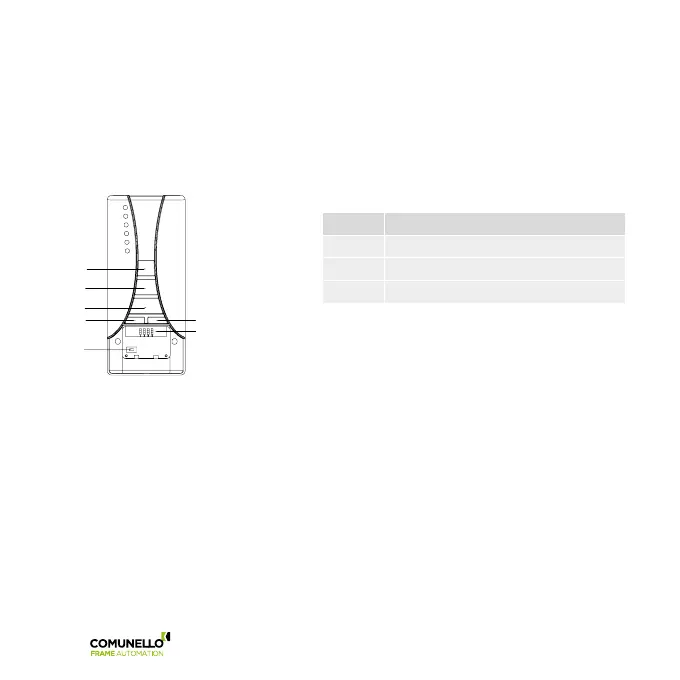
Using a transmitter of the range R-CONTROL it is possible changing the functions of the actuator.
R-CONTROL is equipped with a 4 switches dip-switch thanks to which it is possible to change the desired functions:
set on ON the switch corresponding to the function required and follow carefully the dedicated procedure.
SHOWIN RADIO
WARNING: all the other switches have to be set on OFF
DIP FUNCTION
1 Storage of the transmitters
3 Deletion of all the stored transmitters
2-4 NOT USED
5.3 Switch 1: Storage of the transmitters
To store a transmitter TX1 on a blank control unit proceed as follows:
WARNING: the first transmitter stored fixes the direction of motion of the motor.
a) Power only the control unit to be programmed.
b) Set on ON the switch 1 of the transmitter.
c) R6-CONTROL only: press several times the key SELC of the transmitter TX1 until displayed the selected channel
(by the leds or on the display).
d) Press and keep pressed (for about 5 seconds) the key PROG of the transmitter TX1 until the motor starts to move
in one way.
e) Release the key PROG: the motor stops.
f) Press the keys UP or DOWN depending on the way of motion of the actuator before stopping:
- if the actuator was going up, press the key UP; direction acquired:
the key UP moves the actuator UPWARDS, the key DOWN moves the actuator DOWNWARDS.
- if the actuator was going down, press the key DOWN; direction acquired:
the key DOWN moves the actuator DOWNWARDS, the key UP moves the actuator UPWARDS.
g) Set the switch 1 to OFF.
DIP-SWITCHE
UP
STOP
PROG
SELC
SELG



 To Next Page