MT series remote control intelligent turntable user guide
Copyright reserved by Shenzhen ComXim Technology Co., Ltd. 2017
13
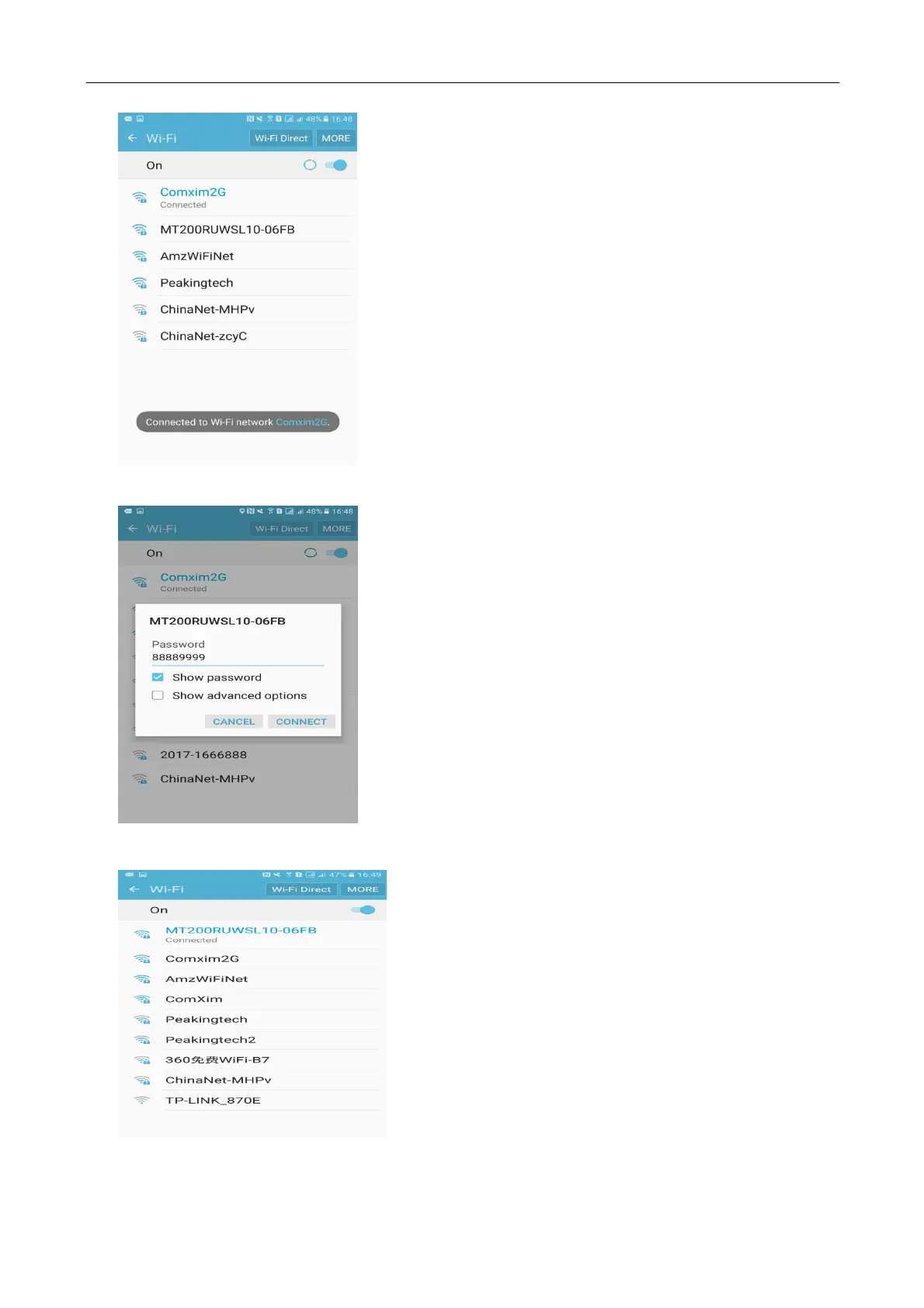
Second Step: connect to MT200RxWxx,enter password“88889999”
Third Step: After the proper connection, the WIFI state of the turntable becomes connected.
Four Step: Open the App touch connection device and connect the turntable to control the
turntable.



 To Next Page