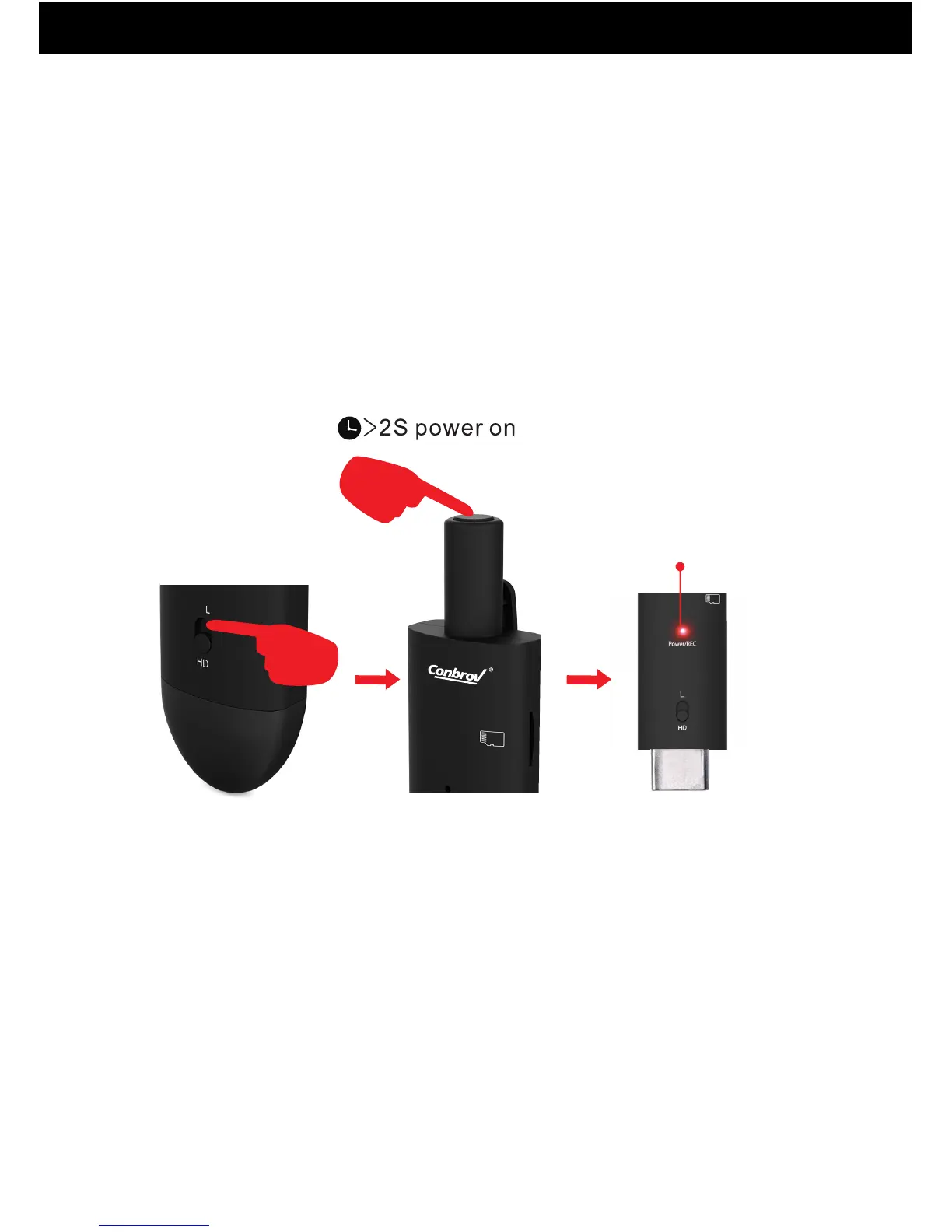
1. How to Record A Video
Choosing the L Mode or HD Mode first and then turn on
the camera.
L Mode: The pixel is 460*360. The indicator light is Red.
Press and hold the Power to switch the camera on. The
red light flashing continually indicates that the camera
is recording in L mode. Press Power again to stop
recording and save the video. The LED lights up red
and the camera is in standby mode.
How to Use Your Conbrov HD088 Camera
11
choosing the L Mode
460*360 pixel
red indicator
camera is recording


 To Next Page