"!!'!'"')+% "',
G97IF=HMK=B8CKK=@@H<9B5DD95F5G?=B;:CF#C; B7F989BH=5@G
9:5I@H 5B8D5GGKCF85F9U$ %VVV
0CIK=@@ B998HC=BGH5@@7H=J9/7@=7?)IB88CB 5GG<CKB =BH<9
=A5;9
'@95G9BCH9MCIK=@@BCH<5J9HCF9D95HH<=GGH9D957<H=A9MCI7CBB97H
F9ACH9@MIB@9GG58=::9F9BH7CADIH9F=GIG98
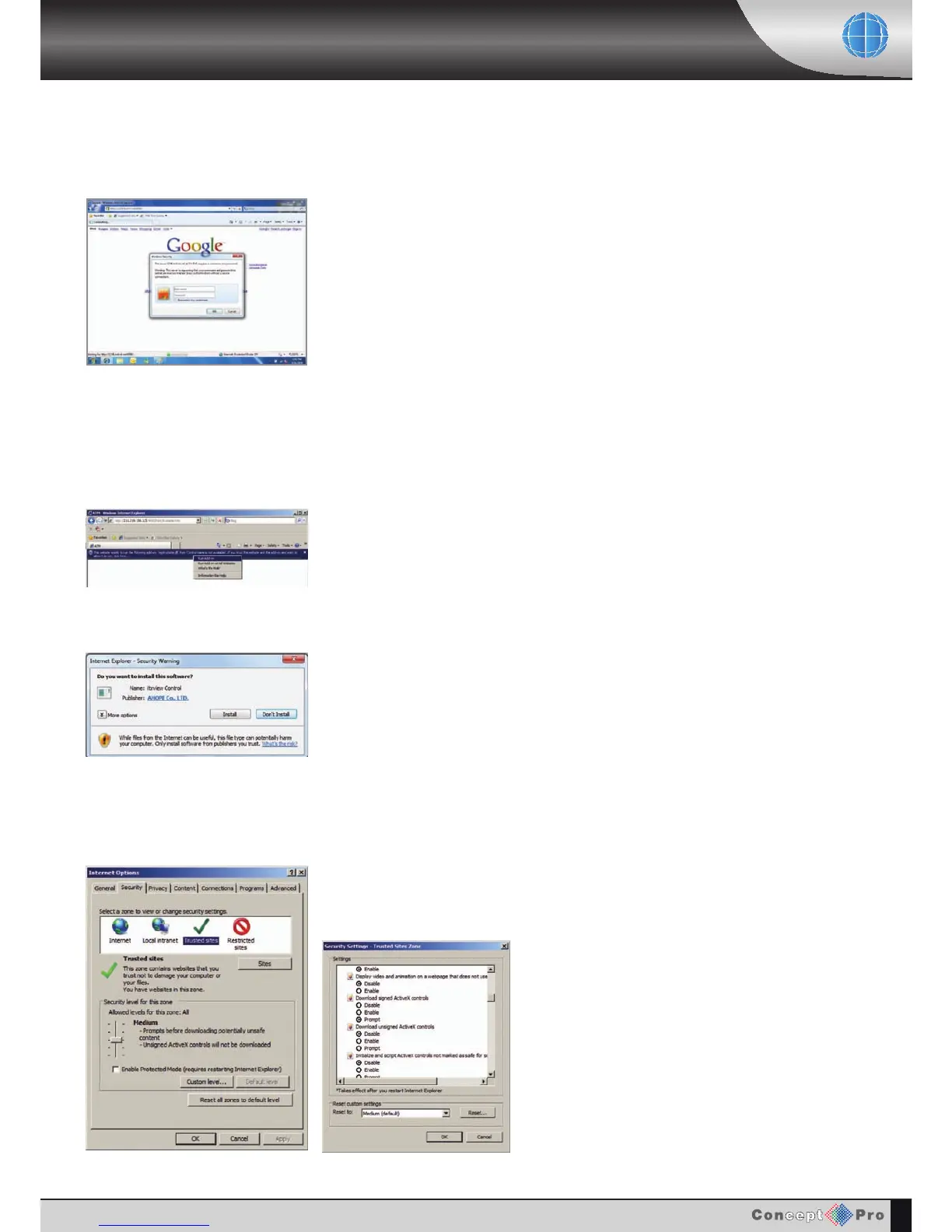
In case you are unable to install active-X, you will need to check the
security options regarding activeX, on Internet Explorer security menu.
To check security options, open Internet Explorer, Click Tools located
on the menu bar at the top, then click Internet options. A new window
will then appear Click Security tab then Custom level…
*9@97HB56@9:CF5@@7H=J9/F9@5H98CDH=CBG
B7@I8=B; CKB@C58 G=;B98 7H=J9/
7CBHFC@ CKB@C58 IBG=;B98 7H=J9/
7CBHFC@O



 To Next Page