NETWORK VIDEO RECORDER QUICK START GUIDE
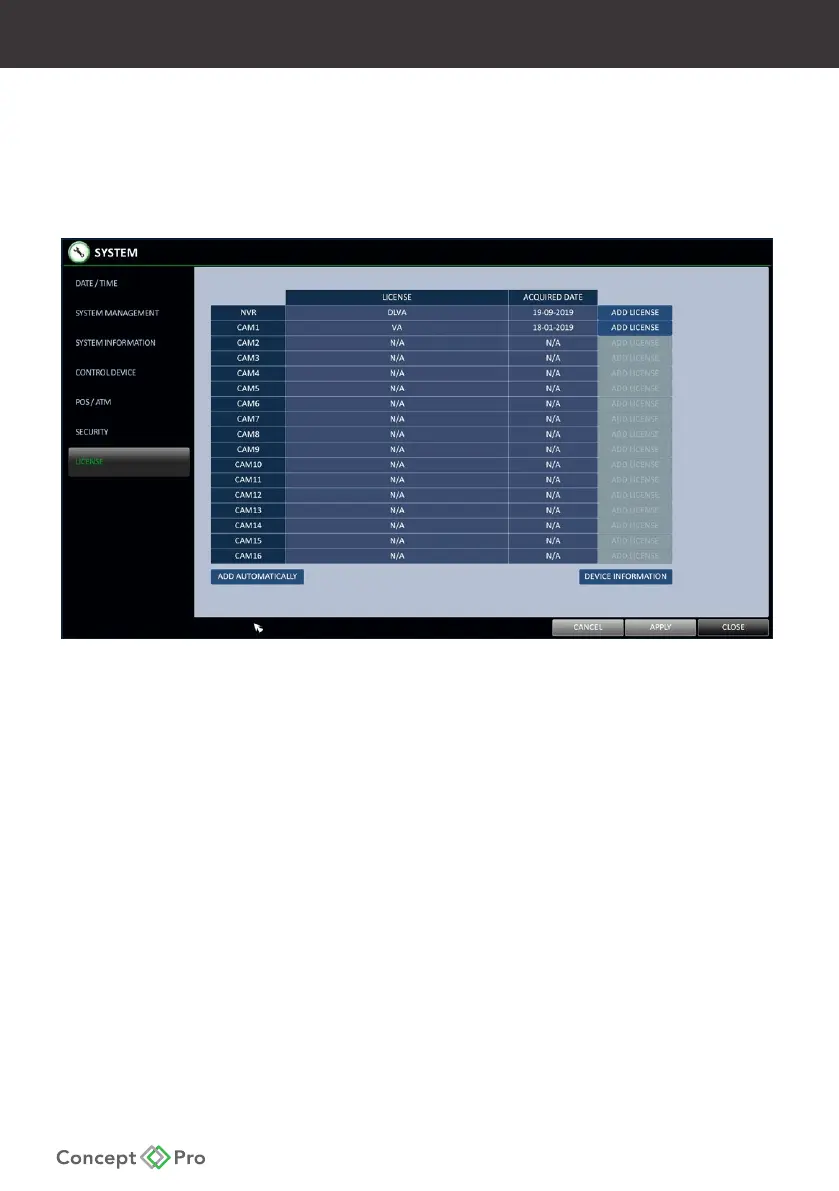
6. Activating Video Analytics & Deep Learning Video Analytics
Video Analytics
Some Concept Pro cameras come equipped with video analytics functionality, including line
crossing, area entrance/exit, loitering, stopped, and object removed detection, that can be
used from the Concept Pro suite of recorders.
To use VA Click <MENU> - <SYSTEM SETUP> - <CAMERA> - <ANALYTICS> and select <BASIC
VA> on the appropriate camera. <APPLY> and click <PROPERTIES> - <START WIZARD> follow
the instructions to congure a new VA rule, calibrate the accuracy of the camera, and
congure related settings. Alternatively, click ADD in the rule tab to manually congure
settings. Click the SCHEDULE tab to customise the VA schedule.
Note: Performing CALIBRATION is recommended to increase the video analytics accuracy.



 To Next Page