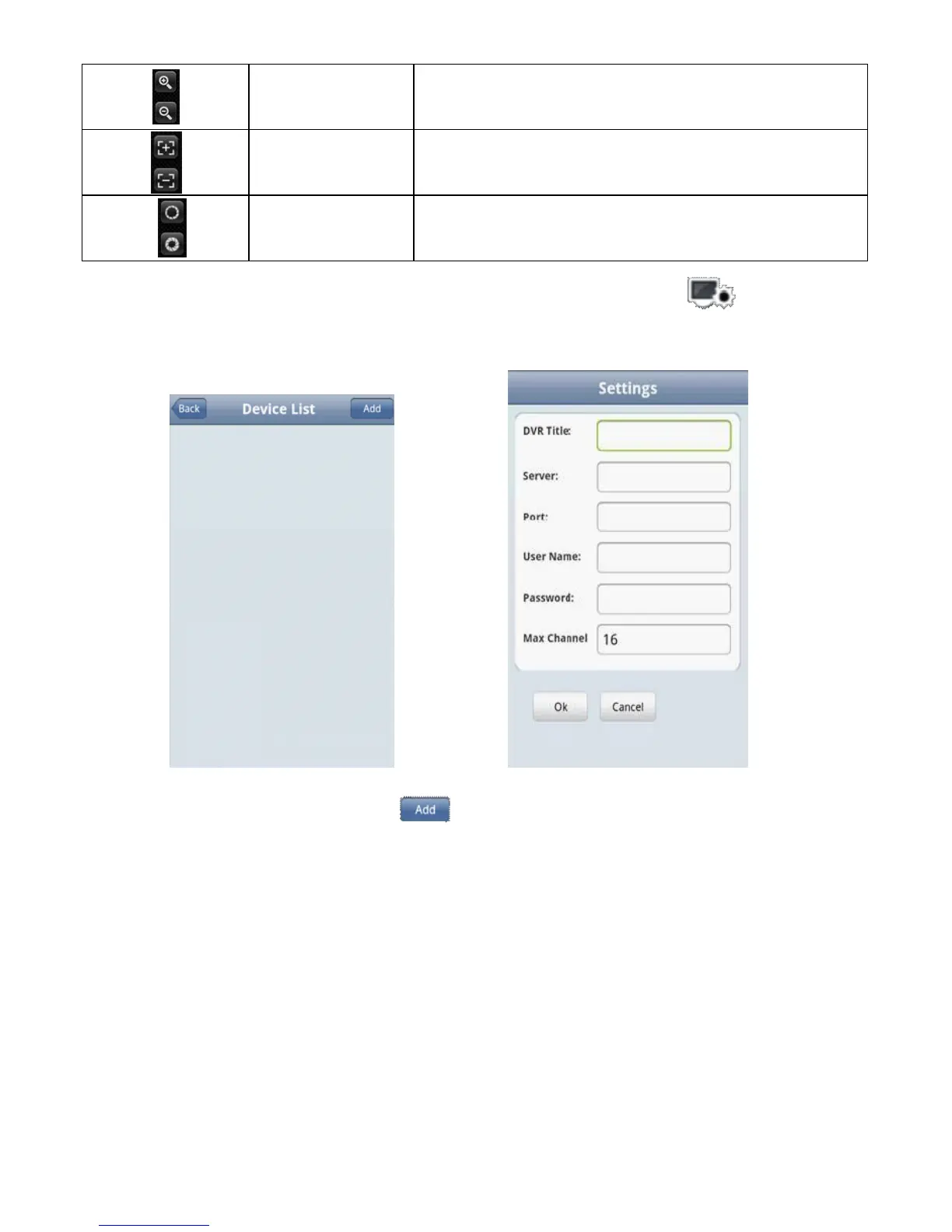
4)If it is first running or need to change the parameters, please click the <settings> button and enter the
<Device List> page, as shown in the below image.
In <device list>interface, click <Add> button and enter <settings> interface, as shown in the above image
Notes:
<DVR Title>:It is convenient to identify among multiple devices.
<Server>:The public IP address, dynamic domain name or LAN IP of DVR (The port should be mapping
before using public IP and mobile phones need to open wifi before using LAN IP).
<Port>:The mobile port set in DVR(default parameter is 8888).
<Us e
r
Na
m
e >:The username permitted to login the DVR(default username is ‘admin’).



 To Next Page